Mixer Screen settings
36
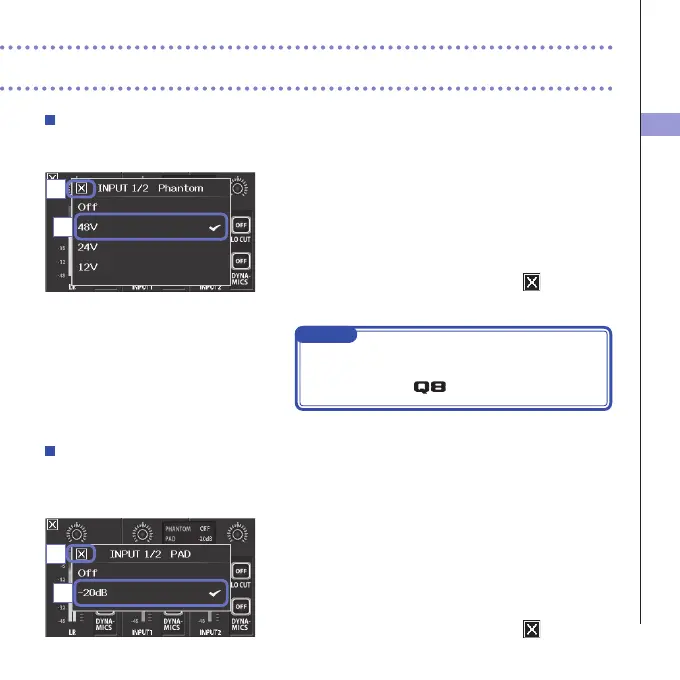
Phantom power
Inputs1/2supportphantompower.Theycansupplypowerat+12V,+24Vor+48V.
1. Touch the shared setting icons for Inputs 1/2 on the
Mixer Screen.
2. In the sub menu, change the "INPUT 1/2 Phantom"
setting to the voltage you want the unit to supply.
3. After completing the setting, touch to close the
submenu.
NOTE
Whenusingcondensermicsthatcanoperatewithless
than+48Vphantompower, youcanreducethepower
consumption of the
by selecting a lower voltage.
PAD (reduce input signal levels)
TurnthePADfunctionONtoreduceinputsignallevelsby20dBinorderto allowconnectionof
mixersandotherdeviceswitharatedoutputlevelof+4dB.
1. Touch the shared setting icons for Inputs 1/2 on the
Mixer Screen.
2. In the sub menu, change the "INPUT 1/2 PAD" setting
to "−20dB".
3. After completing the setting, touch to close the
submenu.
2
2
3
3



 To Next Page