Mixer Screen settings
39
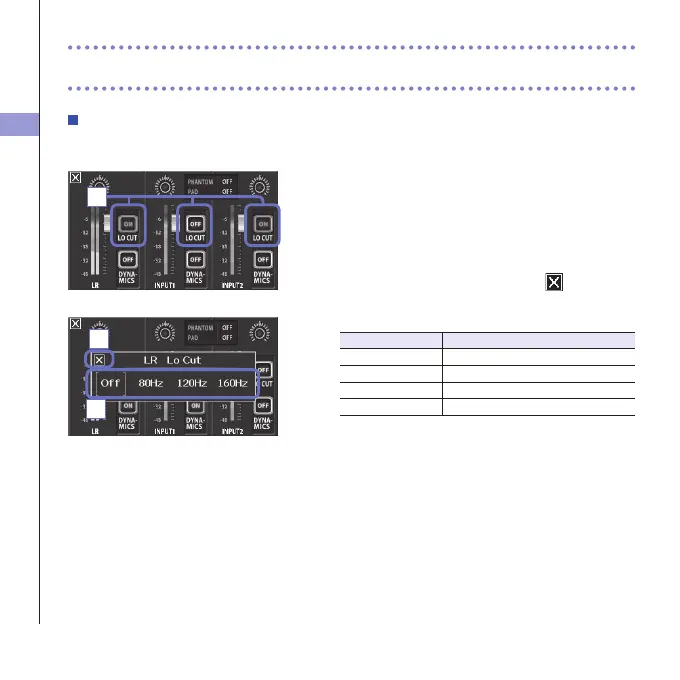
LO CUT (low-frequency cut)
Youcanturnthelow-cutlterontoreducethesoundofwind,vocalpopsandothernoise.
1. On the Mixer Screen, touch the "LO CUT" button for
the channel that you want to adjust.
2. Change the "lo cut" setting in the submenu that
opens.
3. After completing the setting, touch to close the
submenu.
Setting Explanation
Off Disablethelo-cutlter.
80Hz Cutaudiobelow80Hz.
120Hz Cutaudiobelow120Hz.
160Hz Cutaudiobelow160Hz.
1
Mixer Screen settings (continued)
3
2



 To Next Page