Assigning files to tracks
Recording files of existing projects and audio files saved on the microSD card can be assigned to a project.
If you have received only audio files, for example, you can load them into an R4 project and continue
production work.
1. Open the project with tracks to which you want to assign files or create a new project.
(→ Opening existing projects)
(→ Creating new projects)
(→ Duplicating projects)
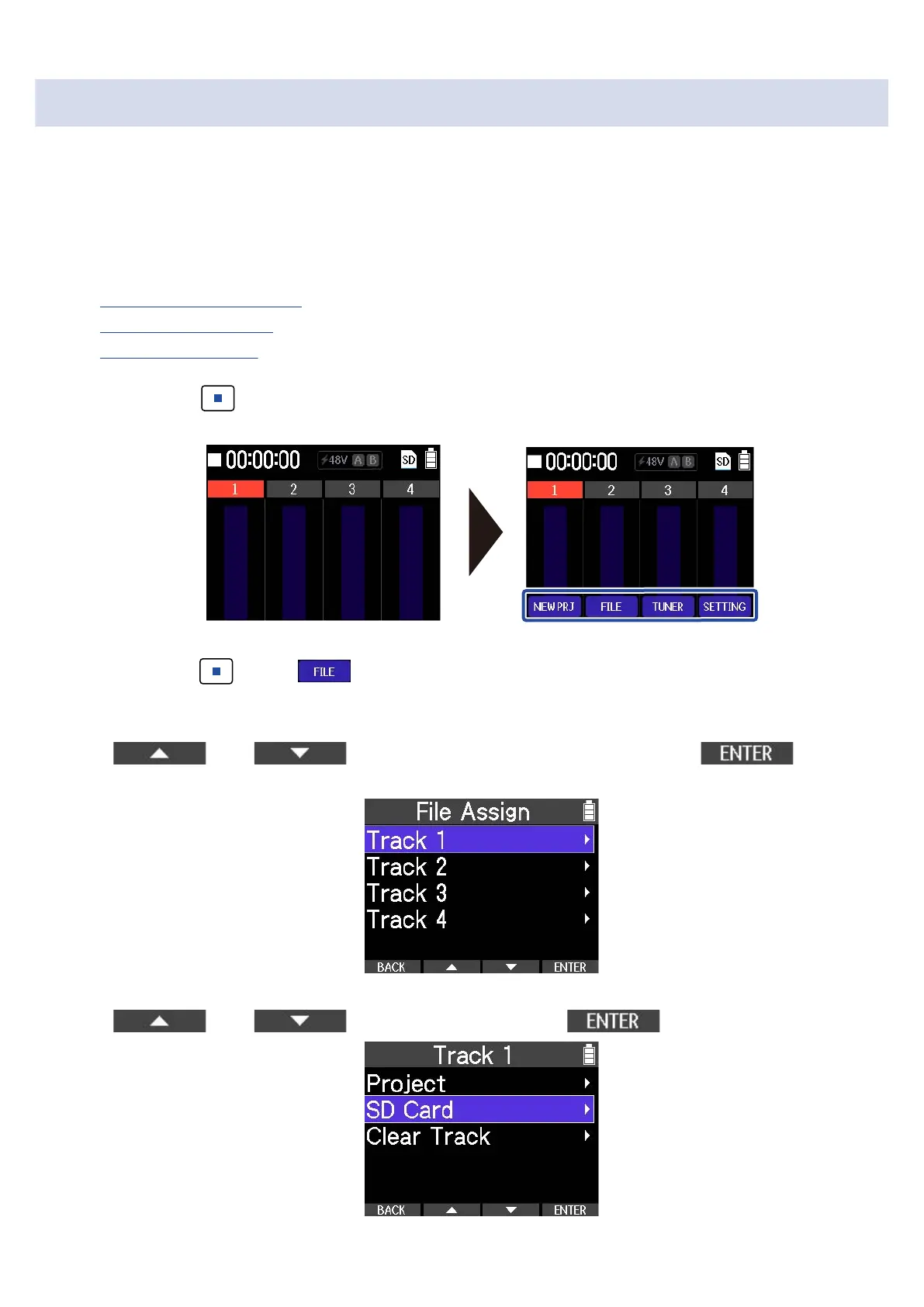
2. Press and hold when the Home Screen is open.
This opens the Option Menu.
3. While pressing , press .
This opens the File Assign Menu.
4. Use and to select the track for assignment, and use to
confirm.
5. Use and to select an item, and use to confirm.
63



 To Next Page