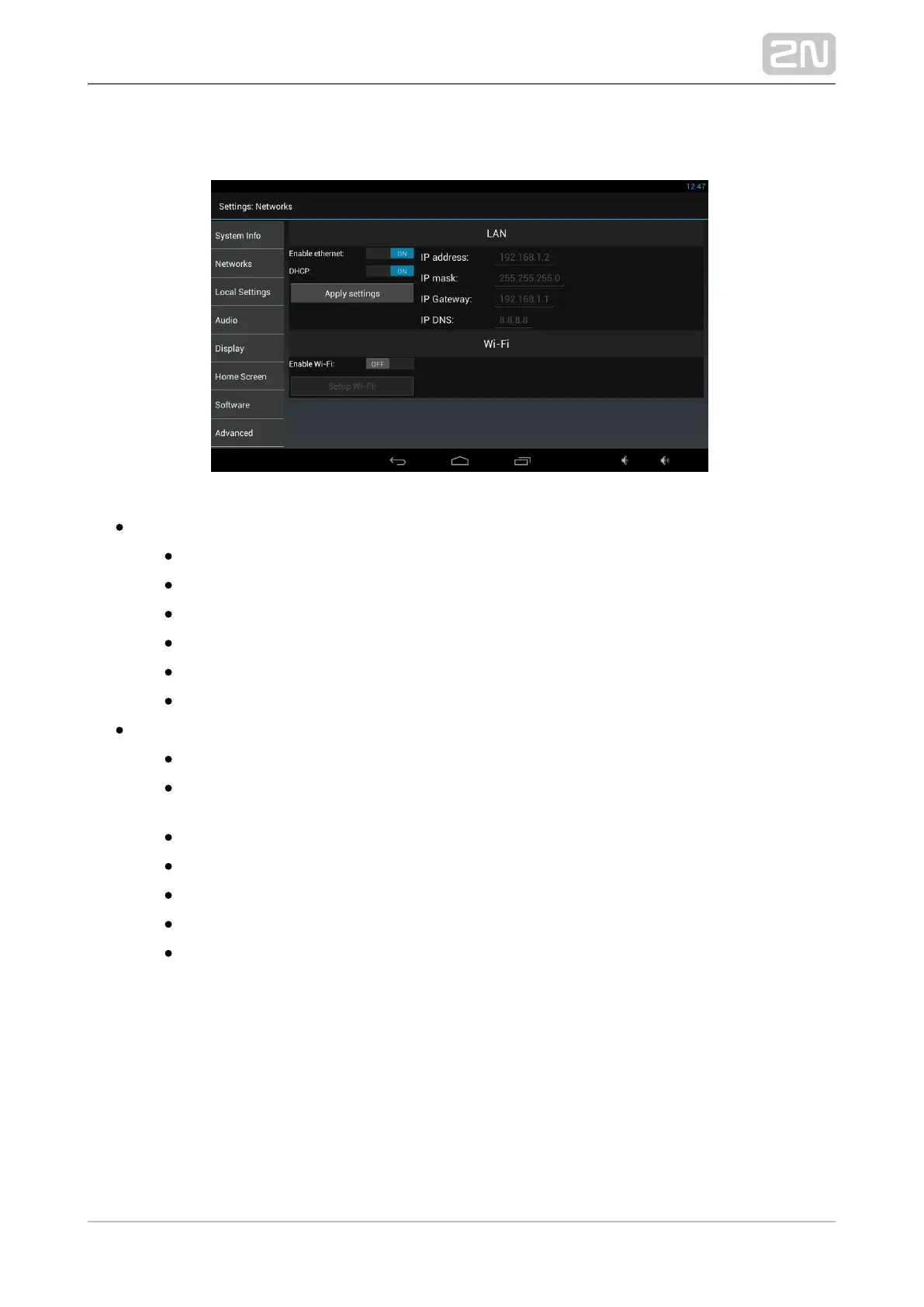
Networks
LAN – set the fixed Ethernet interface:
Enable Ethernet – activate/deactivate the adapter.
DHCP – enable/disable the DHCP client.
IP address – IPv4 address if the DHCP client is off.
IP mask – IPv4 mask if the DHCP client is off.
IP gateway – gateway IPv4 address if the DHCP client is off.
IP DNS – DNS server IPv4 address if the DHCP client is off.
Wi-Fi (according to the device type):
Enable Wi-Fi – activate/deactivate the adapter.
– display the Wi-Fi networks in the surroundings, select a Setup Wi-Fi
network for connection.
DHCP – enable/disable the DHCP client.
IP address – IPv4 address if the DHCP client is off.
IP mask – IPv4 mask if the DHCP client is off.
IP gateway – gateway IPv4 address if the DHCP client is off.
IP DNS – DNS server IPv4 address if the DHCP client is off.
Click Apply settings to save the current adapter settings.
Click Select network to select the WiFi AP network to which the device shall be
connected.



 To Next Page