4.2.3.2 Call Log
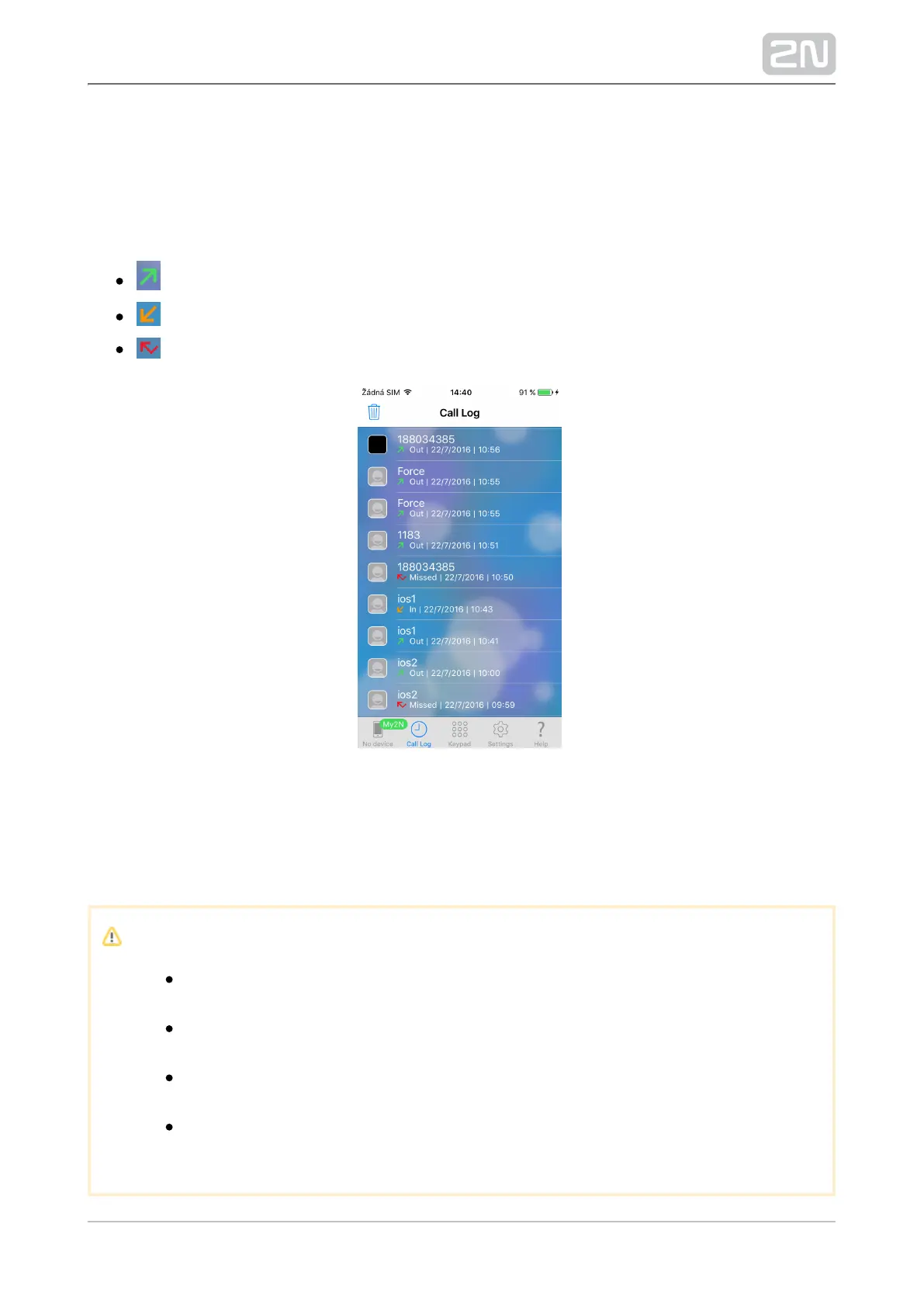
The Call Log section of the application helps you display the 2N Helios IP Mobile
®
records of outgoing and incoming calls. The calls can have the following values:
– outgoing – outgoing call
– incoming – incoming call
– missed – missed call
The record icon contains either an image taken as a snapshot from the device or an
avatar. The avatar is displayed if the Autosnapshot parameter is active for camera-less
devices or if no snapshot was taken due to a short video view display. Use the trash
icon in the left-hand upper corner to delete the records.
Caution
A snapshot is created when the active video stream view takes
approximately 3–5 s.
Unlike Android, the Call Log record count is unlimited. Despite this, we
recommend you to delete the records on a periodical basis.
The iOS application version does not include the recorder and CallBack
functions.
Unanswered outgoing/incoming calls are marked as calls with 0:00
duration.



 To Next Page