54
Cleaning the Touchscreen
• Wipe the touchscreen with the soft, lint-free cloth. Do not spray cleaners on the
touchscreen.
4 Amp Fuse Replacement
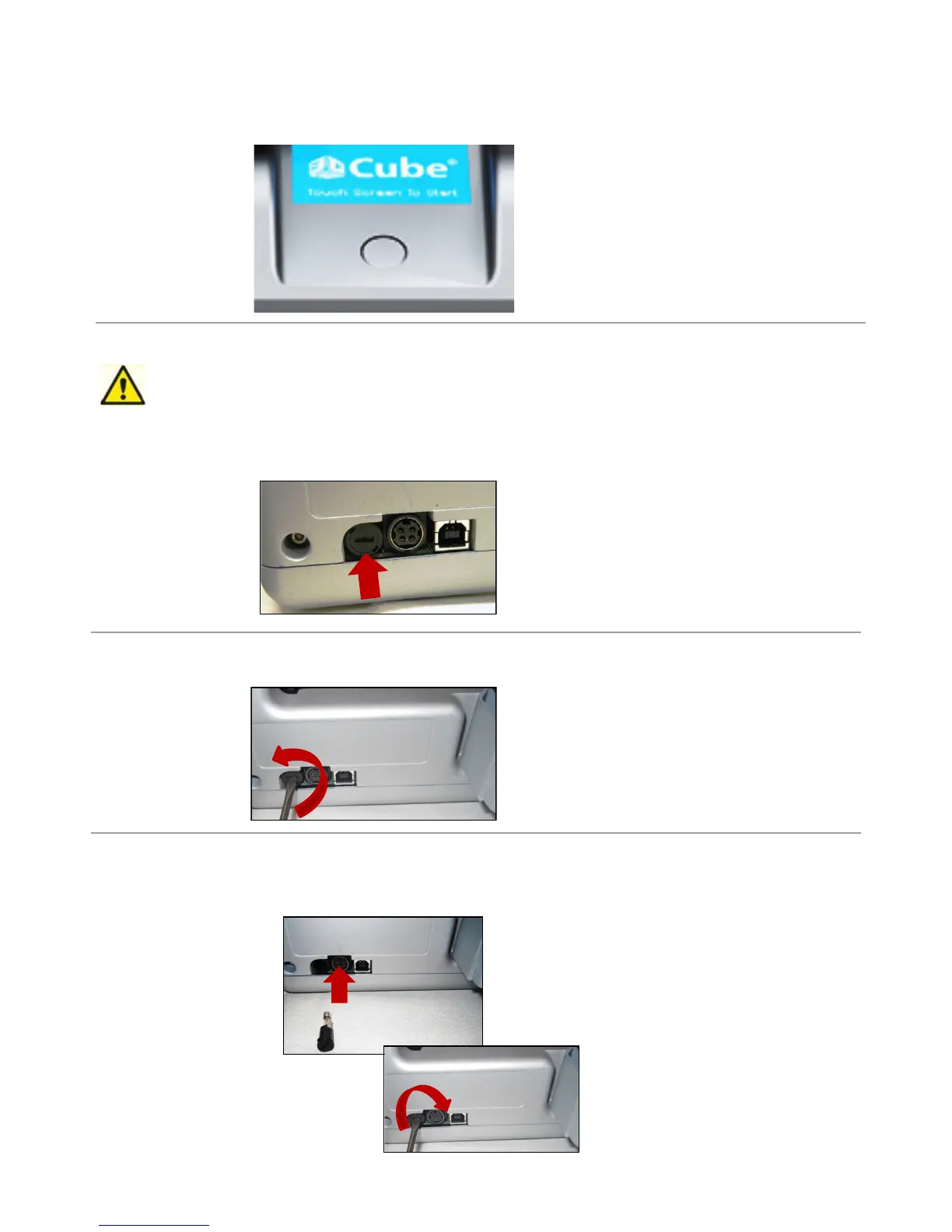
1. 4 Amp, 250V fast blow fuse is located on the back left side of your Cube.
Caution: Before replacing the fuse, switch Cube’s power off and unplug power cord.
2. Usingaatscrewdriver,turnscrewdrivercounterclockwisetoremovefusefromthefuseholder.
3. Usingaatscrewdriver,turnscrewdriverclockwisetoinstallnewfuseintothefuseholder.Afternewfuseis
installed, plug power cord into outlet and switch power on.











 To Next Page