hour before the Quick Exports
window was opened. hour
before the
To
Set an end date for the footage
export. Default parameters
will set the To value to the
time at which the Quick
Exports window was opened.
Export Destination
Browse
Select a destination for the export footage. By default, VIGIL will use the destination configured in
the Destination Settings tab.
Other
Start Export Begin exporting the footage.
Advanced...
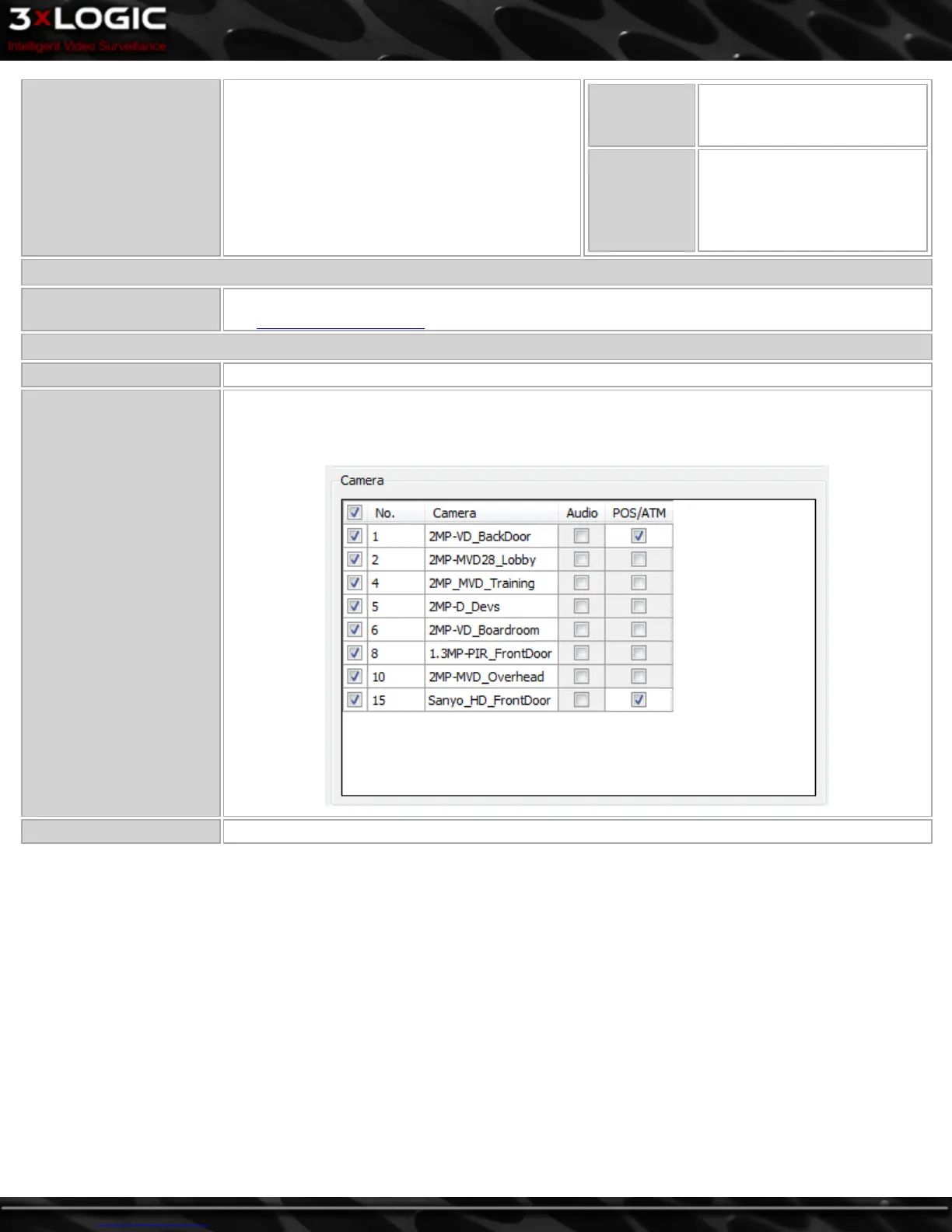
Click Advanced to open the Advanced Quick Export window. From this window you can select which
cameras will be exported(default is all cameras) as well as whether or not to include Audio and POS
data from the indivudal cameras you select.
Close Close the Quick Exports window.
©2014 3xLOGIC Inc. | VIGIL Client - User Guide -9-



 To Next Page