6.2. FZ-GD / FX-GD Series Balances
The default setting of the unit of weight for the FZ-GD / FX-GD series balances is grams (g).
To use other units, refer to “5-2 Storing Units” on to store the units.
6.3. Basic Operation (FZ-GD / FX-GD Series Balances)
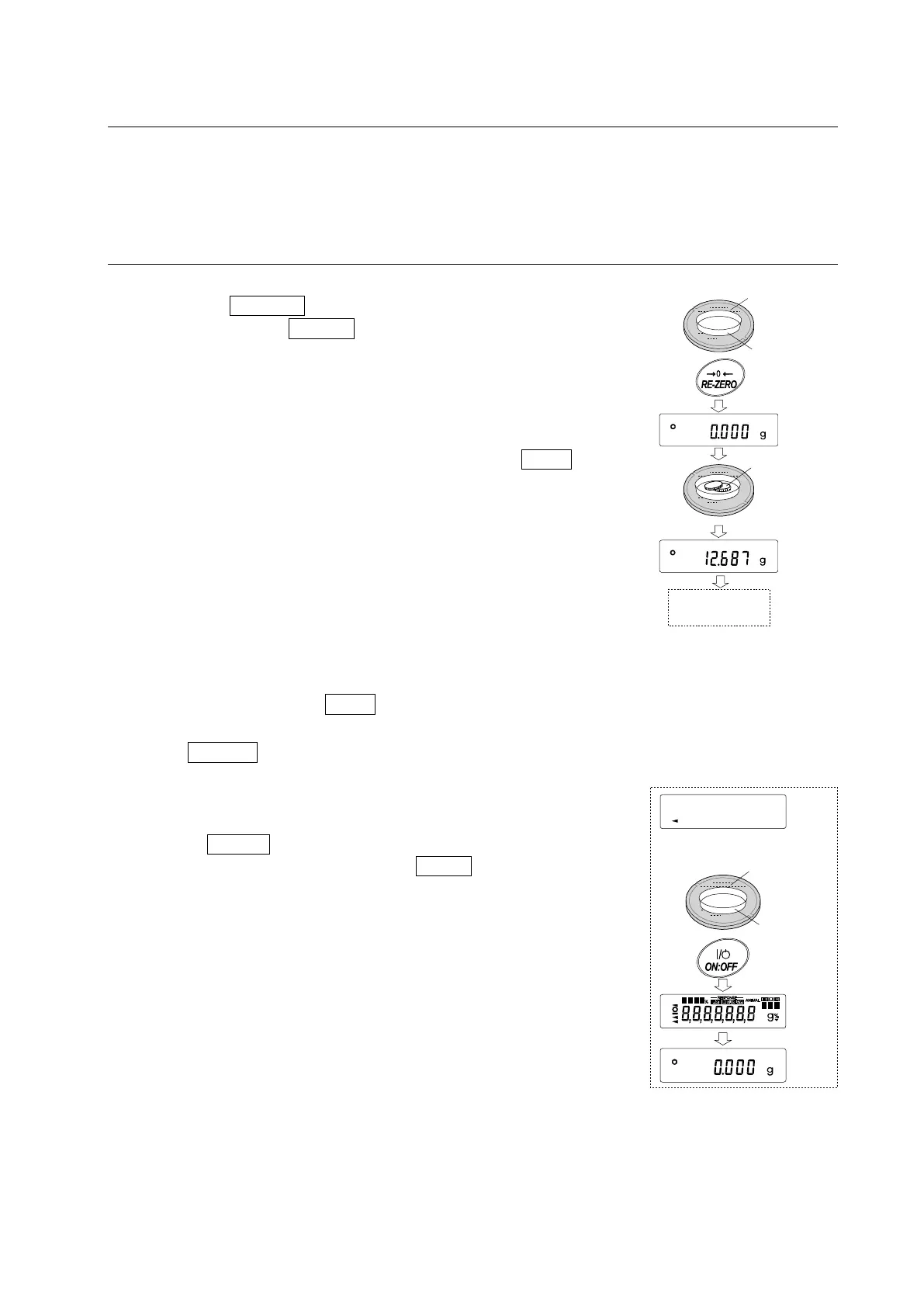
1 Place a container on the weighing pan, if necessary.
Press the RE-ZERO key to cancel the weight (tare). The
balance displays 0.000 g (The decimal point position
depends on the balance model.)
2 Place a sample on the pan or in the container.
3 Wait for the stabilization indicator to be displayed. Read
the value.
While the stabilization indicator is on, pressing the PRINT
key will output the weight value, using the RS-232C serial
interface.
Note
Peripheral equipment, that is sold separately , such as
a printer or a personal computer is required.
4 Remove the sample and container from the pan.
Notes
When other units of weight are stored as described in “9
-9
Storing Units”,
pressing the MODE key switches the
displayed unit.
Press the SAMPLE key to turn on or off the minimum
weighing value.
When the ON:OFF key is pressed with a container placed on
the weighing pan, the balance displays
g and weighing
is started,
Sample
Remove the
sample
Weighing
pan
Container
Weighing
pan
Container
(Display off)



 To Next Page