6.7. Statistical Calculation Mode (Example of Use)
Here, as an example of use of the statistical calculation mode, mixing
of the multiple formulae such as medicine is described. The mixing
process is recorded using the balance and the printer.
In the example, the FX-3000i and the AD-8127 (dump print mode) are
connected using the RS-232C serial interface.
Getting Started
Changing the function table
Changes : ●To enable the statistical calculation mode
●To enable “Zero after output”
Enabling the statistical calculation mode
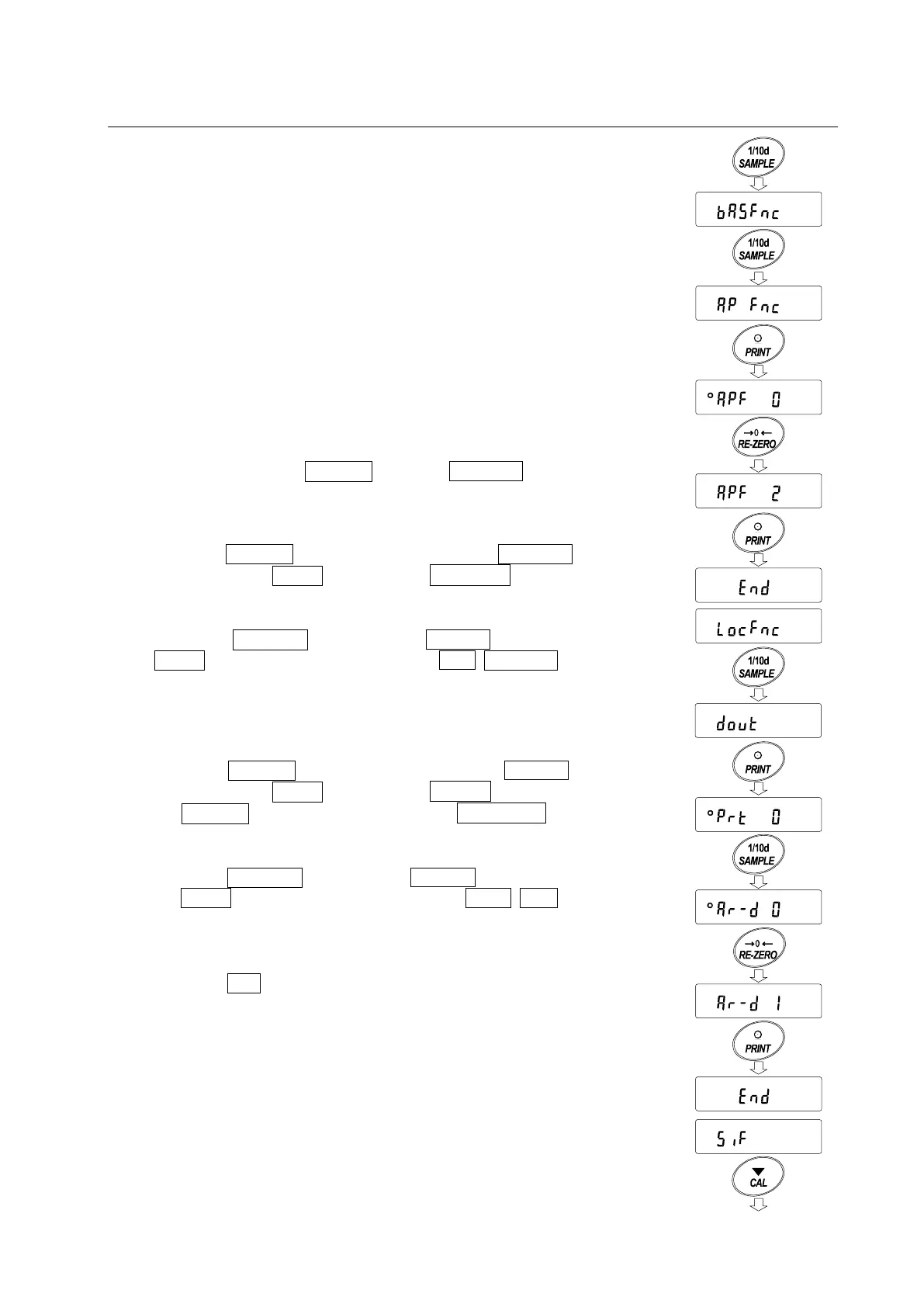
1 Enter the function table menu.
Press and hold the SAMPLE key until ba5fnc of the
function table is displayed, then release the key.
2 Select the application function.
Press the SAMPLE key several times to display 1ap fnc .
Then, press the PRINT key to display 1°apf 0 .
3 Change the application function parameter to “2”.
Press the RE-ZERO key to display apf 2 . Press the
PRINT key to confirm the change. After end , 1locfnc1 is
displayed.
Enabling “Zero after output”
4 Select “Zero after output”.
Press the SAMPLE key several times to display 1dout .
Then, press the PRINT key to display °prt 0 , and press
the SAMPLE key several times to display 1°ar-d 0 .
5 Enable “Zero after output”.
Press the RE-ZERO key to display ar-d 1 . Then, press
the PRINT key to confirm the change. After 1end , 5if is
displayed.
Returning to the weighing mode
6 Press the CAL key to return to the weighing mode.
Return to
the weighing mode
Press
several t
i
me
s
Press and hold
(
fo
r
2
s
e
co
nd
s
)
P
res
s
several times
Press
s
eve
ral times
No
r
m
Stat
key
of
f
on



 To Next Page