ID NUMBER AND GLP REPORT
The ID number is used to identify the balance when Good Laboratory Practice (GLP) or Good
Manufacturing Practice (GMP) is used.
The ID number is maintained in non-volatile memory even if the AC adapter is removed.
The output format for GLP/GMP compliant report is selected at “GLP output (info)” of the function
table and can be output to a personal computer or printer using the RS-232C serial interface.
The GLP/GMP compliant report includes the balance manufacturer, model, serial number, ID
number and space for signature for weight data, and the weight used and results for calibration
or calibration test data.
When the AD-8127 printer is used, the date and time can be printed using the AD-8127 clock
and calendar function. In this case, set the “GLP output ( info )” parameter to “1”.
The balance can output the following:
“Calibration report” of the calibration, using the internal mass (Calibration due to changes in
temperature and one-touch calibration.)
“Calibration report” of the calibration, using an external weight.
“Calibration test report” of the calibration test, using an external weight.
“Title block” and “End block” for the weight data.
11.1. Setting the ID Number
1 Press and hold the SAMPLE key until ba5fnc of the function table is displayed.
2 Press the SAMPLE key several times to display id .
3 Press the PRINT key. Set the ID number using the following keys.
SAMPLE key To select the digit to change the value. The selected digit
blinks.
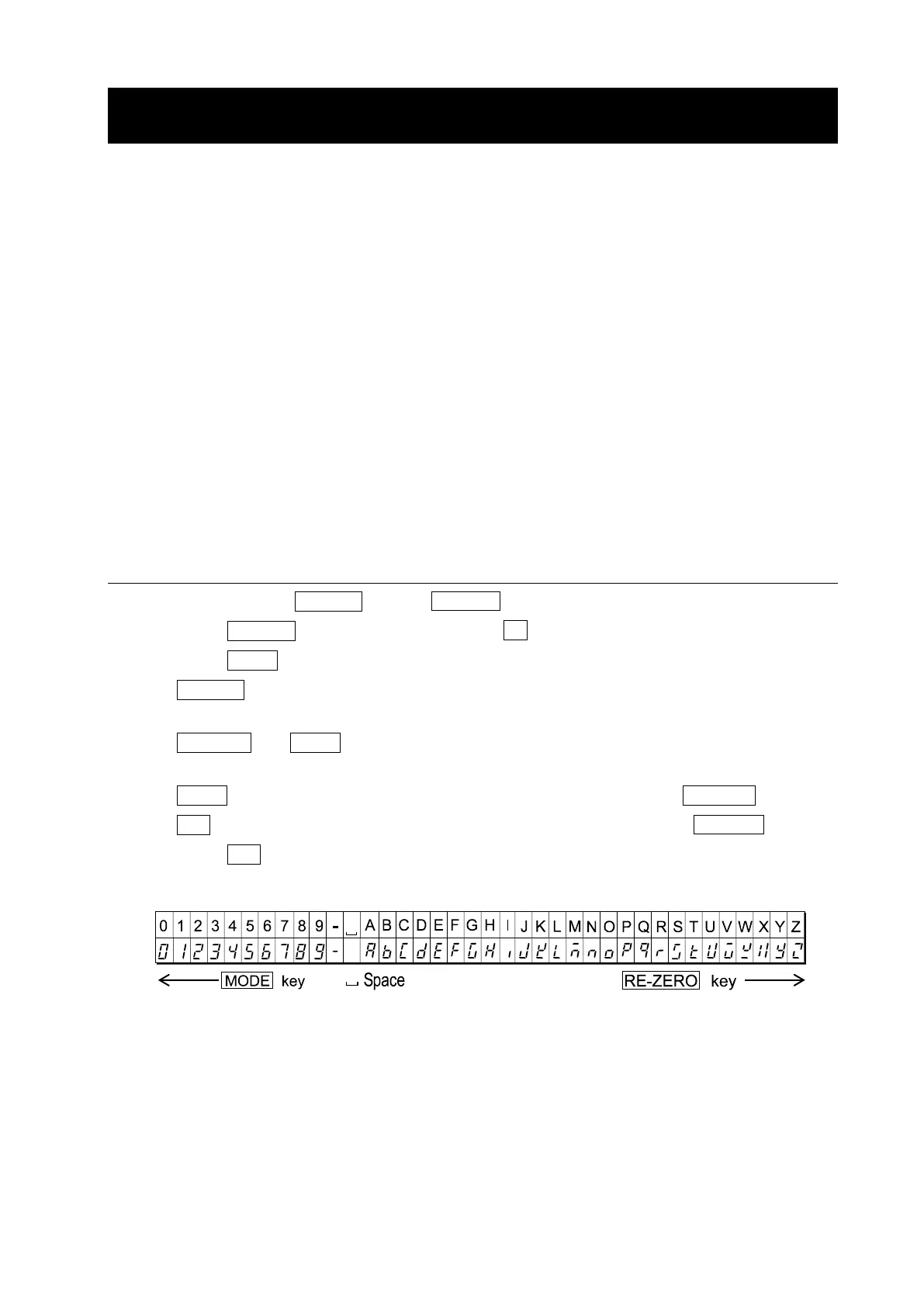
RE-ZERO key, MODE key To set the character of the digit selected. Refer to the display
character set shown below.
PRINT key To store the new ID number and display ap fnc
CAL key To cancel the new ID number and display ap fnc
4 Press the CAL key to return to the weighing mode.
Display character set



 To Next Page