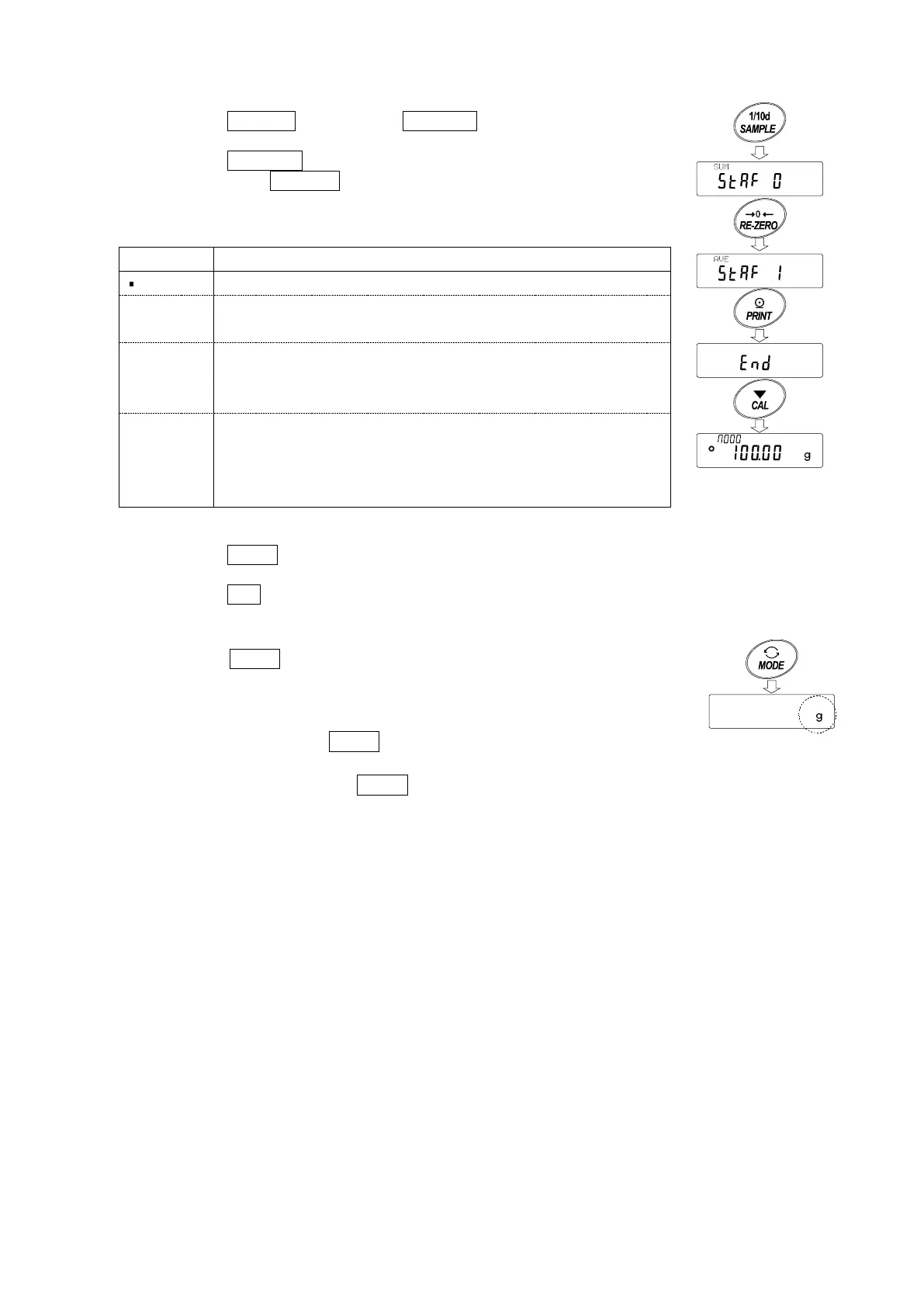
Selecting the statistical items to output
5 Press the SAMPLE key to display 5taf 0 .
6 Press the RE-ZERO key to select the output items.
In the example, 5taf 1 is selected to output the number of
data, sum, maximum, minimum, range (maximum-minimum)
and average.
0
1
Number of data, sum
Maximum, minimum, range (maximum – minimum), average
2
Number of data, sum
Maximum, minimum, range (maximum – minimum), average,
Standard deviation, coefficient of variation
3
Number of data, sum
Maximum, minimum, range (maximum – minimum), average,
Standard deviation, coefficient of variation
Relative error of maximum value, relative error of minimum value
7 Press the PRINT key to store the setting.
8 Press the CAL key to return to the weighing mode.
Selecting the unit
9 Press the MODE key to select the unit to be used for
the statistical calculation mode. In the example shown
at the right, gram (g) is selected.
Notes
Selecting the unit using the MODE key is not available after the
data is entered. In this case, clear the data as described on page
27 and select the unit using the MODE key.
When the unit used for the statistical calculation mode is to be enabled upon power-on,
select the unit in “Unit (
)” of the function table beforehand.



 To Next Page