45
10-7. Clock And Calendar Function
The GX-K series is equipped with a clock and calendar function. When the "GLP output
(info)" parameter is set to "1" or "2" and the "Time/Date output (5-td)" parameter is set to
"1", "2" or "3", the time and date are added to the output data. Set or confirm the time and
date as follows:
Note GF-K series does not use this function.
Operation
Step 1 Press and hold the SAMPLE key until ba5fnc of the function table is displayed in
the weighing mode, then release the key.
Step 2 Press the SAMPLE key several times to display Cl adj .
Step 3 Press the PRINT key.
The balance enters the mode to confirm or set the time and date.
Confirming the time
Step 4 The current time is displayed with all the digits blinking.
When the time is correct and the date does not need to be
confirmed, press the CAL key and go to step 8.
When the time is correct and the date is to be confirmed,
press the SAMPLE key and go to step 6.
When the time is not correct and is to be changed, press
the RE-ZERO key and go to step 5.
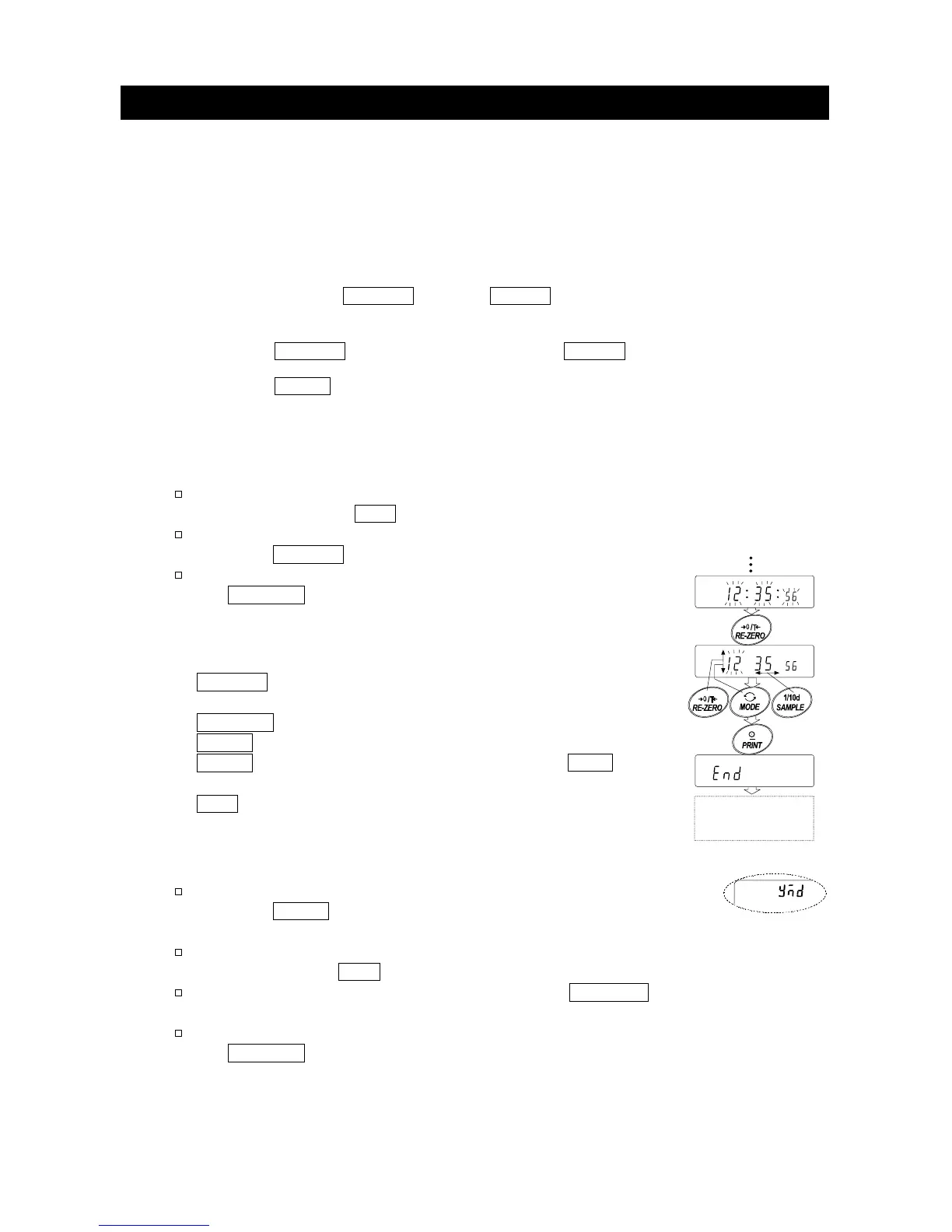
Setting the time (with part of the digits blinking)
Step 5 Set the time in 24-hour format using the following keys.
SAMPLE key
...
To select the digits to change the value.
The selected digits blink.
RE-ZERO key
..
To increase the value by one.
MODE key
......
To decrease the value by one.
PRINT key
......
To store the new setting, display end
and go to step 6.
CAL key
.........
To cancel the new setting and go to step 6.
Confirming the date
Step 6 The current date is displayed with all the digits blinking.
To change the display order of year (y), month (m) and day (d),
press the MODE key. The date is output in the order as
specified.
When the date is correct and the operation is to be
finished, press the CAL key and go to step 8.
When the time is to be confirmed again, press the SAMPLE
key and go back to step 4.
When the date is not correct and is to be changed, press
the RE-ZERO key and go to step 7.
Note The year is expressed using a two-digit format.
For example: The year 2004 is expressed as "04".
Store
Goes to date
setting mode



 To Next Page