22
7. Weighing Speed Adjustment / Self Check Function
7-1. Weighing Speed Adjustment
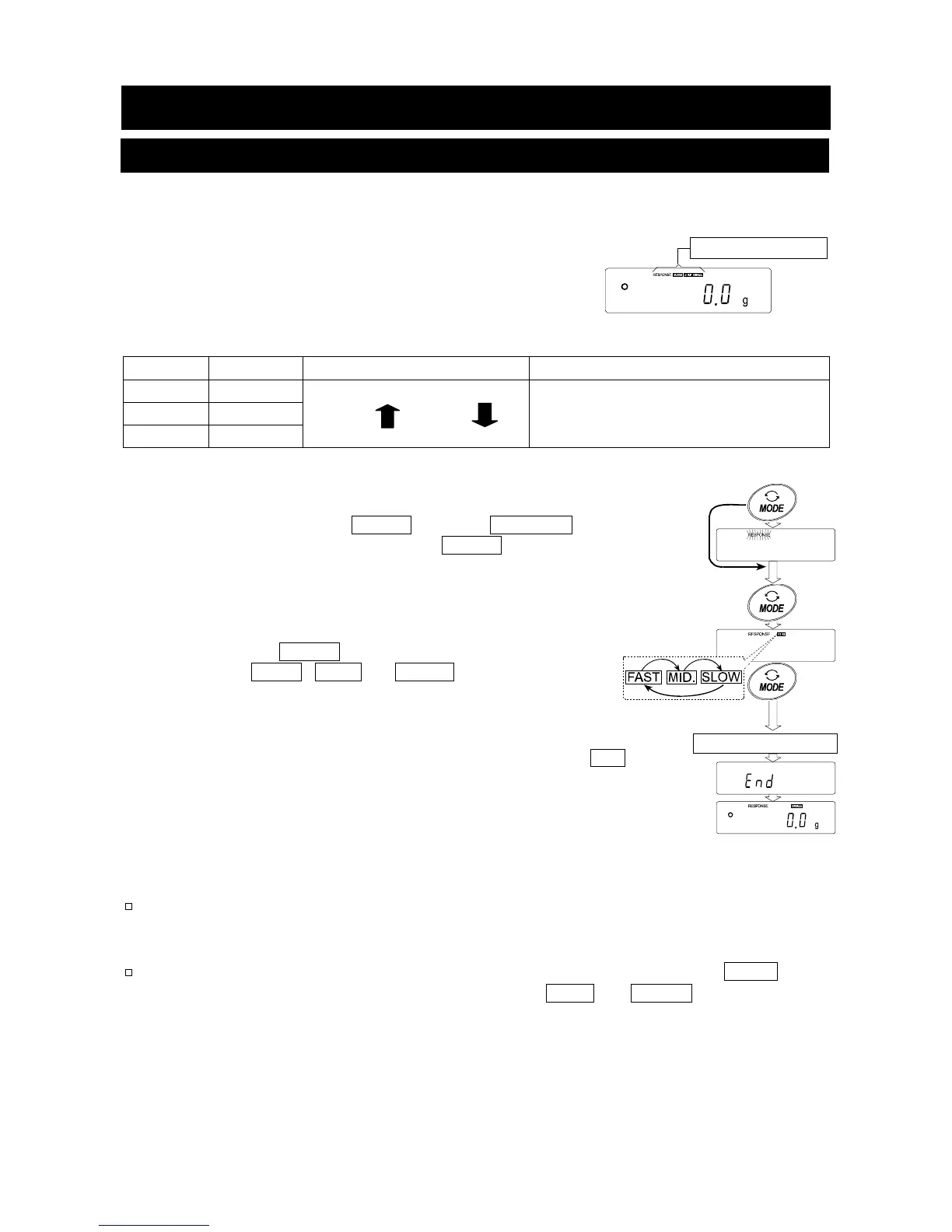
This function detects the influence on weighing that is caused
by drafts and/or vibration at the place where the balance is
installed and sets the following three weighing speeds
(response characteristics) automatically.
The function has three rates as follows:
Changing the weighing speed changes the display refresh rate.
Indicator Parameter Weighing Speed Stability Display refresh rate
FAST Cond 0
MID. Cond 1
SLOW Cond 2
Fast response, Sensitive value
Slow response, Stable value
If the weighing speed is changed as follows:
MID. or SLOW FAST =10 times/second
FAST MID. or SLOW = 5 times/second
Step 1 Press and hold the MODE key until RESPONSE is
displayed. And then, press the MODE key again
quickly.
Step 2 Press the MODE key to select a weighing speed.
Either FAST , MID. or SLOW can be selected.
Step 3 After a few seconds of inactivity the balance displays
end .
Then, it returns to the weighing mode and displays the
updated response indicator. The response indicator
remains displayed for a while.
Note
The weighing speed adjustment can be changed at "Condition (Cond)" of
"Environment, Display (ba5fnc)" in the function table. Refer to "10. Function
Table" for details.
To set a refresh rate of 5 times/second when the response rate is FAST or
10 times/second when the response rate is MID. or SLOW , change the
"Display refresh rate (5pd)" parameter of "Environment, Display (ba5fnc)" in
the function table.
Weighing speeds
Release and wai



 To Next Page