71
12-8. Data Memory: Confirmation and Storage Mode
The confirmation and storage mode can change and store the recalled data.
Of the three types of memory data listed below, one may be selected in the function table,
and is available for changes using this mode.
Unit mass in the counting mode
Comparator settings
Tare value
Notes
To change the memory data other than specified in the function table, re-set the
Data memory (data)" parameter of the function table.
For a detailed description of the procedure for each memory data, see the
relevant section.
Use the confirmation and storage mode as follows.
Step 1 Press and hold the PRINT key to enter the memory data recalling mode. The
memory data last selected appears with all the digits blinking.
Step 2 Use the following keys to select the value.
RE-ZERO key
.....
To increase the memory data number by one.
MODE key
.........
To decrease the memory data number by one.
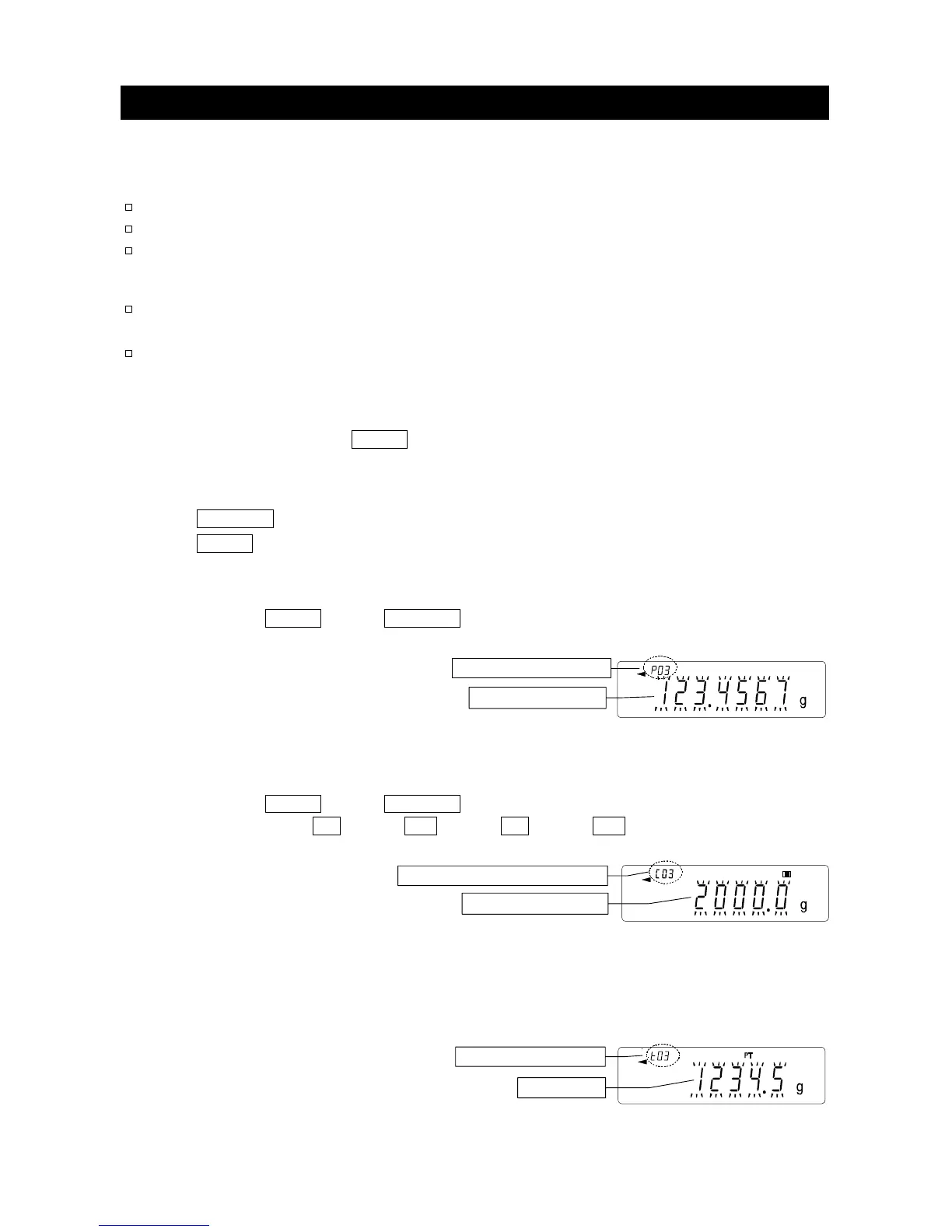
Unit mass: when the "Data memory (data)" parameter is set to "1"
Each time the MODE key or RE-ZERO key is pressed, the displayed value changes as
follows:
........
↔ p03 ↔ p04 ↔
.......
GX-K series can select "p01" to "p50".
GF-K series can select "p01" to "p20".
Comparator settings: when the "Data memory (
data
)" parameter is set to "
4
"
Each time the MODE key or RE-ZERO key is pressed, the displayed value changes as
follows:
........
↔ C03 HI ↔ C03 LO ↔ C04 HI ↔ C04 LO ↔
........
Tare value: when the "Data memory (data)" parameter is set to "5"
Each time the MODE key or RE-ZERO key is pressed, the displayed value changes as
follows:
........
↔ t03 ↔ t04 ↔
........
↔t20 ↔ t01 ↔
........
No.3. Unit mass numbe



 To Next Page