70
12-7. Data Memory: Quick Selection Mode
The data memory has a quick selection mode to recall data in memory quickly.
Using the quick selection mode, the comparator settings or the tare value, whichever is
selected in the function table, can be recalled, by a simple operation, using the MODE key.
Note
While the data memory function is in use, unit selection using the MODE key is not
available.
Use the quick selection mode as follows:
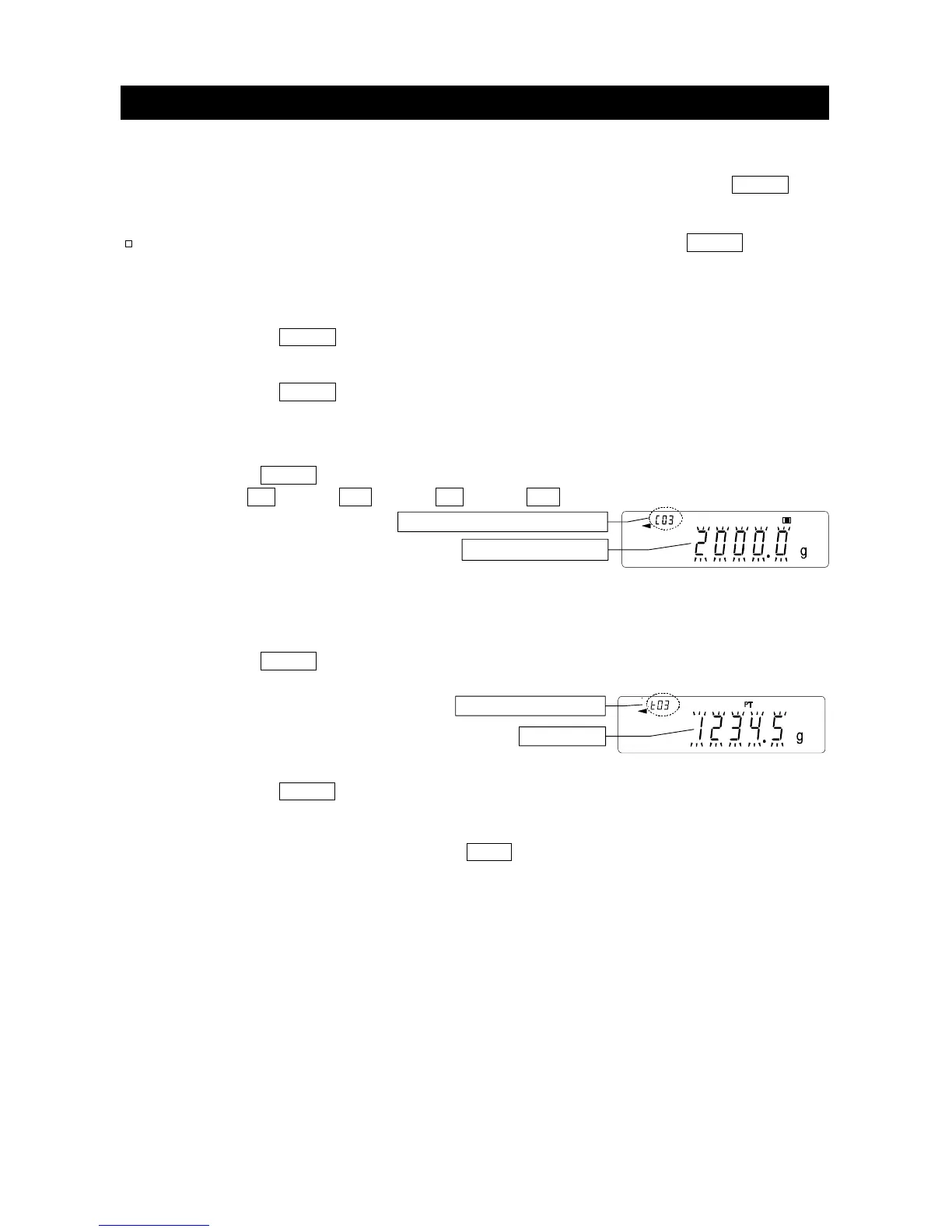
Step 1 Press the MODE key to enter the memory data recalling mode.
The memory data last selected appears with all the digits blinking.
Step 2 Press the MODE key to select the value.
Comparator settings: when the "Data memory (
data
)" parameter is set to "
4
"
Each time the MODE key is pressed, the displayed value changes as follows:
(
........
↔ C03 HI ↔ C03 LO ↔ C04 HI ↔ C04 LO ↔
........
)
Tare value: when the "Data memory (data)" parameter is set to "5"
Each time the MODE key is pressed, the displayed value changes as follows:
(
........
↔ t03 ↔ t04 ↔
........
↔t20 ↔ t01 ↔
........
)
Step 3 Press the
PRINT key or leave the balance as is for a while (after a few seconds
of inactivity) to confirm the selection. The balance returns to the weighing mode
with the selected data ready for use.
To cancel the selection, press the CAL key. The balance returns to the
weighing mode
No.3. Comparator numbe



 To Next Page