50
10-8-3. Adding the Comparison Results
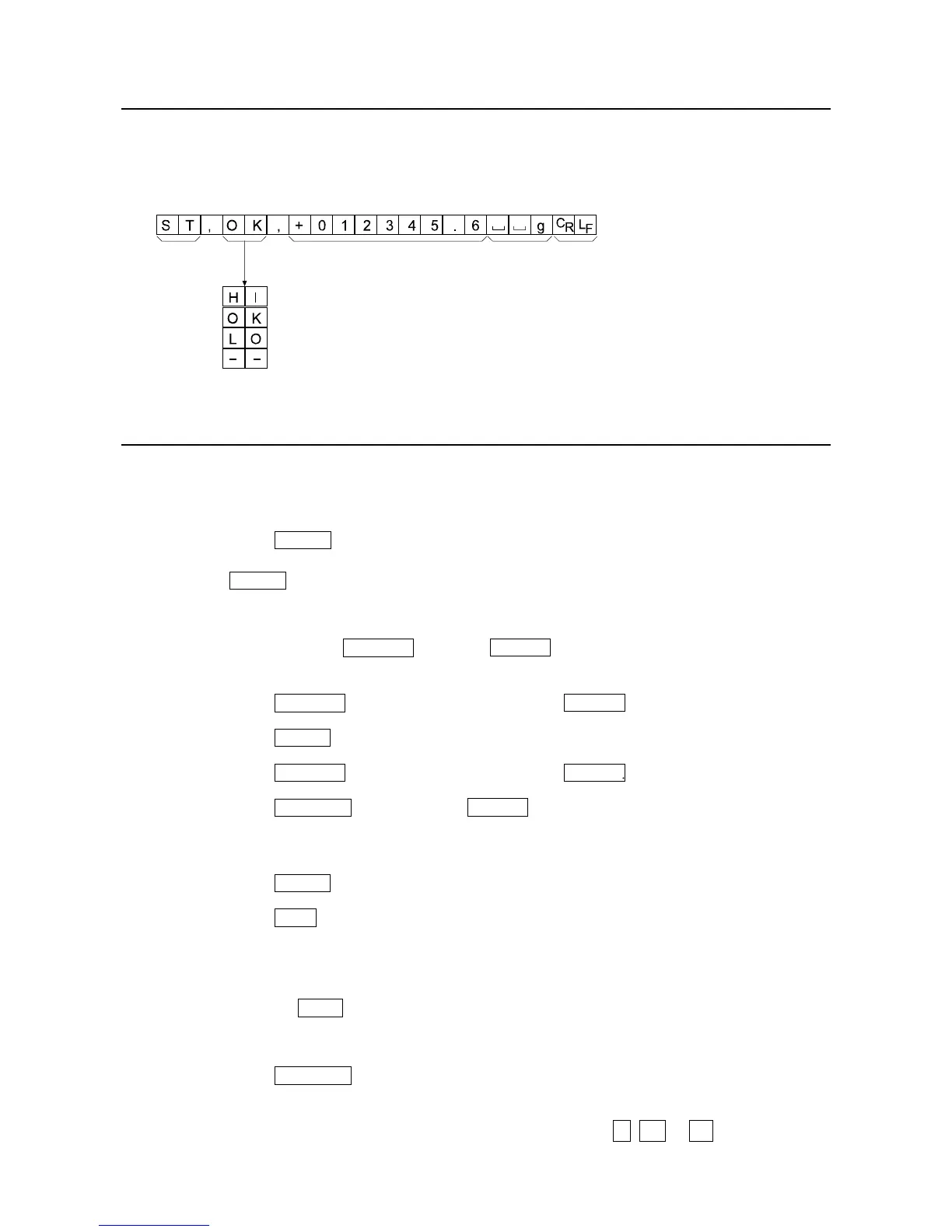
By setting the "Comparison results (Cp-r)" of the function table to "1", the comparison results
can be added to the data output using the RS-232C serial interface. Use A&D standard
format (type 0). The AD-8121B printer can not be used.
The comparison results are added after the header in A&D standard format as below.
10-8-4. Main Display Comparison Function
The main display comparison function displays the comparison results in a magnified way,
on the main portion of the display in place of the weight value.
Selecting a unit
Step 1 Press the MODE key to select a unit to be used for comparison.
Note While the main display comparison function is in use, unit selection using
the MODE key is not available.
Setting the function table
Step 2 Press and hold the SAMPLE key until ba5fnc of the function table is displayed,
then release the key.
Step 3 Press the SAMPLE key several times to display Cp fnc .
Step 4 Press the PRINT key.
Step 5 Press the SAMPLE key several times to display Cp-b 0 .
Step 6 Press the RE-ZERO key to display Cp-b 1 .
Note To disable the main display comparison function, set the "Main display
comparison (Cp-b)" parameter to "0".
Step 7 Press the PRINT key to store the setting.
Step 8 Press the CAL key to return to the weighing mode.
Setting the comparator values
Setting the comparator values as described in the previous section.
This example uses Cp 3 (Continuous comparison, excluding "near zero").
Using the main display comparison function
Step 1 Press the RE-ZERO key to set the display to zero.
Step 2 Place a sample on the pan. The balance performs a comparison using the specified
comparison values and displays the comparison results, HI, OK or LO.
Header Data Unit Terminator
Comparison result
When the comparison result is HI
When the comparison result is OK
When the comparison result is LO
Not applicable



 To Next Page