51
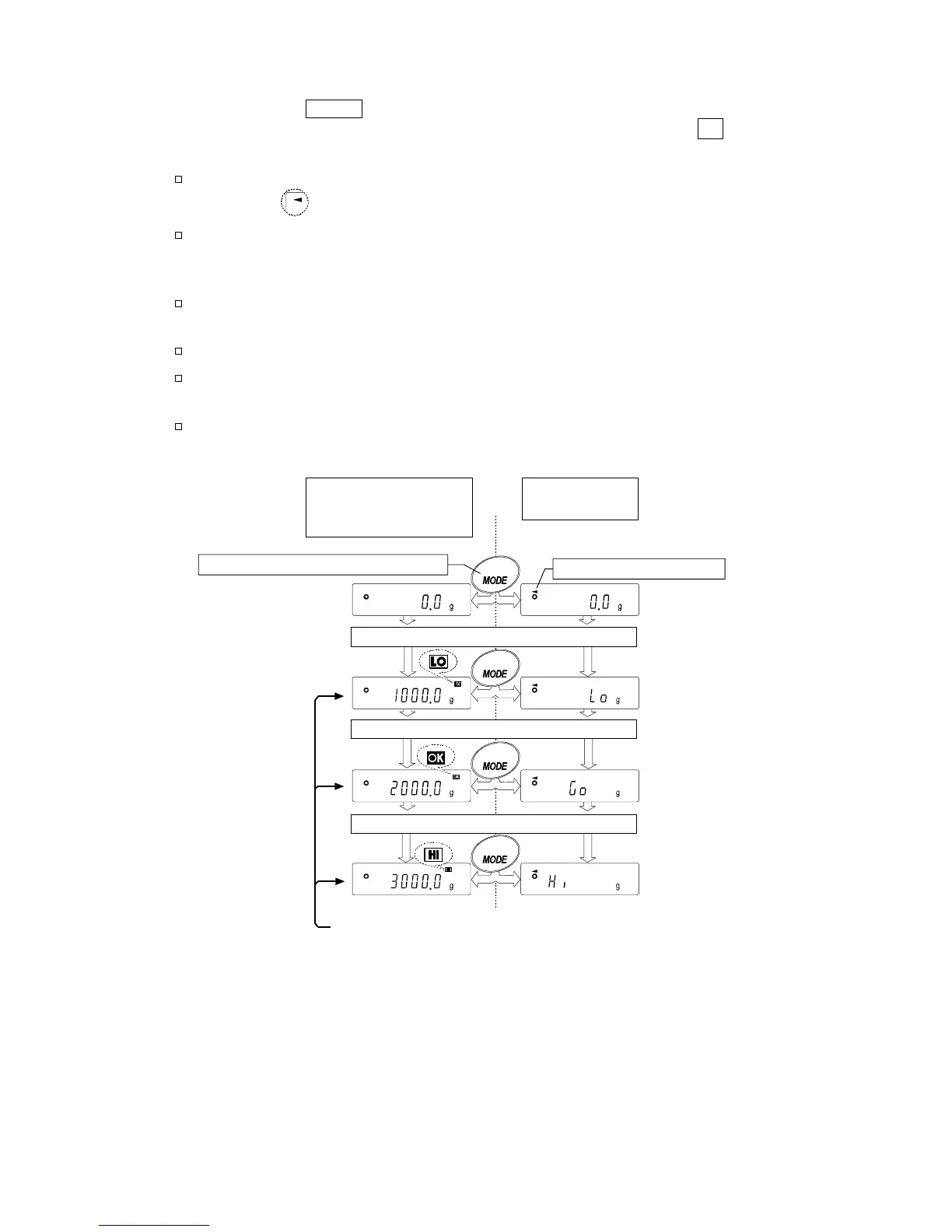
Step 3 Each time the MODE key is pressed, the balance switches between the standard
display and the main display comparison. Note that "go" appears for OK.
Notes
While the main display comparison function is in use, the processing
indicator illuminates as shown in the illustration.
If the comparison is not performed, for example, because the weight value
is near zero or unstable, the balance displays the weight value even when
the main display comparison function is used.
Even while the main display comparison function is in use, the balance
re-zeroing and data output are possible.
Only the unit selected before this function can be used.
While the main display comparison function is in use, the data memory
function is not available.
To disable the main display comparison function, set the "Main display
comparison (Cp-b)" parameter to "0".
Weighing data and
Comparison results
(Standard display)
Main display
comparison
Example: a sample of 1 kg is placed.
Example: a sample of 2 kg is placed.
Example: a sample of 3 kg is placed.
Compares using the specified comparison values.
Each press alternates the displa



 To Next Page