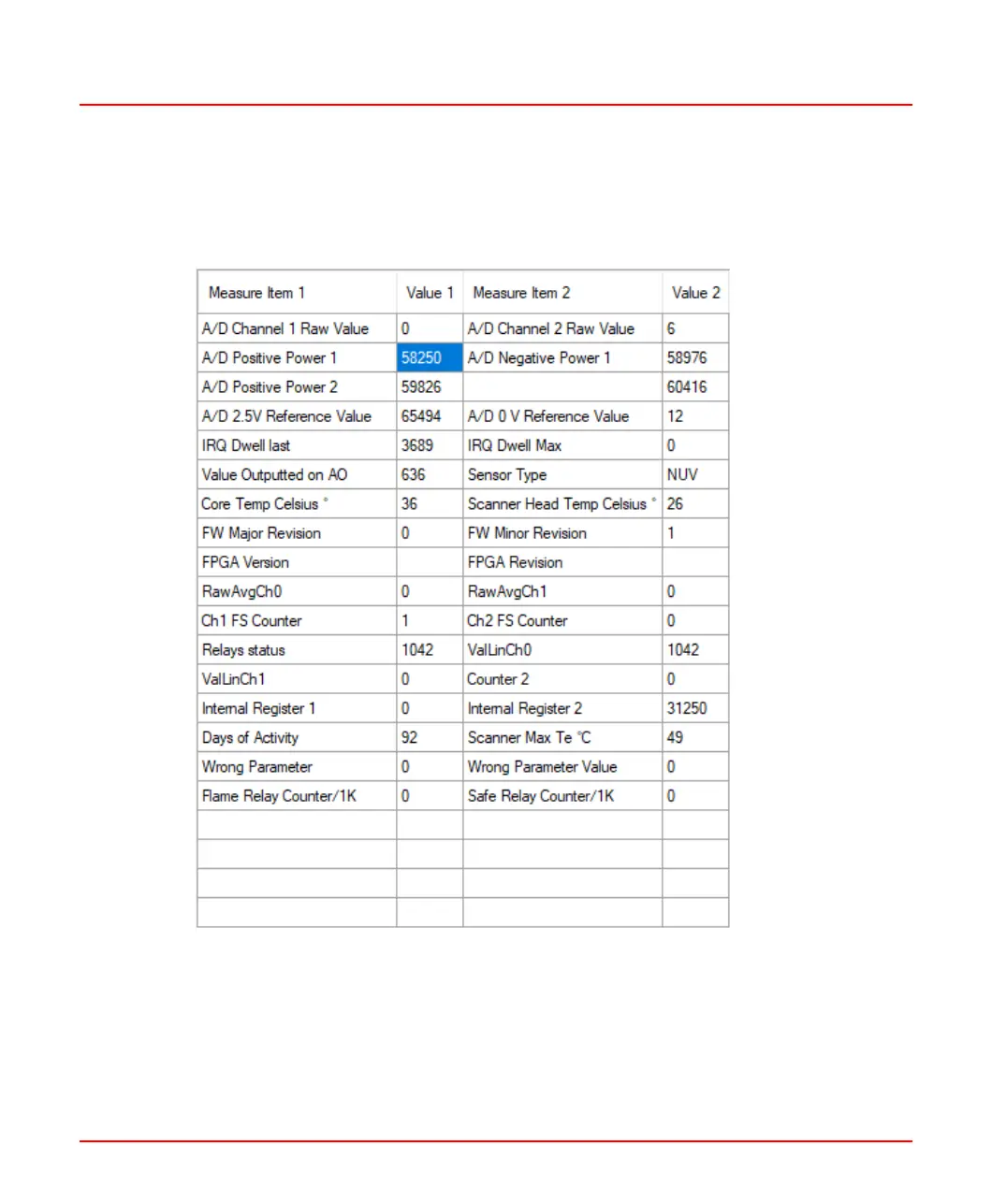
Show Sensor Type (Diagnostic page)
To make sure that the sensor type matches with the sensor declared on the unit’s label,
from the tool, access to the diagnostic page and read the sensor type field.
Figure 11.2: Diagnostic Page on Flame Explorer
Show Software Version
On the parameters page, bottom-right corner, the firmware version of the unit is shown
(see Figure 11.1), for instance “A.6” or “B.1” may be shown.
8VZZ005286 B 85
11 Configuration Parameters in Flame Explorer



 To Next Page