10. User menu
The user menu helps you con gure certain basic functions of the system. You can create and manage users,
set the date and time and add and remove contacts.
10.1 Users
There are two di erent "levels" of the user menu. Log in as an "administrator" to delete other users, for
example. Log in as a "normal user" to use the system with limited options in certain menus – you cannot edit
or delete other users in this mode. Certain menus are not accessible for "normal users", such as "Contacts"
and "Info". The administrator is in charge of managing these menus.
The following contains an overview of the structure of the user menu and the options provided by these
menus when you are logged in as an administrator:
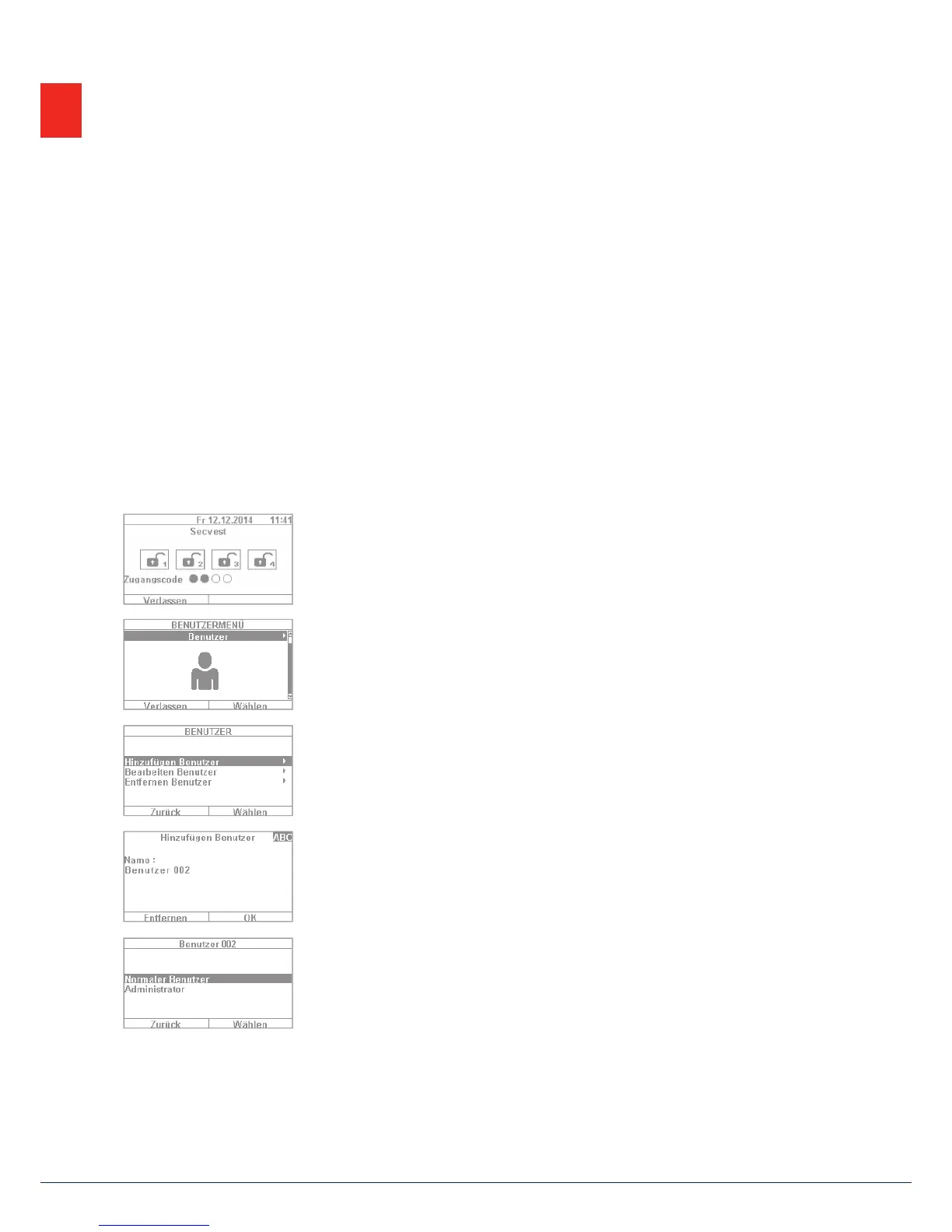
1. To log into the user menu, select "Menu" and enter an admin code. The rst
menu appears.
2. As a system administrator you can manage users and create new users.
Loginto the user menu with your admin code and go to the "Users" menu.
3. To add a new user, select "Add user". You are then guided through the setup
options for a new user step by step.
4. User name: Using the Secvest keypad, enter the name of the user.
5. Select which user level the new user will have: Normal user: a normal user
has limited options compared to an administrator. Normal users cannot
create new users or edit existing users other than themselves, but they can
change their own codes and assign remote controls, for example.
Administrator: an administrator has advanced options in the user menu.
Administrators can create new users and edit existing users. There are also
more advanced options in other menus, such as in the system con guration.
Usually one administrator per household is su cient.If the premises involve
a commercial property with multiple employees, for example, it may be
agood idea to create additional administrators.
10. User menu



 To Next Page