13. Operation via web browser
8. You are then directed to the main menu of the Secvest. The next page provides
an initial overview of the di erent options available to you at this level.
Important!
Automatic log out function:
Based on the Secvest’s automatic log out function, this is now also possible on the web interface and Secvest
app.
• Normal user or administrator is logged in. The automatic log out occurs a er 1minute of inactivity.
• iOS/Android app: Once opened, the app closes a er 4:15minutes have passed without an input
(if“Remember PIN” is set to no) in accordance with the VdS 3169 standard.
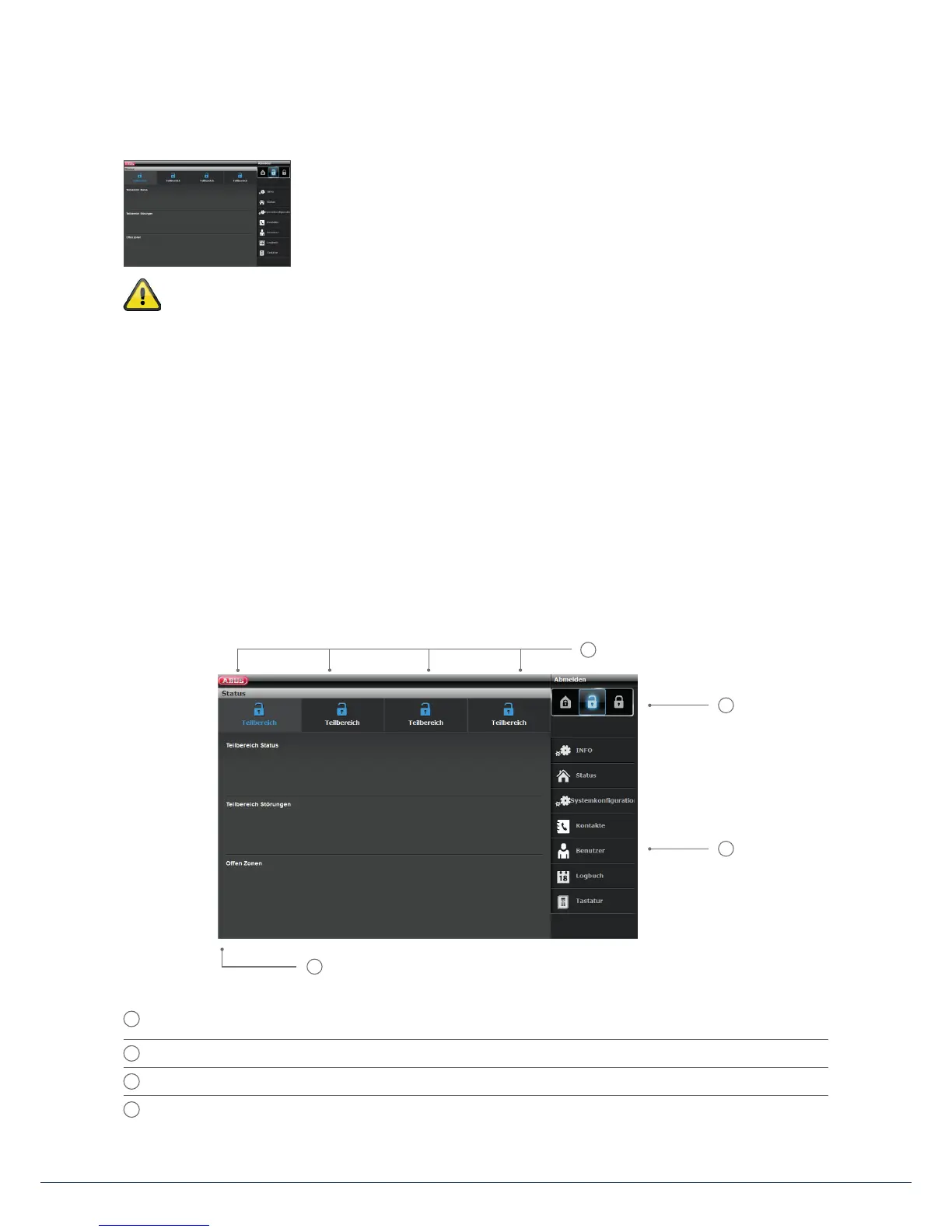
13.2 Overview of the web interface
The web interface is very similar in its functional scope to the user menu. The control panels and menus are
rearranged, however, in order to provide a more user-friendly display on the web interface. If you are familiar
with the functional scope of the Secvest, the options of the web interface are described here brie y below:
1
Overview of status of 4 sub-areas:
open padlock = disarmed | closed padlock = armed | house symbol = internally armed
2
Keypad for arming/disarming/internal arming
3
Menus for con guration, creating users, etc.
4
Overview of status within the speci c sub-area. Are there errors/open zones?
1
2
3
4



 To Next Page