Safety information
Name/function Explanation
Version, language Version number of the so ware currently installed on the alarm system
Version number for the con gured language
Serial Number Serial number of the alarm system
Part No.: Article number of the alarm system
Alarm panel time, date Currently set time and date on the control panel
Date & time Synchronises date and time of the alarm panel with the date and time from
the PC via mouse click
Zones Overview of available and con gured zones
Wireless control panel Number of components in use
Wireless sirens Number of components in use
WAM Number of components in use
Door locks Number of components in use
Partitions Number of sub-areas in use
Outputs Overview of available and con gured outputs
Housing front tampering Speci es whether the tamper contact on the front of the housing has been
triggered
Bell tampering Speci es whether the tamper contact on the wired, connected siren has been
triggered
RF Jamming Speci es whether the alarm panel has detected RF jamming
Alarm panel A/C fault Displays whether the alarm panel is connected to 230V or if a fault is present
External DC fault Displays whether the alarm panel is connected to 13.8V external DC power
supply or if a fault is present.
Ext. DC voltage in Speci es the voltage of the external DC power supply
Battery status Status of each battery (with voltage if required)
Auxiliary Output voltage to the power supply output terminal
10.9.2 Communication
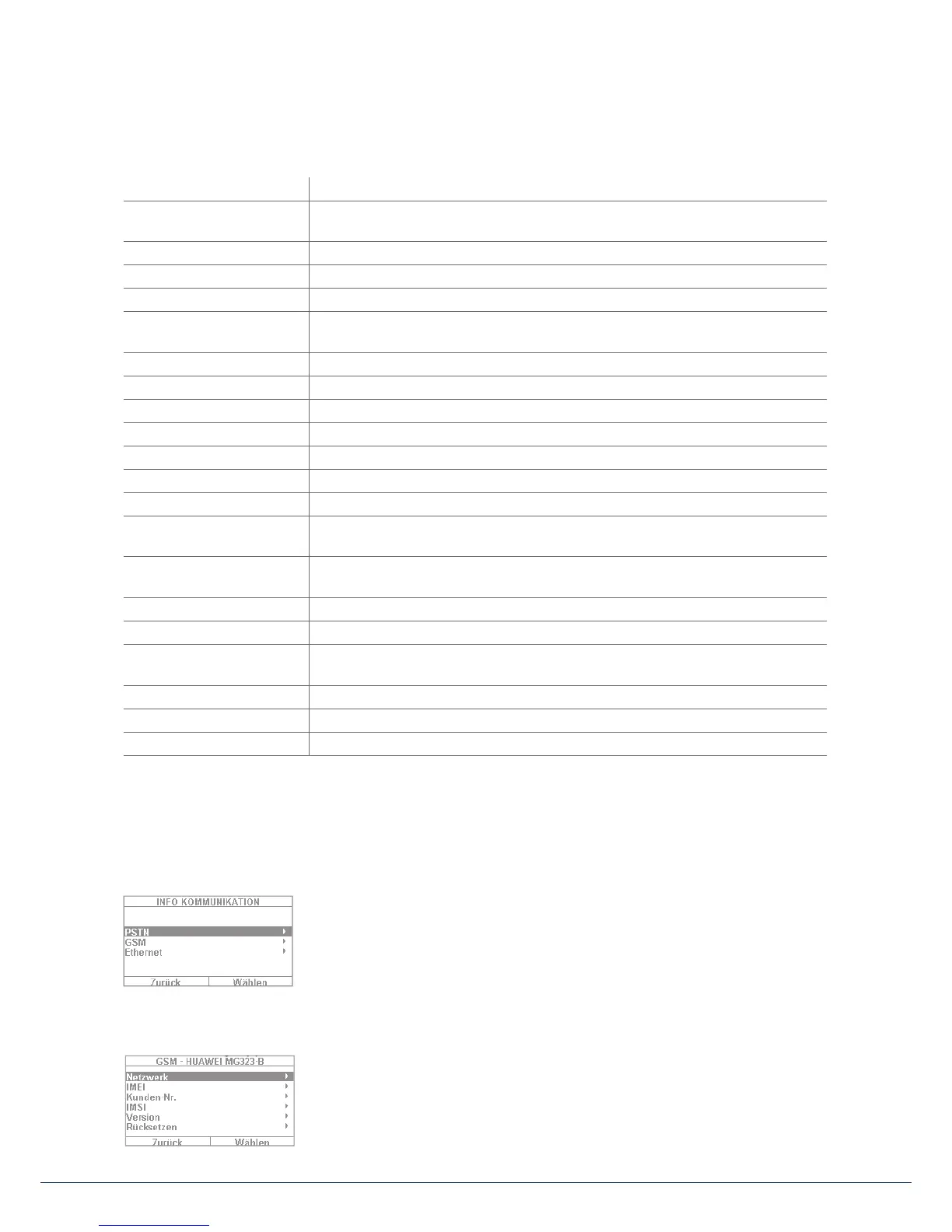
PSTN: Info => Communication => PSTN
PSTN link status query. The Secvest then checks the installed landline. If it is
not enabled or is disrupted, the error message "Error" appears. Otherwise the
message "Test successful" appears.
GSM: Info => Communication => GSM
(This menu only appears when the GSM module is installed.) You can query information about the GSM
module here, such as IMEI, SIM card number (if supported by the provider) and
network operator. Select "Network", for example, and the network operator
and signal level are displayed.



 To Next Page