88
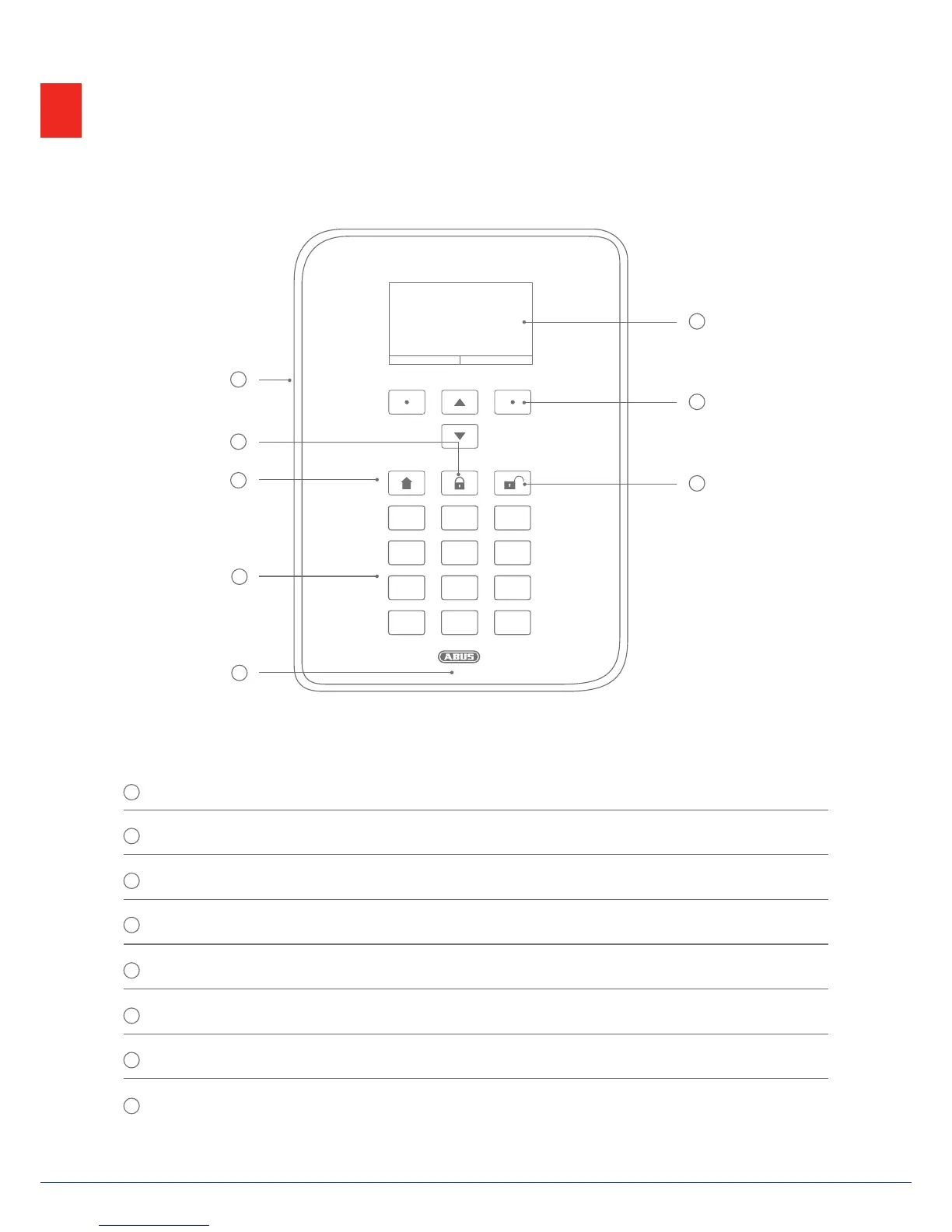
4. Overview of the system and control panel
1
4
7
*
2
5
8
0
3
6
9
#
4. Overview of the system and control panel
1
Graphical display for status, menus and additional information
2
Keys for menu navigation (see "Menu navigation")
3
Quick disarm key for disarming the complete system (code entry required)
4
Microphone opening
5
Proximity chip key reader area
6
Numerical keypad (see following page)
7
"Internal arm" key for quick arming of perimeter protection
8
Quick arm key for arming the complete system
2
1
3
4
6
5
7
8



 To Next Page