Transmitting data after measurement
1. Settings for data measurements
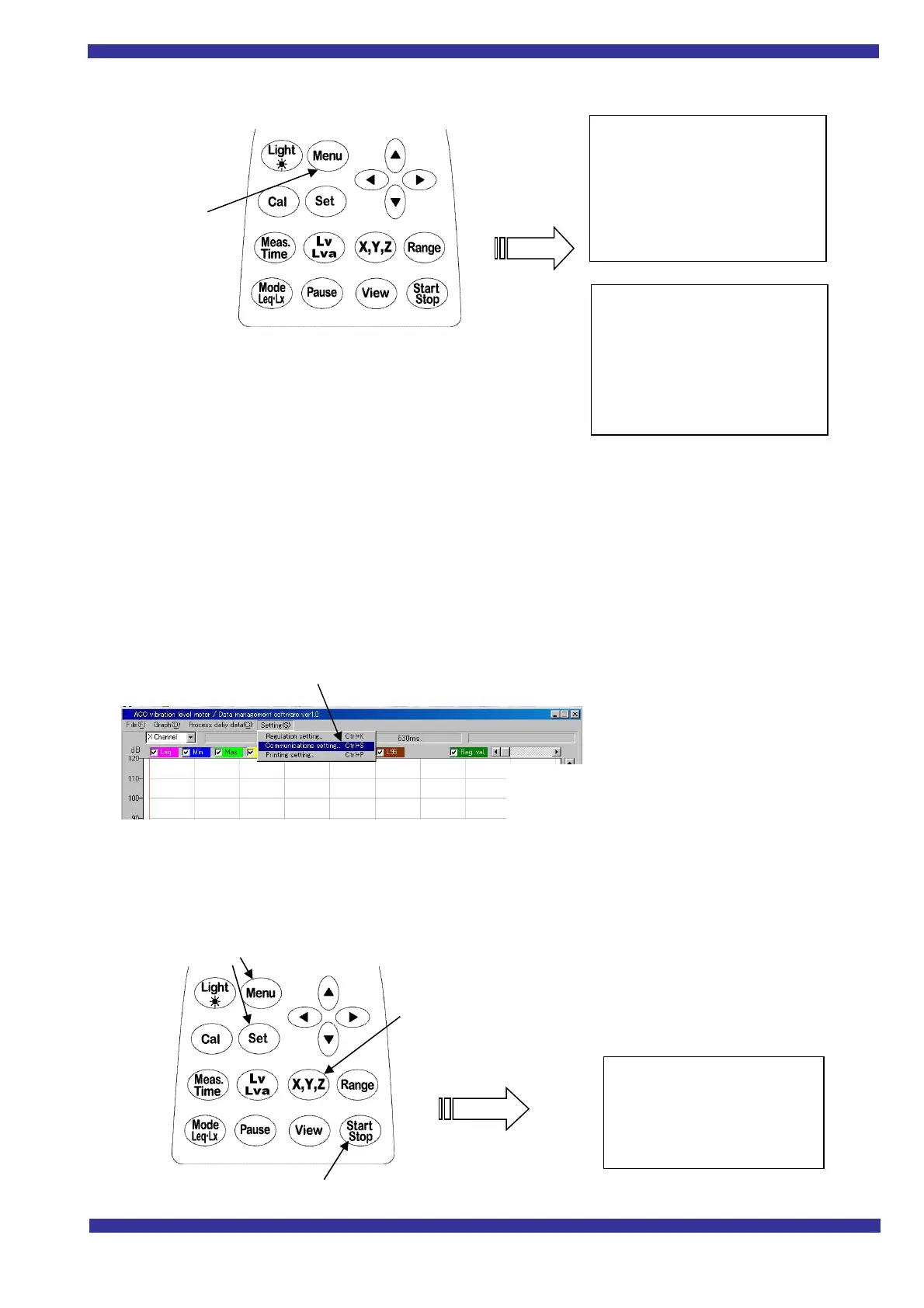
1) Press Menu key , and the menu screen appears.
Meas Mode Manu
Interval Repeat
I/O Off
baud rate 9600
Note: Make settings for other items as needed to suit your purpose in making measurements.
2) Switch to 3ch screen display or list screen display with View key
3) Start measurement with Start・Stop key. When Start・Stop key is inputted
again, the date at that time is stored in the memory on the Vibration level meter.
2. Settings when transmitting data to the PC
After making measurements, connect the Vibration level meter to the PC.
Note: Make sure that you are using a transmitting connecter A12-25F-9F.
>>Settings on the PC side
>>Settings for and operation of the
Vibration level meter
1)
Press Menu key , and the menu screen appears.
I/O :PC I/O Change to PC, then press Set key to save the setting.
2) Select transmission channel with X,Y,Z, then press Start Stop key transmit data
The screen below appears, and data transmission begins.
(In the case of
transmitting all channels, repeat these
operations, 1) and 2).
Communication speed 9600 BPS (normal)
Communications port Select between
<PC>
Y Lv
List→
Meas Mode :Manu
Interval :Repeat
I/O :Off
OUT Ch :Off
LCD cont :****
date y/m/d :00/11/20
Time :11:30:26
Press Menu key
DC Out :Z
Meas time :***
View :L50
baud rate :9600
Smap Time :normal



 To Next Page