WORKING WITH THE CONTROL UNIT 5-9
SB1391 Hardware and Setup Guide - Document revision no. 1.14
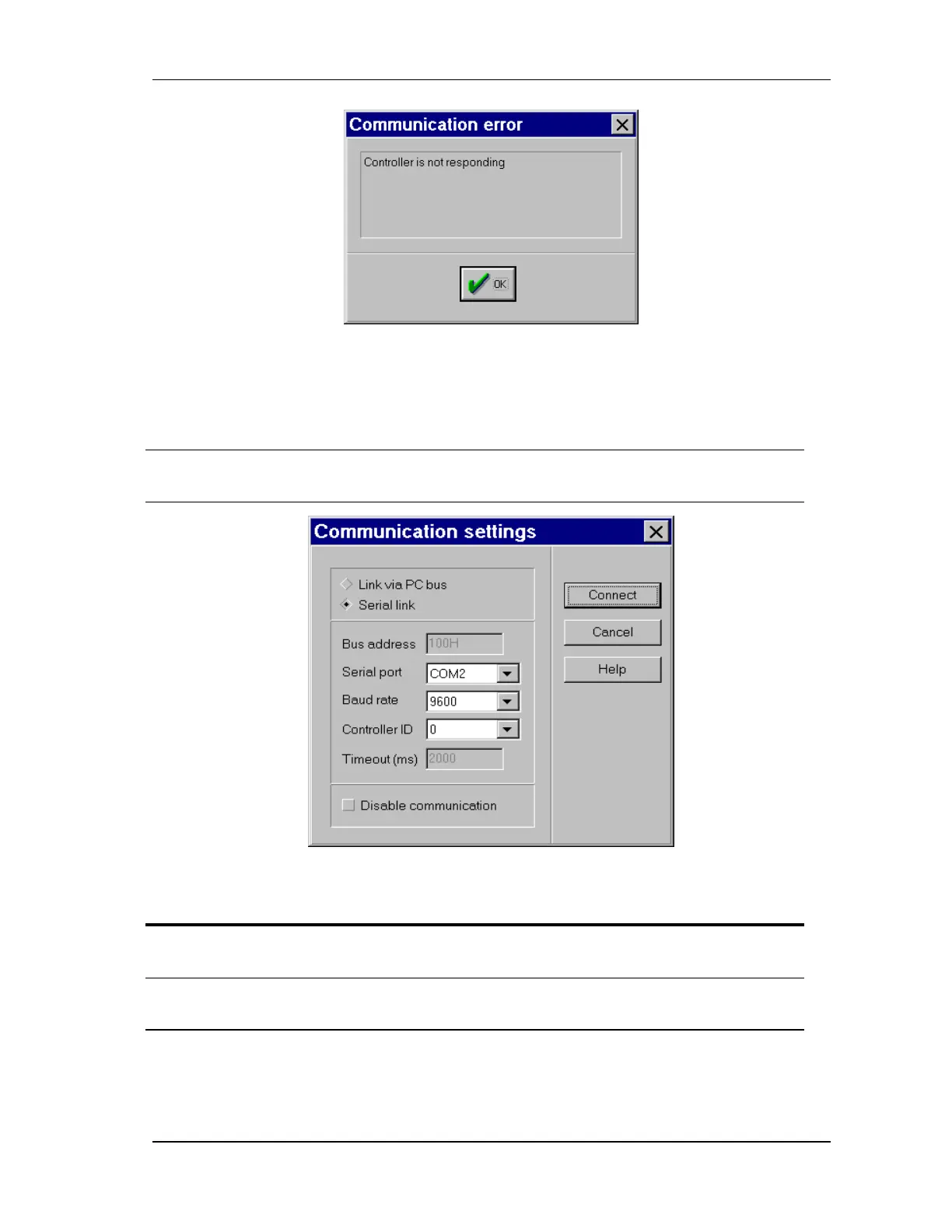
FIGURE 5-4 "Communication error" message
If there is a communications error, verify that the communication parameters are set correctly by
doing the following (does not apply for CAN bus):
Action Effect of action
1.
Clicking Communication on
the Settings menu.
The Communications settings dialog box opens,
as shown in FIGURE 5-5.
FIGURE 5-5 Communications settings
Action Effect of action
2. Set the baud rate to 9600
(control unit default).
3. Click OK to save the new baud
rate.
If communication is successful, as indicated in the
status bar, the process is complete.



 To Next Page