OPERATING INSTRUCTIONS
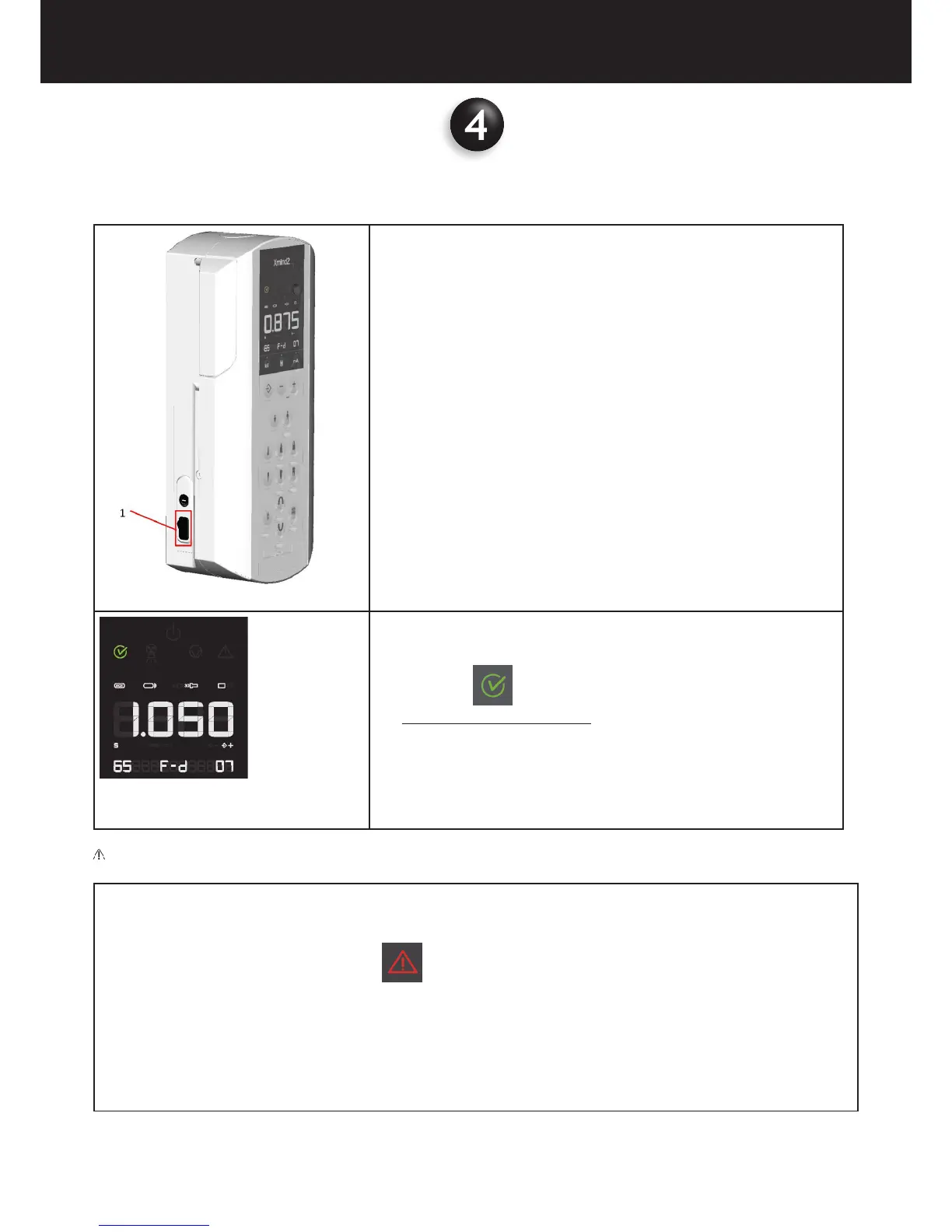
• Toggle the main switch (1) located on the left part of the timer to the “I”
position (ON).
• The display will light up.
• The main supply switch is the isolation means that connect the device
(ON), or isolate the device (OFF) from the Mains Supply.
Fig. 6.2
• The “ready” green light turns on indicating that the system is
powered and ready for exposure according to the loading factors indica-
ted in the control panel display.
• The leds of the set parameters automatically illuminate
• The exposure time is clearly shown on the display.
CAUTION
If an error is detected when the system is turned on, the anomaly is indicated as follows:
− Intermittent beeping sound
− Intermittent ashing of the MALFUNCTION indicator
− the error code (E ....) appears on the display (refer to Chapter 8)
− all the control panel functions and x-ray emission are inhibited
In this case it is possible to reset the error pushing the “memo” key or turning the timer off and then turn it back on again.
If it is not possible to clear the error code call your local Acteon customer service as shown on pgs 3 & 4 of this manual.















 To Next Page