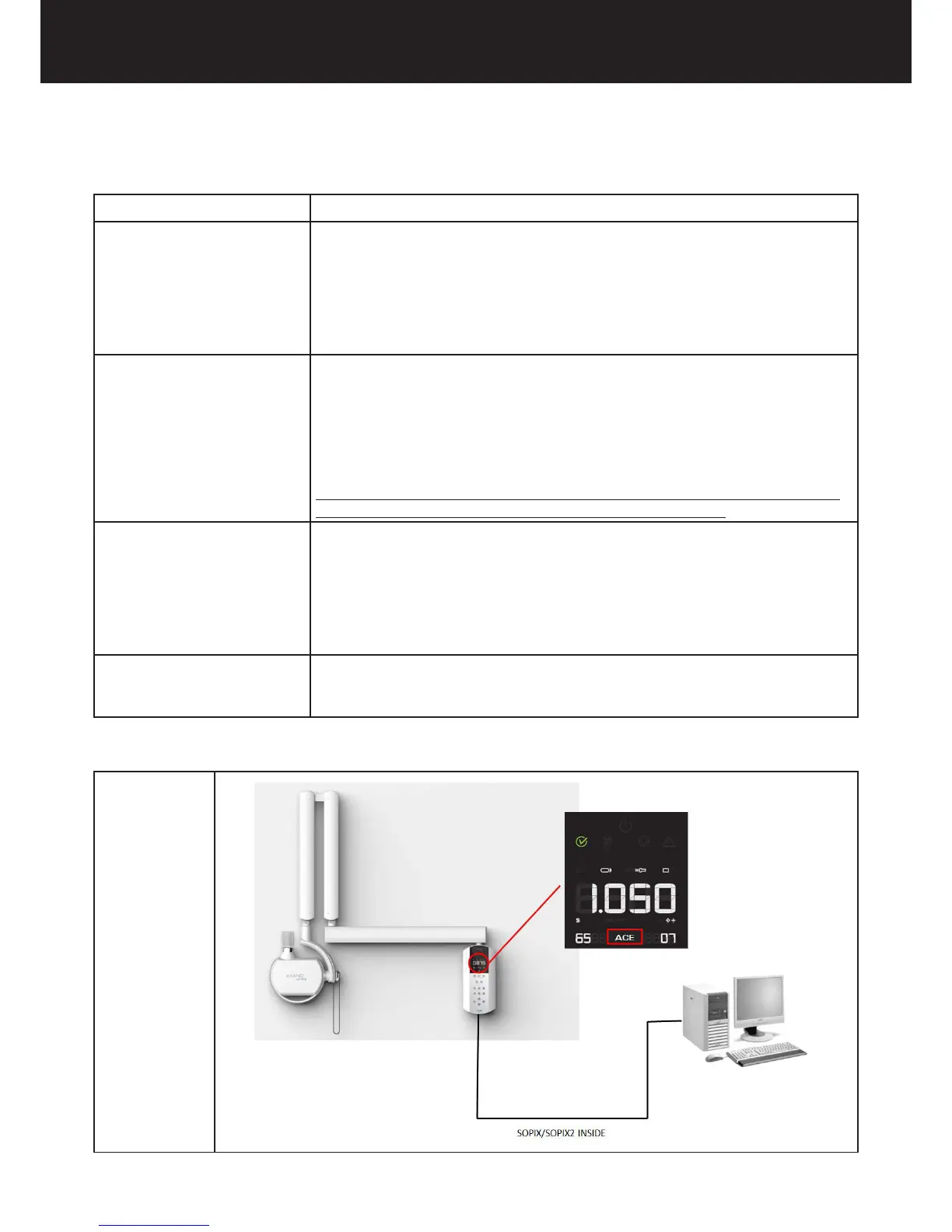
POSSIBLE COMBINATIONS:
COMBINATIONS ACE FUNCTIONING
A - Sopix/Sopix² Inside ONLY instal-
led
The sensor is activated by SOPRO Imaging and the X-MIND unity control unit automatically
detects the sensor.
ACE on control unit is active when Sopix Inside is armed.
To disable the Sopix/Sopix2 Inside and therefore ACE on control unit:
For one exposure -> select the DIG icon on control unit
For more exposures -> disconnect Sopix inside USB cable from PC or disarm it on SOPRO Imaging
(refer to Sopro Instructions).
B - (*)Sopix/Sopix² Inside AND other
Sopix externally connected to the
same PC
Both sensors armed by SOPRO Imaging and X-MIND unity control unit automatically detects the
“inside” sensor.
ACE is active when Sopix/Sopix² Inside is armed.
To disable Sopix/Sopix² Inside and therefore ACE on the X-MIND unity control unit:
For one exposure -> select the DIG icon support on the X-MIND unity control unit.
For consecutive exposures -> disconnect Sopix/Sopix2 Inside USB cable.
Follow strictly Please follow the exact instructions provided by Sopro-Acteon Group when acqui-
ring imageswith multiple Sopix famly of sensors connected to the same PC
C - Sopix/Sopix² Inside AND other
manufacturers sensors (NO Sopix)
connected to the same PC
Sopix/Sopix² Inside is armed by SOPRO Imaging.
Ext. sensor is armed by its own software.
ACE is active when Sopix/Sopix² Inside is armed.
To disable Sopix/Sopix² inside and therefore ACE on control unit:
a -For one exposure -> select DIG support on control unit.
b - For more exposures -> disconnect Sopix/Sopix2 Inside USB cable or disarm it on SOPRO Ima-
ging.
D - ONLY Other manufacturers exter-
nal sensors (NO Sopix/Sopix² Inside)
External sensor is armed by its own software. Use the X-MIND unity as you would in normal
digital procedure.
ACE on control unit is not active.
Refer to the following chart for further details.
Combination A















 To Next Page