Product Manual
35
Cable Test (CAT5)
Users can check the RJ-45 cable wiring with the supplied UTP Terminal Block
Setup for Testing
Connect one end of the RJ-45 connector to the UTP Terminal Block and the other end to the
CAT5 port at the side of the Device.
Cable Testing
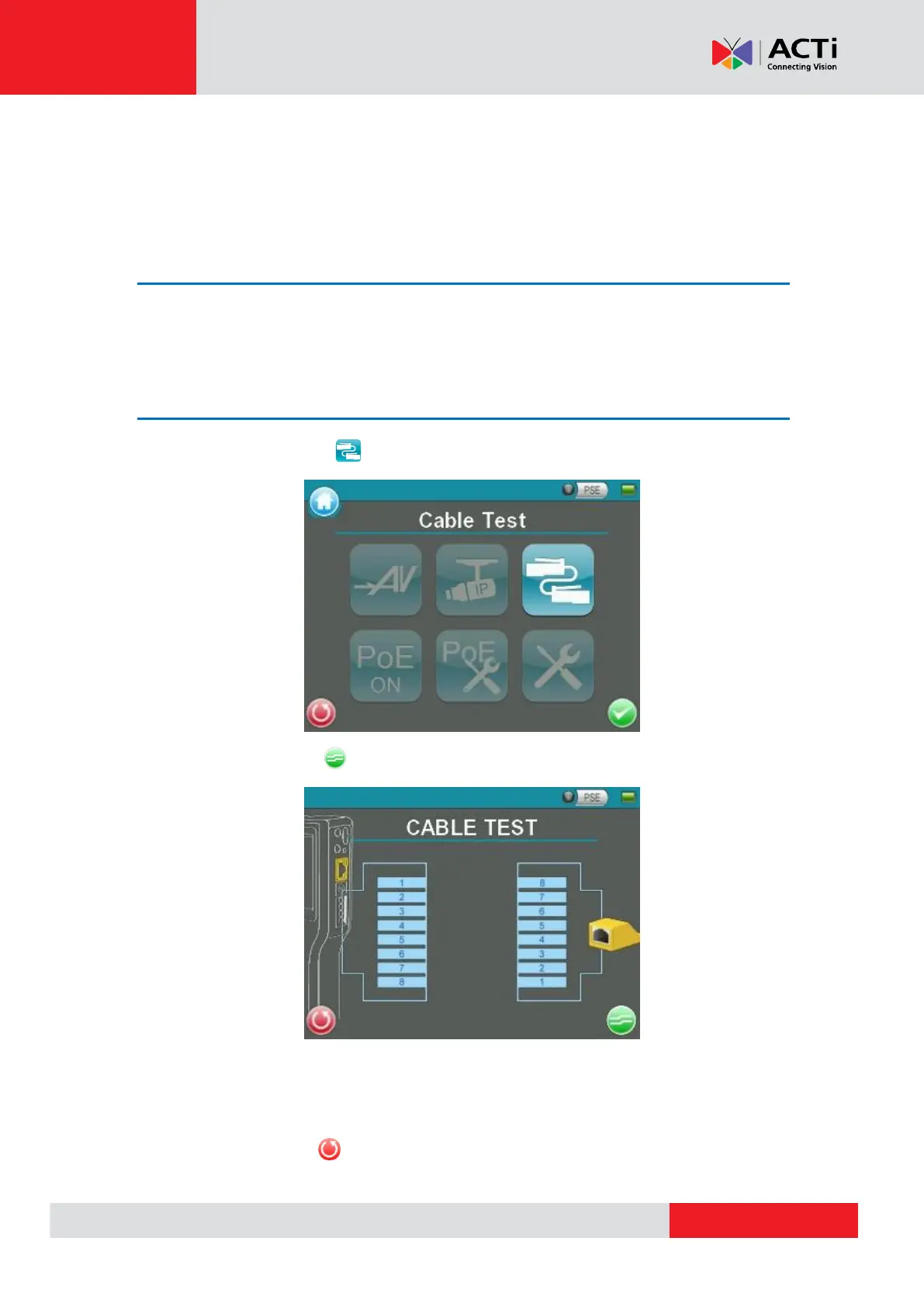
Step 1: Tap the <CAT5> icon on the Main Menu.
Step 2: Tap the <Test> icon and wait for wiring detection.
Step 3: Then the cable’s wire map will be displayed on the screen. Users can check the
RJ-45 cable for its wiring type (Straight/Crossover) and error connection (Shorts / Open /
Miswire).
Step 4: Tap <Return> to return to the Main Menu.



 To Next Page