Product Manual
57
Adjust Device Volume
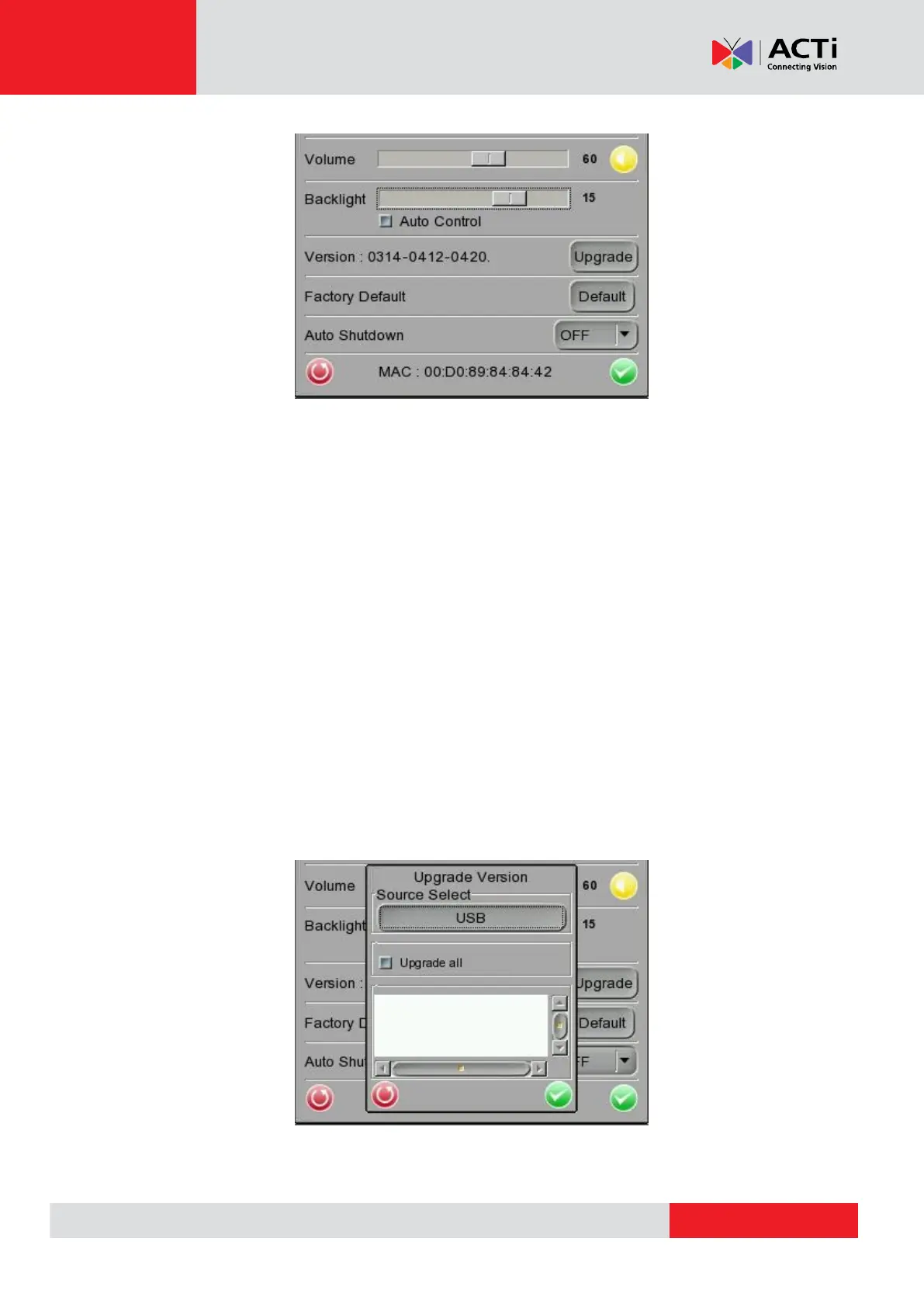
Move the slider bar of <Volume>. Greater volume represents louder sound.
Adjust Device Screen Brightness (Backlight)
Move the slider bar of <Backlight>. Greater value represents higher brightness.
Tap the <Auto Control> tick box below the <Backlight> slider bar to lock the level on the slider bar.
Tap the <Auto Control> tick box again to cancel the selection; then the slider bar above will
become movable again.
Upgrade Firmware
Before implementing firmware upgrade, please make sure the firmware is located in the path:
“upgrade\upd_dt02s\” in your USB drive.
Step 1: Tap the <Upgrade> button, and the file selection dialogue will come out.



 To Next Page