Product Manual
54
Video Playback
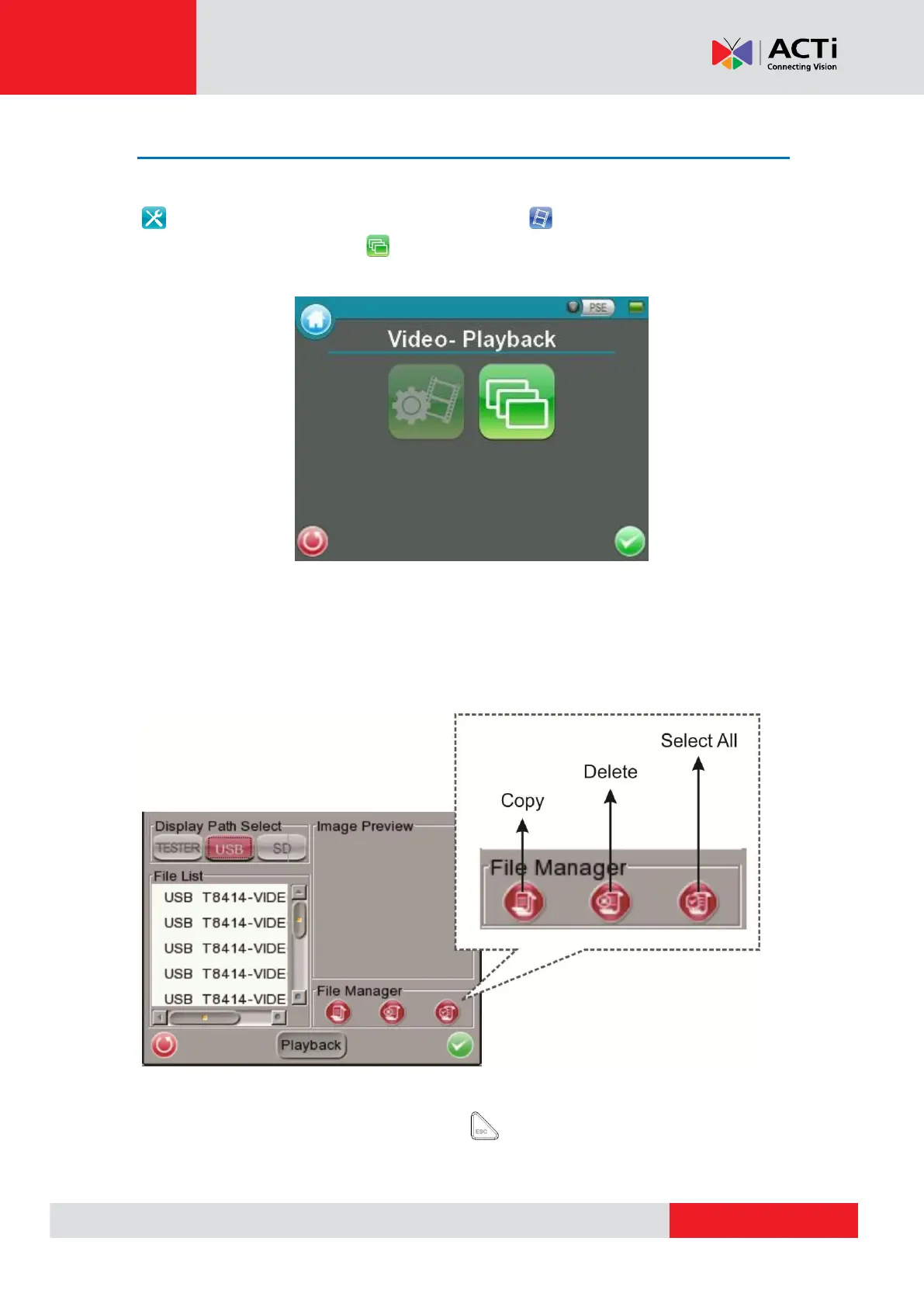
Users can preview, copy and delete the video on the <Video- Playback> page. Tap the <Setup>
icon on the Main Menu and tap on <Setup- Video> to enter the Video Setup Screen.
Then tap on <Video- Playback> icon to access video play back page.
On the <Setup- Snapshot> page, select the recording video storage path (Device / USB / SD).
Then all the video files will be listed in the <File List> field. To view a video, tap the file name in
the list and tap the <Playback> button on the bottom, the video will appear as full screen.
In the Video Playback mode, press the <ESC> key on the Device’s button pad to stop
playback and return to video playback page.



 To Next Page