Product Manual
50
Snapshot Setup
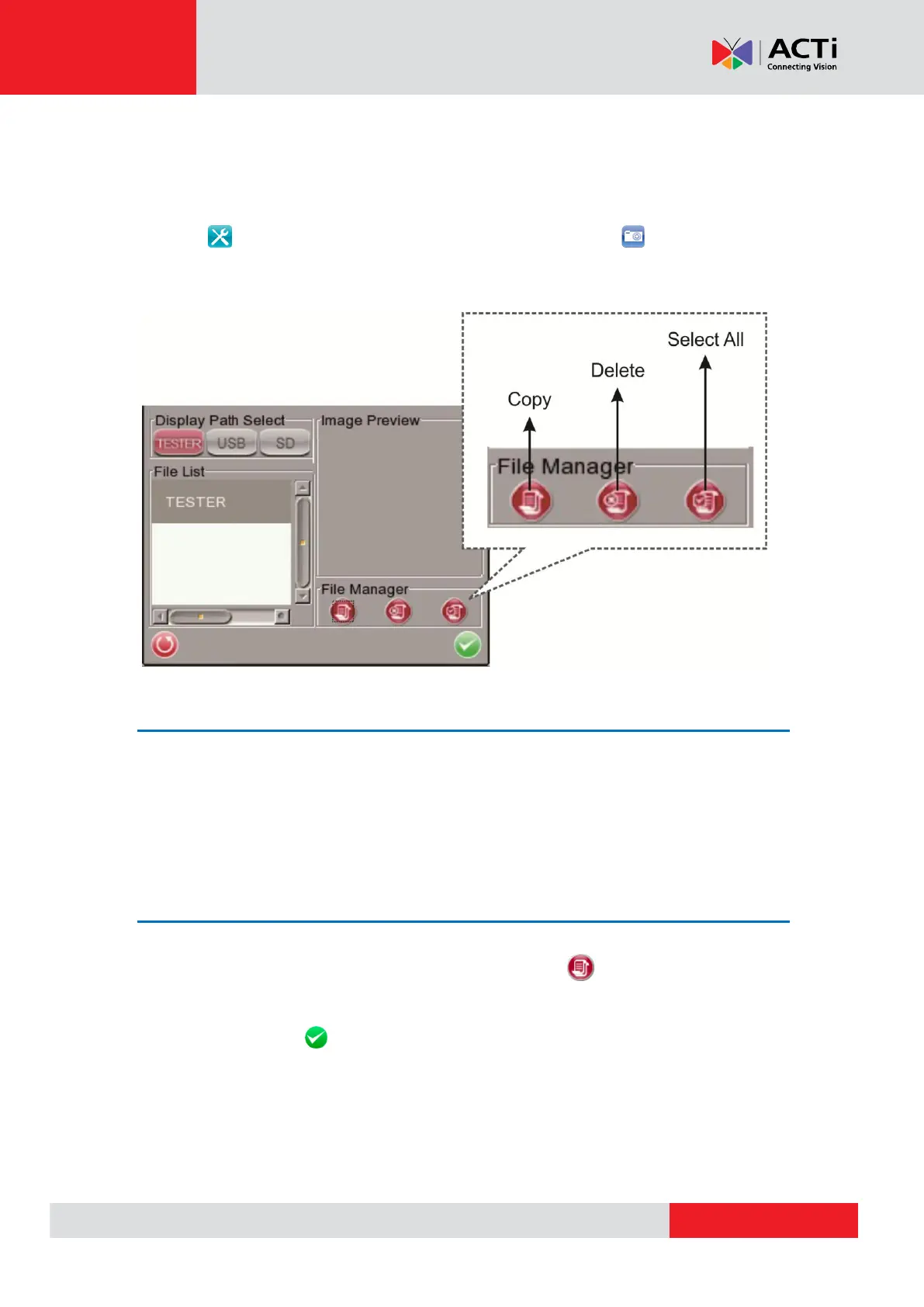
Users can preview, copy and delete the image on the <Setup- Snapshot> setup page. Tap the
<Setup> icon on the Main Menu and tap on <Setup- Snapshot> icon to enter the
snapshot file managing page as shown below.
Image Preview
On the <Setup- Snapshot> page, select the snapshot storage path (Device / USB / SD) where
the saved files are located. Then all the files will be listed in the <File List> field. To view a
snapshot, tap the file name in the list and the image will appear in <Image Preview> as shown
above.
Single File Copy
Tap the file name in the list to Copy, and then tap the <Copy> icon in <File Manager>
section below <Image Preview>. Select the location to copy the file to in the pop out window, and
then tap <Enter/Save> .



 To Next Page