Product Manual
45
IP Camera Setup
Users can change the IP Camera’s setting, e.g. IP address, camera type, user name, password,
streaming format, network settings, in the Setup- IP Submenus: <Setup- IP Connection>
and <Setup- IP Camera> .
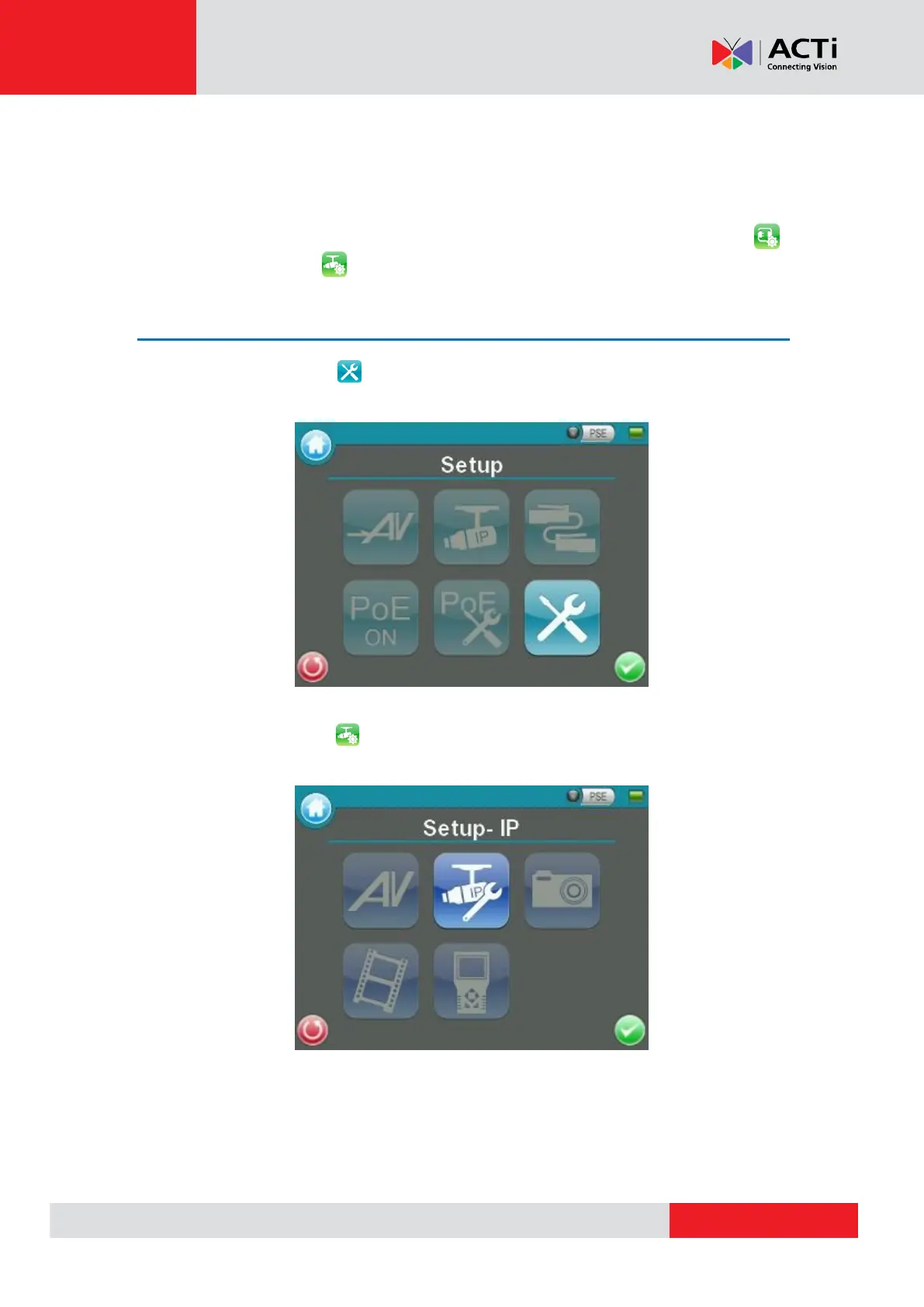
Access <Setup-IP Connection> and <Setup-IP camera>
Step 1: Tap the <Setup> icon on the Main Menu to enter the Second Screen.
Step 2: Tap <Setup- IP> on the Setup Menu, and then enter the IP Setup Submenu.



 To Next Page