EasyManua.ls Logo

ADCMT 8230 - User Manual

ADCMT 8230
120 pages
Print Icon
To Next Page IconTo Next Page
Loading...
MANUAL NUMBER
C
Printed in Japan
ADC CORPORATION
All rights reserved.
8230
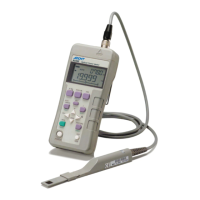
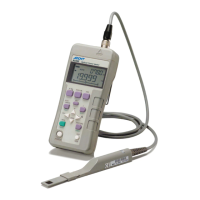
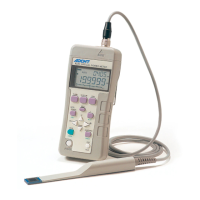
Optical Power Meter
Operation Manual
FOE-8440171F01
First printing March 30, 2007
2007
Cover

Table of Contents

Questions and Answers

  • S
    steven38Aug 10, 2025
    What to do if ADCMT Measuring Instruments displays OL?
    • M
      malonebeckyAug 10, 2025
      If the ADCMT Measuring Instruments displays 'OL', it indicates that the input power is too high or the input value exceeds the maximum value set in the specified manual range. Try reducing the input power. Alternatively, if the manual range is set, change to the automatic range.
  • M
    Mark SantiagoAug 15, 2025
    Why does the display remain unchanged on my ADCMT 8230?
    • A
      Alexis AndrewsAug 15, 2025
      If the display of your ADCMT Measuring Instruments remains unchanged, it could be because the HOLD or MAX function is enabled. To resolve this, disable the HOLD function or disable the MAX function.
  • M
    Michelle HenryAug 20, 2025
    What does Err3 mean on ADCMT 8230?
    • M
      michellemcguireAug 20, 2025
      If 'Err3' is displayed on the ADCMT Measuring Instruments, it indicates an issue with the sensor. This could be due to a sensor calibration data sum check error, a sensor calibration data read error, or an incompatible sensor being connected. Try reconnecting the sensor, ensuring it is compatible, and then turn the power on.
  • L
    Lori SmithAug 26, 2025
    What does Lo mean on ADCMT Measuring Instruments?
    • C
      Charles YoderAug 26, 2025
      If 'Lo' is displayed on the ADCMT Measuring Instruments, it means the input power is too low in dBm mode. If the manual range is set, change it to the automatic range.
  • D
    Derek TaylorAug 30, 2025
    What to do if ADCMT 8230 Measuring Instruments displays Err2?
    • S
      Spencer GreenAug 30, 2025
      If 'Err2' is displayed on your ADCMT Measuring Instruments, it means the sensor is disconnected. To fix this, connect the sensor.
  • C
    challSep 4, 2025
    How to enable key operation on ADCMT 8230?
    • F
      fosteromarSep 4, 2025
      If the key operation is disabled on your ADCMT Measuring Instruments, it is likely because the key lock is set to ON. To enable key operation, set the key lock to OFF.

ADCMT 8230 Specifications

General IconGeneral
CategoryMeasuring Instruments
Model8230
TypeDigital Multimeter
Measurement FunctionsDC Voltage, AC Voltage, DC Current, AC Current, Resistance, Capacitance, Frequency, Temperature
DisplayLCD
DC Current Range10 µA to 10 A
AC Current Range10 µA to 10 A
Frequency Range1Hz to 1MHz
InterfaceRS-232

Related product manuals