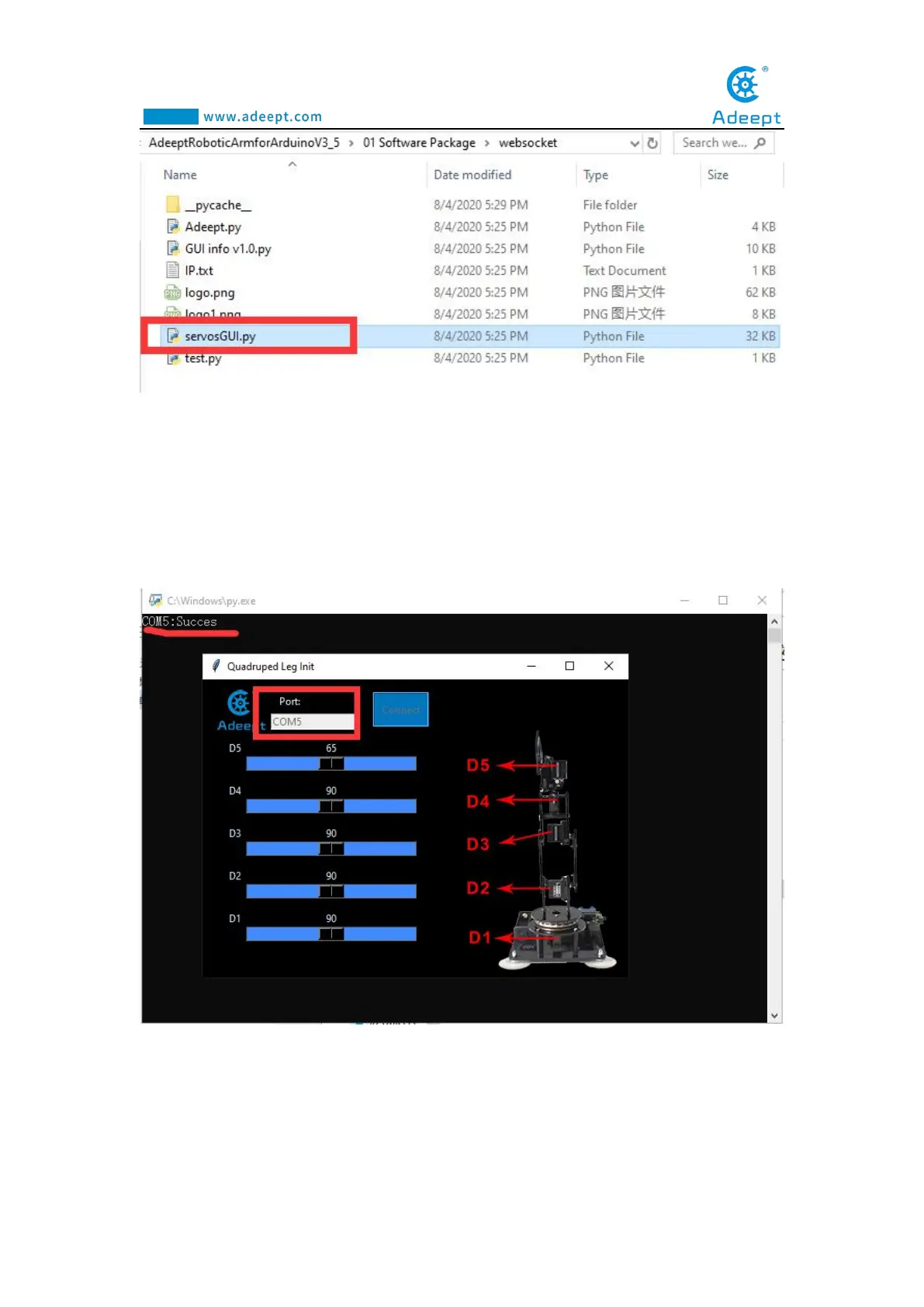
(12) After the GUI is opened, as shown in the figure below, you need to fill in the
Port in the Arduino IDE in the Port input field. For example, the Port connected to the
Arduino IDE is COM5, then you enter COM5, and then click Connect. After
successfully connecting, there will be a prompt message in the upper left corner:
"COM5: Succes".
7.4 Controlling the robotic arm with the GUI
interface



 To Next Page