and loop() are used instead.
3. The construction of the Arduino development
environment
The IDE of the Arduino development environment can be downloaded from the
official website. The download address of the Arduino IDE is:
https://store.arduino.cc/usa/
(1) Install Arduino IDE under Windows
We will teach you how to download and install:
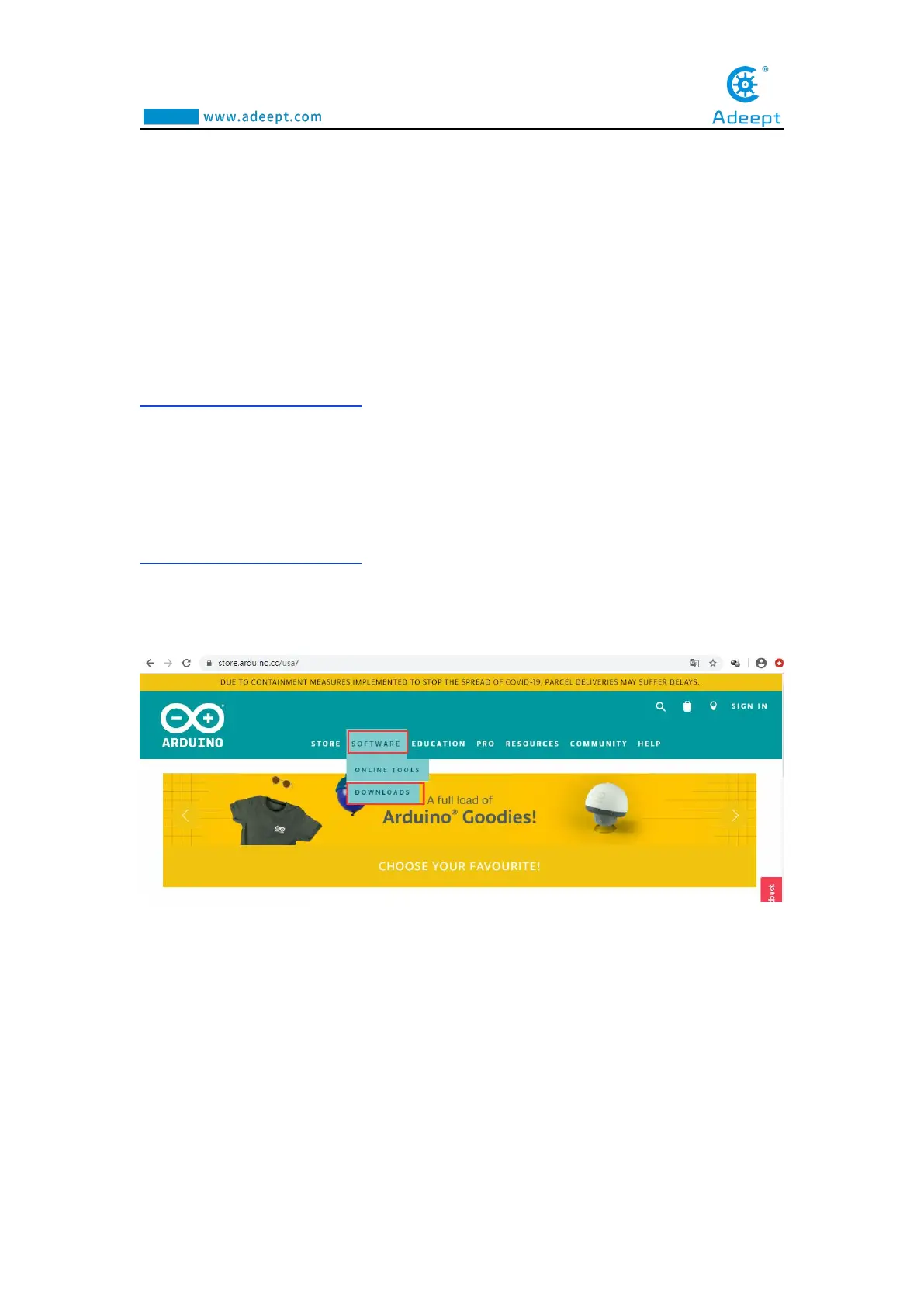
1.Open Google Chrome and enter the URL in the address bar:
https://store.arduino.cc/usa/
After successfully opening the interface as shown below, we click
DOWNLOADS under SOFTWARE.
2. After jumping to the following interface, slide the mouse to the middle to find
the part marked in the red circle.You can find that the official website provides us
with installation files for Windows, Mac OS X, and Linux systems.



 To Next Page