5.Connecting the Adeept Arm Drive Board and the
computer
(1)Connecting the Adeept Arm Drive Board and the computer
You need to use USB Cable to connect the Adeept Arm Drive Board to the
computer.As shown below:
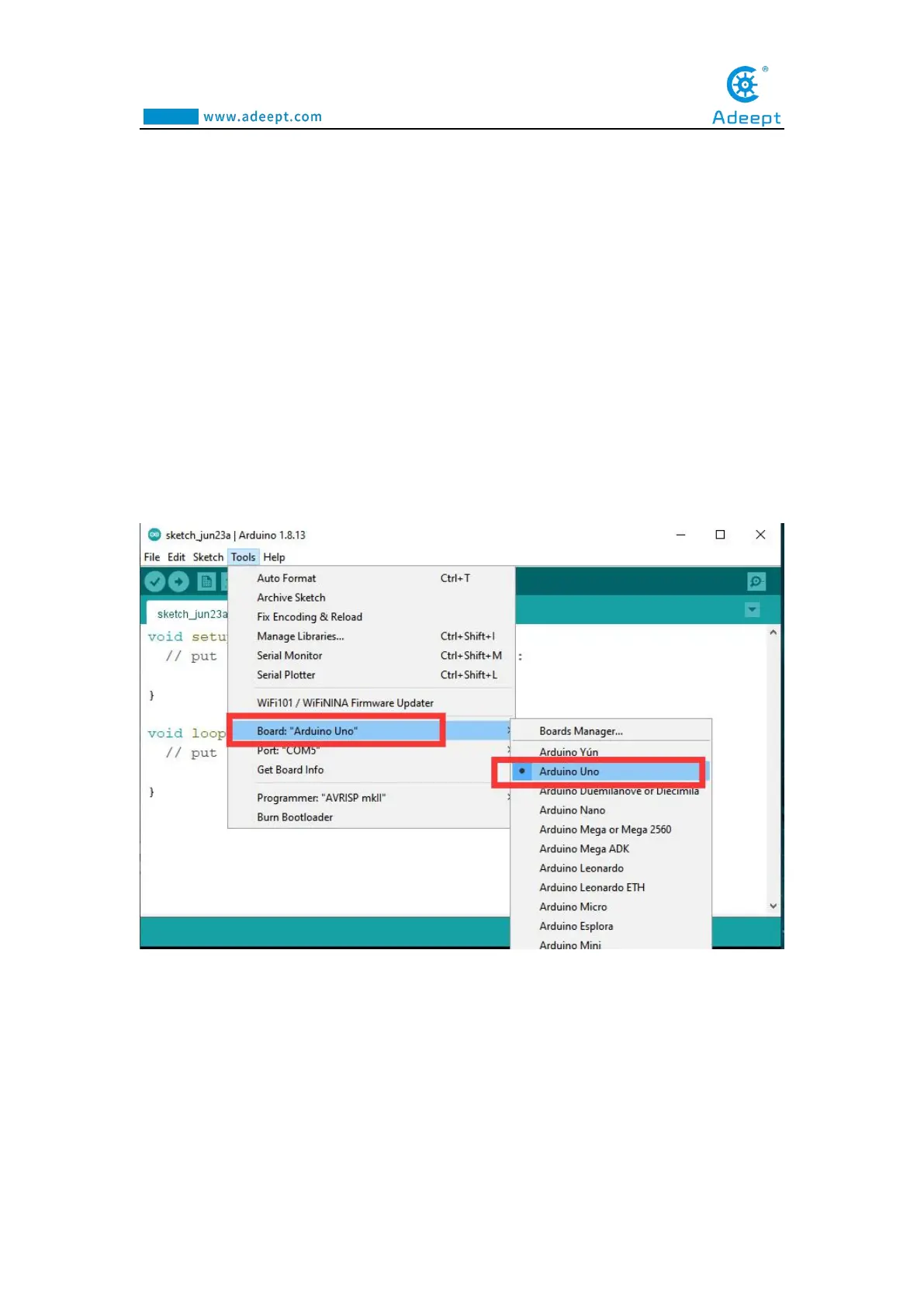
(2) Select the Arduino Uno development board in Tools
Open Arduino IDE under Tools—>Board.Select Arduino UNO in the list.
(3)Install CH341SER driver
1. Open the Arduino IDE, in the Port on the Tools toolbar, you will see that the
serial port cannot be accessed, which means that you have not installed the serial port
driver.



 To Next Page