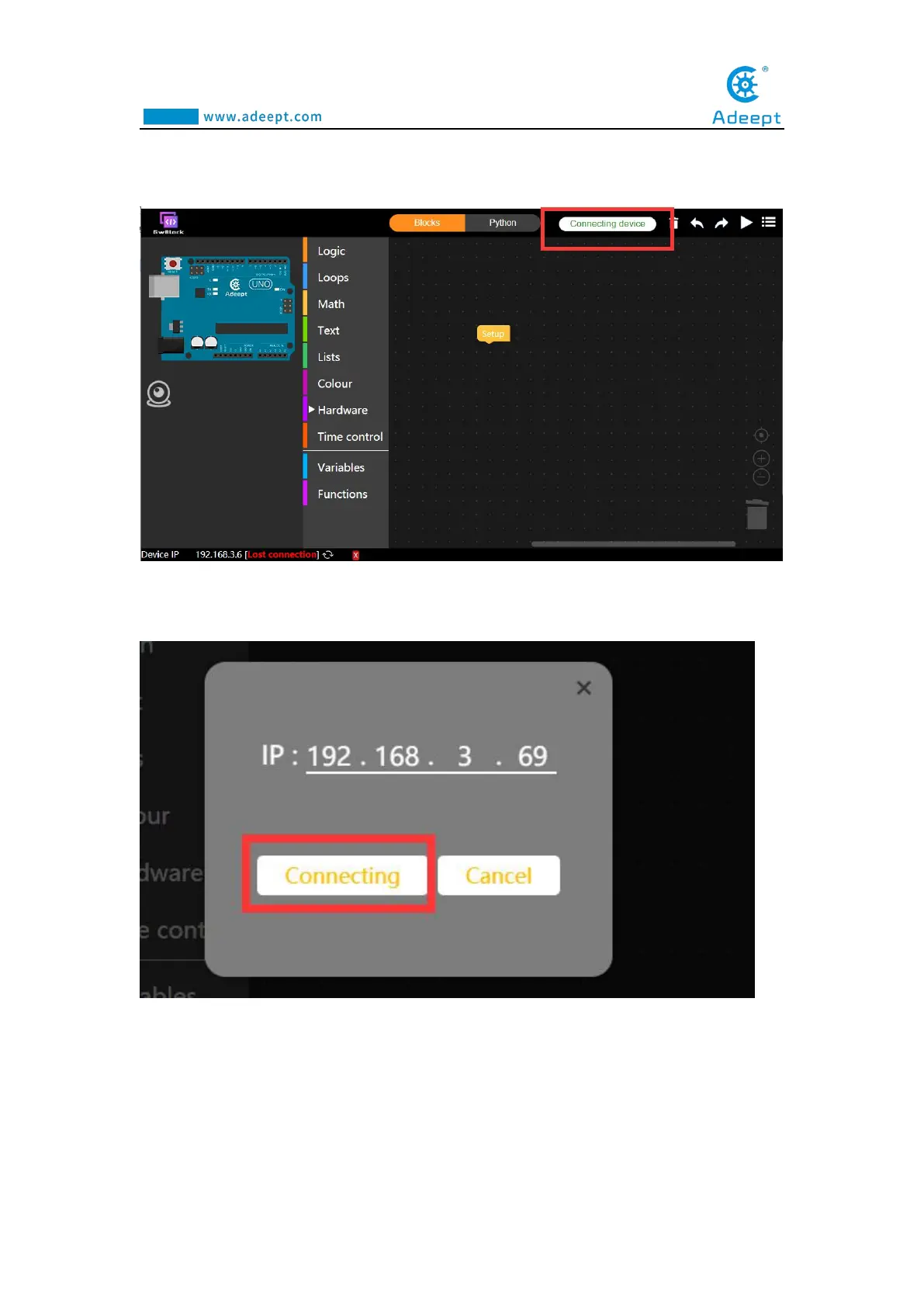
(12)Click the "Connecting device" button in the upper right corner. It will show
as below:
(13) In the pop-up box, enter the IP address in step (9): 192.168.3.69. And then
click the Connecting button, as shown below:
(14) After a successful connection, as shown below, a green connected prompt
will appear in the lower left corner. It means that we have successfully connected to
the GwBlock graphical editor, with which we can realize the graphical programming
of Arduino. Later I will teach you how to use GwBlock graphical editor.



 To Next Page