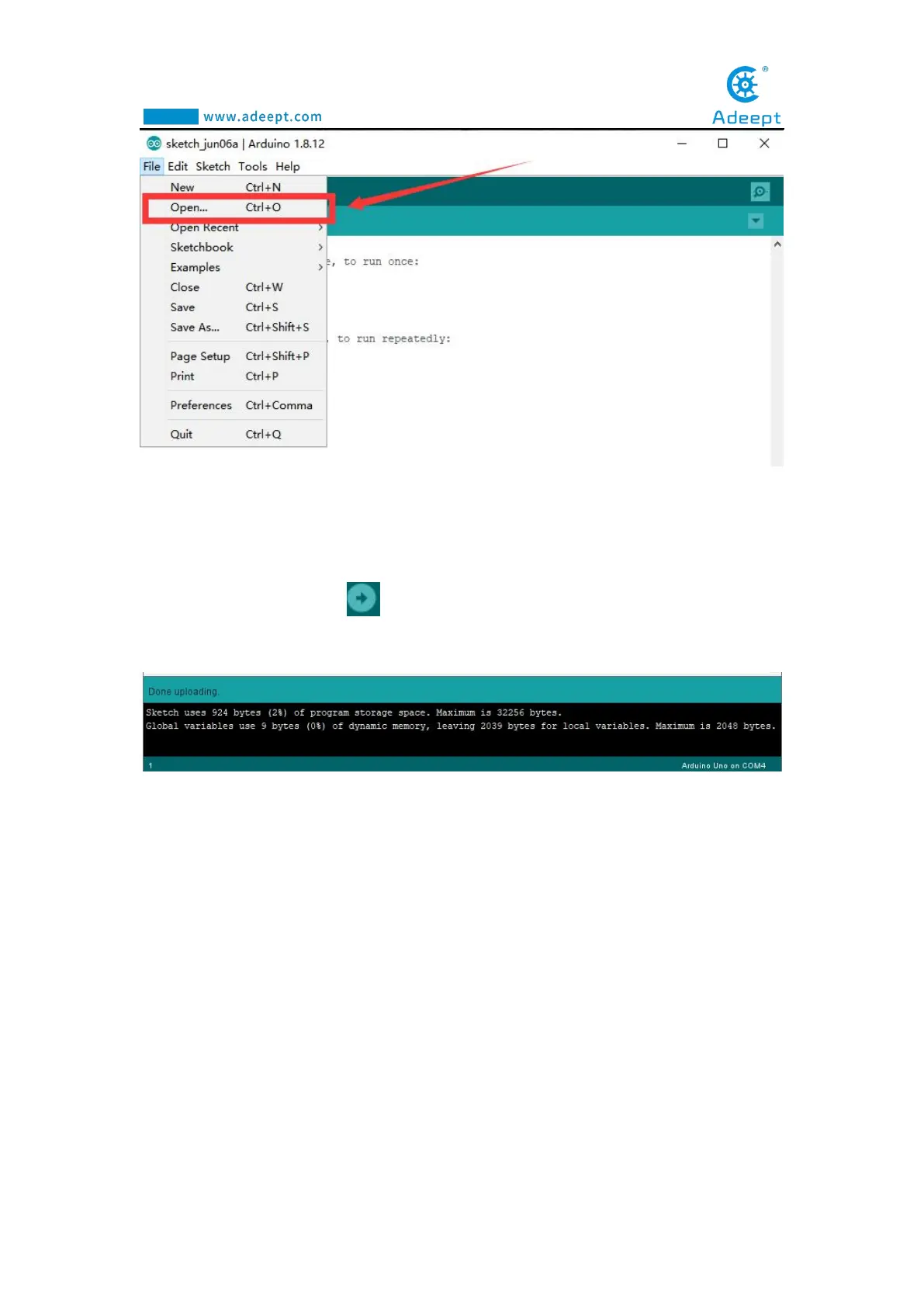
5.Find the folder AdeeptRoboticArmforArduinoV3_5 that we provide to the user.
Open the folder 02 Course Code in it. Enter the Lesson 3 OLED directory. Select
OLED.ino. This file is the code program we need in this course. Then click Open.
6.After opening, click to upload the code program to the Arduino UNO. If
there is no error warning in the console below, it means that the Upload is successful.
7. After successfully running the program, you will observe that text will be
displayed on the OLED screen.
3.4.2 Learning the code program of this lesson
After the above practical operation, you must be very curious to know how we
use C language to program on the Adeept Arm Drive Board to display text on the
OLED screen. Below we will introduce how the main code program is implemented.
First, in the setup() function, set the display color of the font to white.



 To Next Page