ADOBE PREMIERE PRO 2.0
User Guide
282
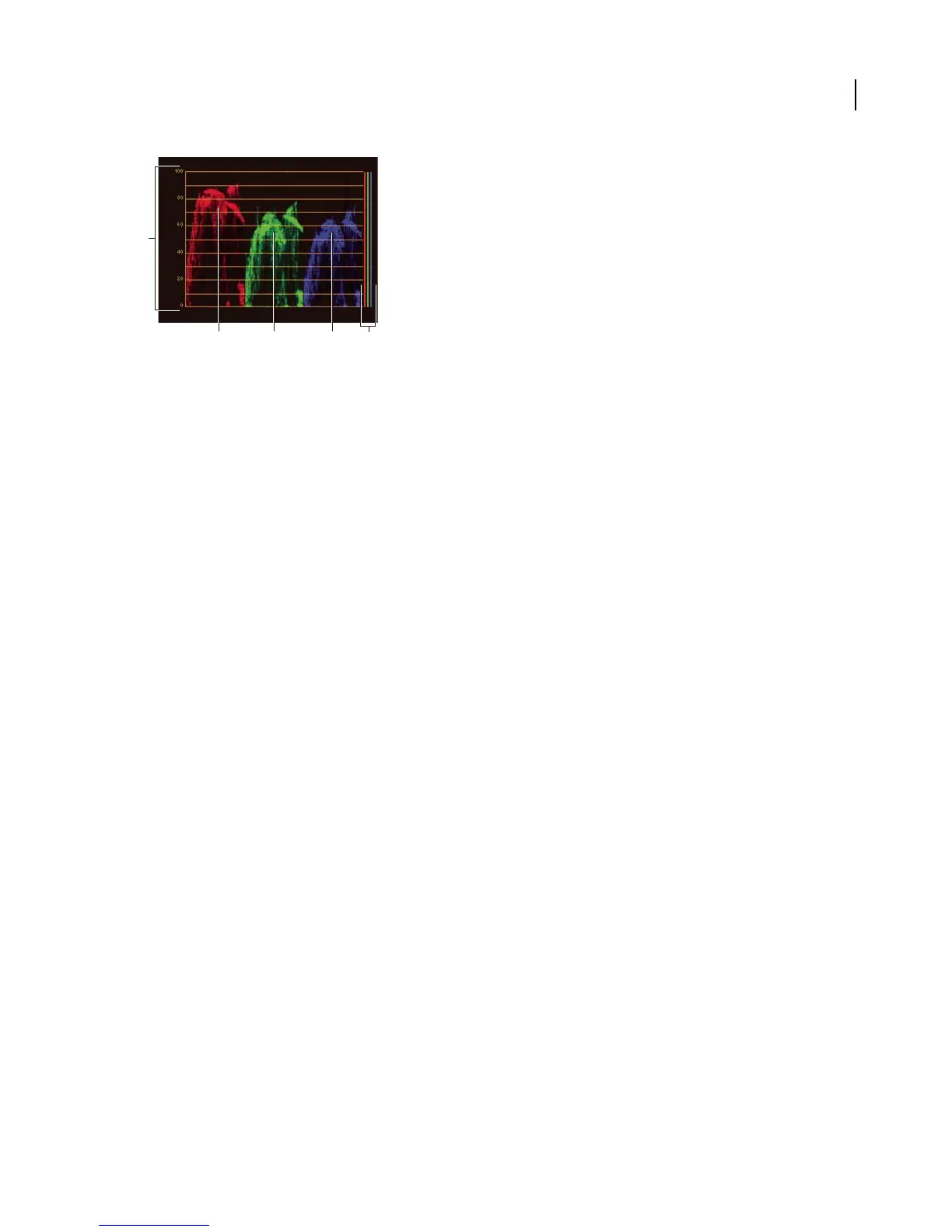
RGB Parade scope
A. Va lues B. R waveform C. G waveform D. B waveform E. Range of signal components
To view a scope
You can view a vectorscope, YC waveform, YCbCr Parade, and an RGB Parade scope either individually or grouped
in the Reference Monitor, Program Monitor, or Source Monitor.
1 Depending on whether you want to view a scope for a master clip or sequence clip, do one of the following:
• Double-click the clip in the Project panel.
• In the Timeline panel, position the current-time indicator in the sequence you want.
2 (Optional) Choose New Reference Monitor from the Program Monitor menu if you selected a clip in the Timeline
panel.
3 Choose any of the following from either the Reference Monitor, Program Monitor, or Source Monitor menu:
All Scopes Displays the Vectorscope, YC Waveform, YCbCr Parade, and RGB Parade scopes in one monitor.
Vectorscope Displays a vectorscope for viewing the chrominance in the video.
YC Waveform Displays a waveform monitor for viewing luminance and chrominance information.
YCbCr Parade Displays a scope with luminance (Y) and color difference (Cb and Cr) information.
RGB Parade Displays a scope showing the red, green, and blue components in the video.
Vect/YC Wave/YCbCr Parade Displays the Vectorscope, YC Waveform, and YCbCr Parade scope in one monitor.
Vect/YC Wave/RGB Parade Displays the Vectorscope, YC Waveform, and RGB Parade scope in one monitor.
C D B
A
E



 To Next Page