ADOBE PREMIERE PRO 2.0
User Guide
30
A 4:3 frame aspect ratio (left), and wider 16:9 frame aspect ratio (right)
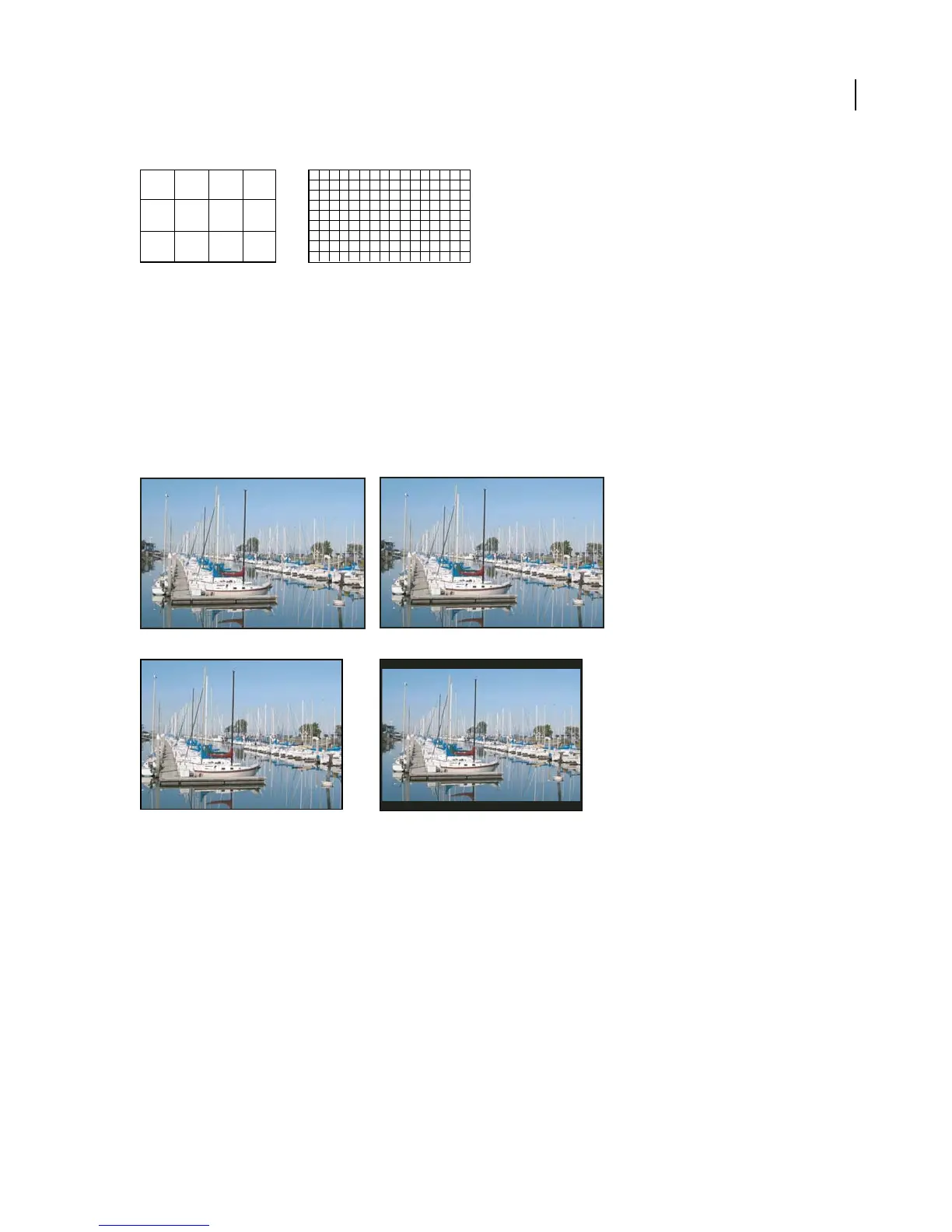
When you import clips shot in one frame aspect ratio into a project that uses another frame aspect ratio, you must
decide how to reconcile the different values. For example, there are two common techniques for showing a
widescreen movie with a 16:9 frame aspect ratio on a standard television with a 4:3 frame aspect ratio. You can fit
the entire width of the 16:9 frame in a black 4:3 frame (called letterboxing), which results in black bands above and
below the widescreen frame. Or you can fill the 4:3 frame vertically with the entire height of the 16:9 frame, varying
the horizontal position of the 16:9 frame behind the narrower 4:3 frame so that important action is visible in the 4:3
frame (called pan & scan). In Adobe Premiere Pro, you can implement either technique by using Motion effect
properties such as Position and Scale.
NTSC displays
A. 16:9 NTSC footage B. DVD player display using original widescreen format on widescreen TV screen C. 16:9 image on a 4:3 TV screen
cropped using automatic pan and scan D. 16:9 image on a 4:3 TV screen using automatic letterboxing to reduce overall frame size and display
entire image
3
416
9
AB
C D



 To Next Page