AUTOMATIC
23
5.4 Memory Card and USB
The Saver One allows the recording of data on the internal memory as well as on the external memory card.
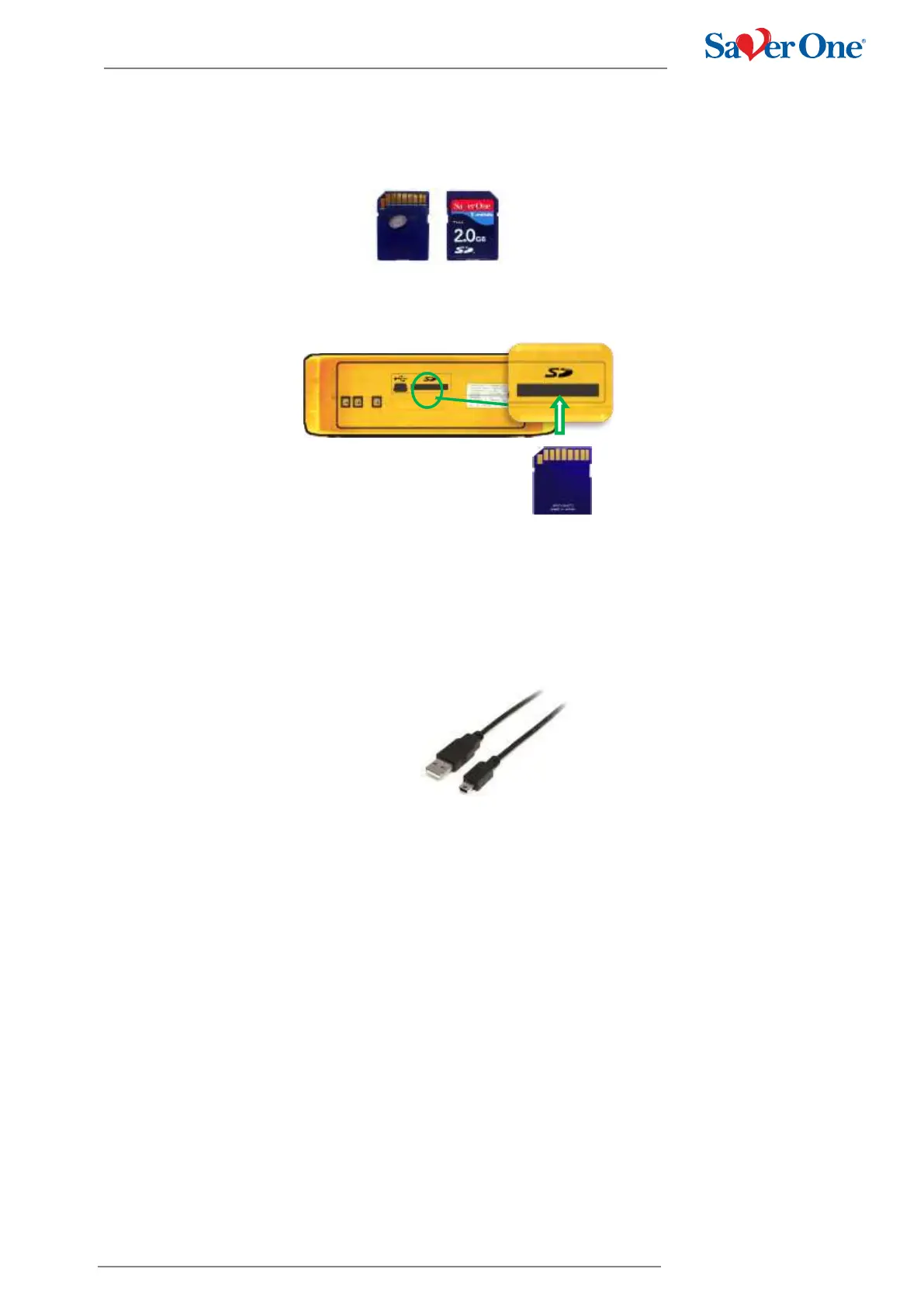
Supported memory cards are SD/SDHC cards with capacities up to 8GB
To install a Memory Card in the Saver One follow this procedure:
A. The memory card must be inserted before attaching the battery
B. Place the device on a firm, stable horizontal shelf as shown in the image
C. Insert the Memory Card with the contacts facing upwards as shown in the image and push it until it is
completely inserted
The data recorded directly on the internal memory of the Saver One can be downloaded via the USB port on the back
of the device (image 16).
The USB cable to be used must be a mini USB 2.0 (USB / Mini USB connection)
To connect the mini USB cables to the Saver One follow this procedure:
A. Detach the battery and insert the Mini USB terminal of the cable in the appropriate compartment on the Saver
One
B. Connect the USB terminal of the cable to a Personal Computer
C. Use the PC Saver View Express software
!!ATTENTION!!
The USB is a service port used for device configuration purposes (for the exclusive use of personnel authorized
by AMI) or for downloading recorded data stored internally.
The functions related to the USB port are enabled and accessible only when the device is turned off.
WARNING: When the device is switched on, and especially when a patient is connected to it, it is recommended:
- do not use the USB port
- do not touch the USB port
- remove the USB cable, if inserted in the USB port, before starting the device


 To Next Page