AUTOMATIC
27
7 Information button
The Saver One is equipped with an “i” button, through which the operator can view various useful information about
the device in use on the LCD display.
This button can only be used when the device is switched on and is automatically disabled in the event of an ongoing
emergency.
The information shown on the Display is divided into three different pages, which can be consulted by pressing the “i”
button n times (n meaning the number of pages).
Below is a detailed description of the procedure for using this button and the information displayed:
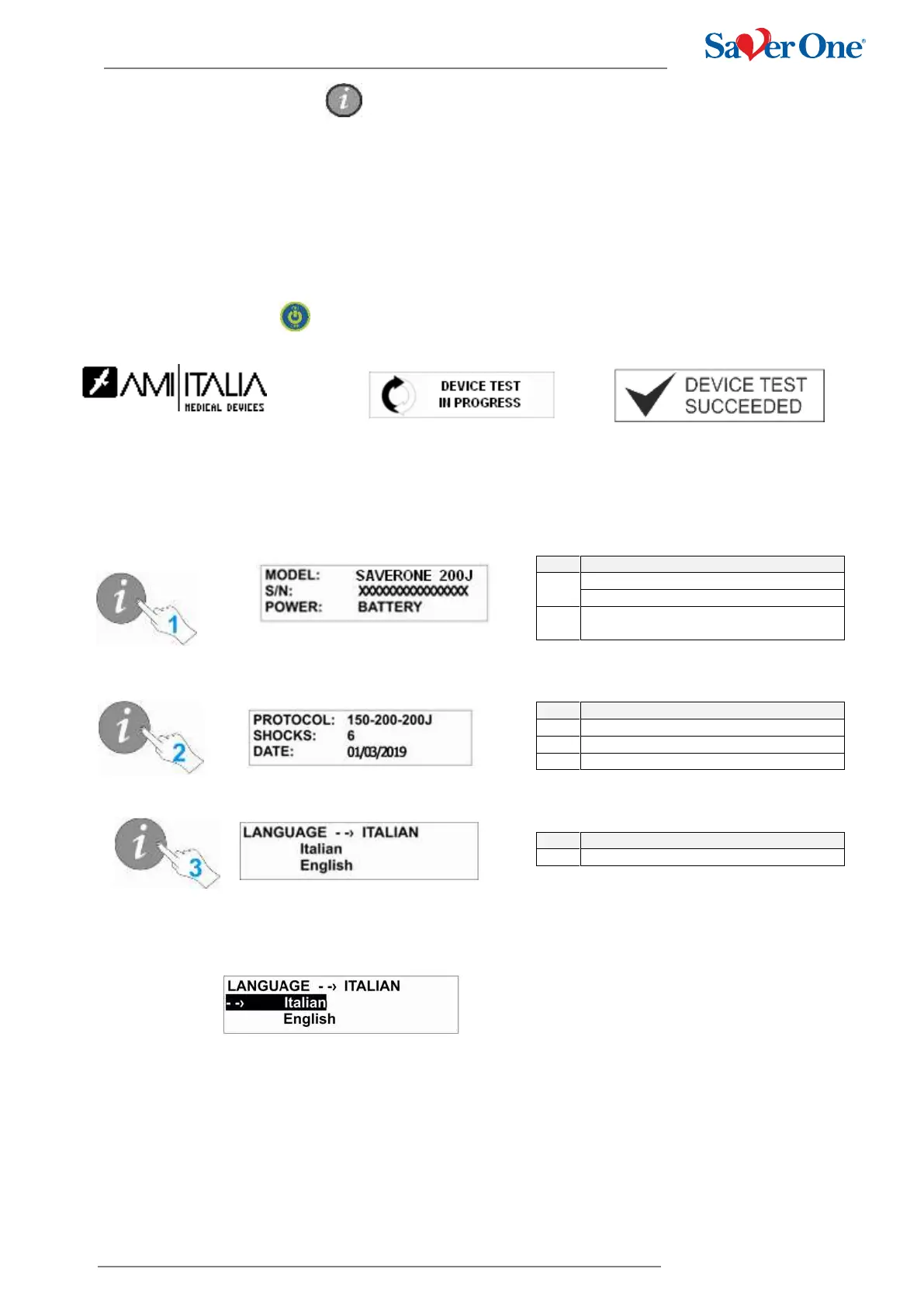
Switch on the device
The Saver One will carry out the automatic power on test after which it will be ready for use.
Press the “i” button
1. After pressing the button the first time the following screen will appear with the related information:
2. Pressing the button for the second time will display the following screen with the related information:
3. Pressing the button for the third time will display the following screen with the related information:
To change the language, press the "i" button for about 3 seconds and release it.
The user will see the following screen:
Select the desired language by pressing the "i" button. Once the desired language has been selected, press the "i" button
for about 3 seconds to confirm the selection.
The selected language remains in memory and at the next restart of the device, it will be the default language.


 To Next Page