43
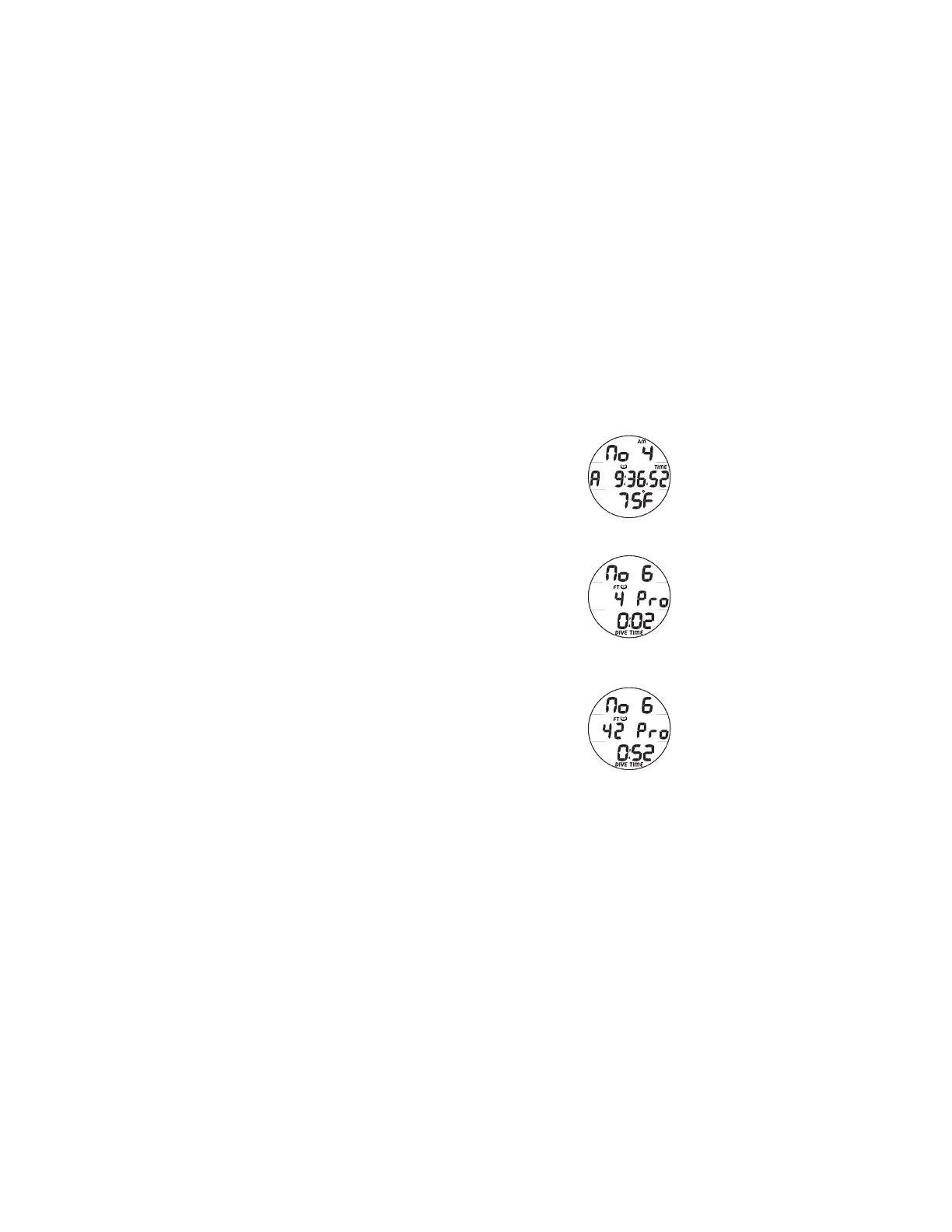
LOG 2, information includes (Fig. 37):
> AM (or PM) icon, if set for 12 Hour Format
> Graphic No with the dive number (1 to 99) for that day
> Log (book) icon
> Time of Day (hr:min:sec) the dive began with TIME icon,
and graphic A to the left if Alternate Time was selected as
the Watch Default Time when the dive was conducted.
> Temperature (minimum recorded that dive) with degrees
icon and graphic F (or C)
LOG 3 (Profile)
The Log 3 screen allows you to analyze dives on site without
the use of the PC interface system. The dive's Depth can be
observed while elapsed dive time is increased or decreased
throughout the dive beginning at descent.
LOG 3, information includes (Fig. 38A/B):
> Graphic No with the dive number (1 to 99) for that day
> Max Depth with FT (or M) icon
> Log (book) icon
> Graphic Pro indicating that the screen is displaying
interactive Profile data for that dive
> Elapsed Dive Time (min:sec) with DIVE and TIME icons
• Depressing the S button will increase EDT at a rate of 8
seconds per each real time second until released,
displaying the Depth values for each EDT value.
Fig. 37 - LOG 2
Fig. 38A - LOG 3
(Profile after 2 sec)
Fig. 38B - LOG 3
(Profile after 52 sec)



 To Next Page