Chapter 10 Using HiveManager
110 Aerohive
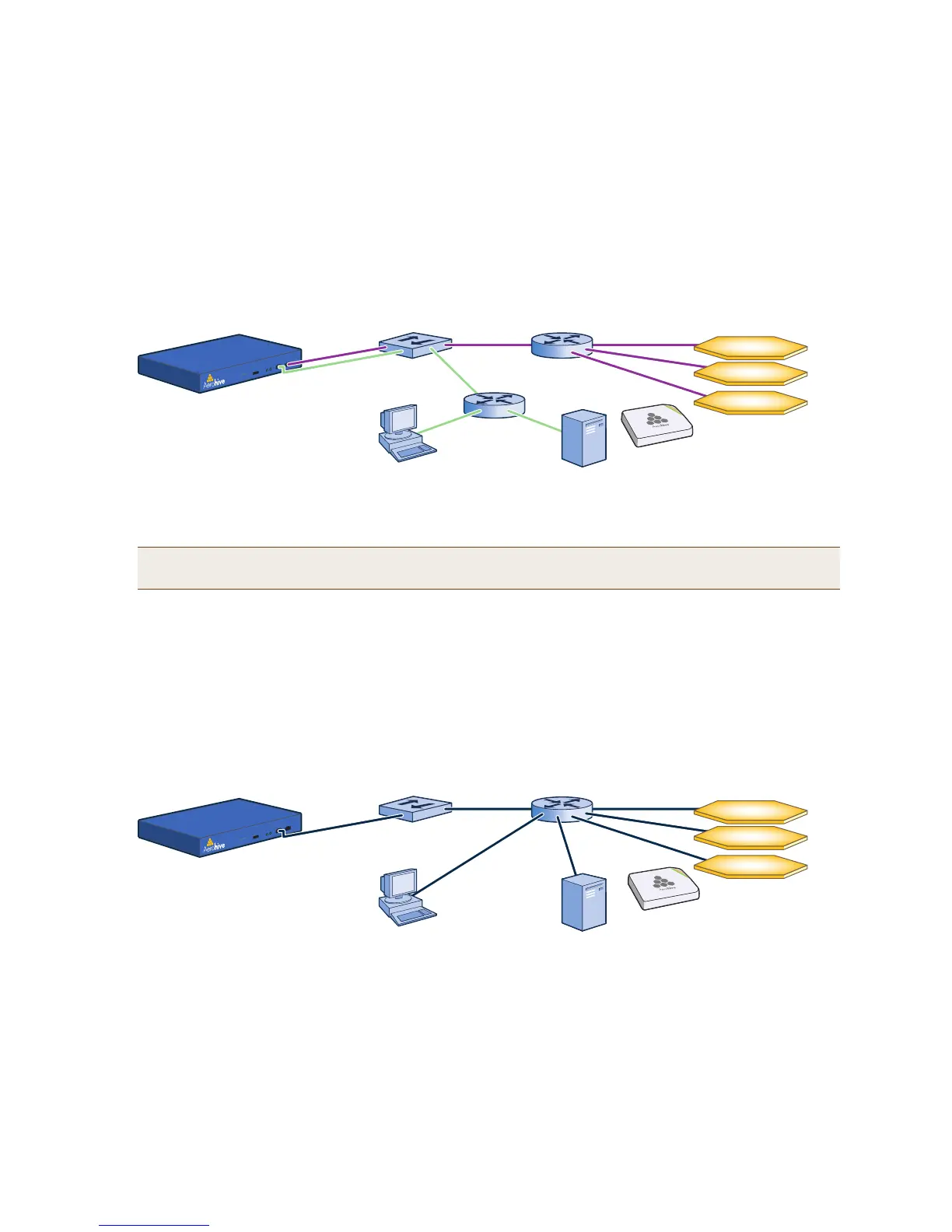
When deciding to use one interface (MGT) or both (MGT and LAN), keep in mind that there are two main types
of traffic to and from HiveManager:
• HiveManager management traffic for admin access and file uploads
• HiveAP management traffic and configuration, file, and HiveOS image downloads to managed HiveAPs
When you enable both interfaces, HiveManager management traffic uses the MGT interface while HiveAP
management traffic uses the LAN interface, as shown in Figure 2.
Figure 2 Using both MGT and LAN interfaces
When only the MGT interface is enabled, both types of management traffic use it. A possible drawback to this
approach is that you cannot separate the two types of management traffic into two different networks. For
example, if you have an existing management network, you would not be able to use it for HiveManager
management traffic. Both HiveManager and HiveAP management traffic would need to flow on the operational
network because HiveManager would need to communicate with the HiveAPs from its MGT interface (see
Figure 3). However, if the separation of both types of traffic is not an issue, then using just the MGT interface is
a simple approach to consider.
Figure 3 Using just the MGT interface
8. After you finish configuring the network settings, restart network services by entering 6 (6 Restart
Network Services) and then enter yes to confirm the action.
You can now disconnect the serial cable.
Note: To set static routes after you log in to the GUI, click Home > Administration > HiveManager Settings
> Routing > Add, set the destination IP address, netmask, and gateway, and then click Apply.
MGT
10.1.2.8/24
LAN
10.1.1.8/24
Switch
Router
Hives in different subnets
Router
10.1.3.0/24
10.1.4.0/24
10.1.5.0/24
10.1.1.1
10.1.2.1
Admin
10.1.7.34
SCP Server
10.1.6.12
HiveManager
Each hive contains
multiple HiveAPs.
Static Routes: HiveManager sends traffic destined for 10.1.6.0/24 to 10.1.2.1.
HiveManager sends traffic destined for 10.1.7.0/24 to 10.1.2.1.
Default Gateway: 10.1.1.1 (HiveManager sends traffic here when there are no specific routes to a destination.)
MGT
10.1.1.8/24
LAN
0.0.0.0/0
Switch Router Hives in different subnets
10.1.3.0/24
10.1.4.0/24
10.1.5.0/24
10.1.1.1
Admin
10.1.7.34
SCP Server
10.1.6.12
HiveManager
Each hive contains
multiple HiveAPs.
Default Gateway: 10.1.1.1 (HiveManager sends all traffic to the default gateway.)



 To Next Page