Deployment Guide 25
BASIC WI-FI CONCEPTS
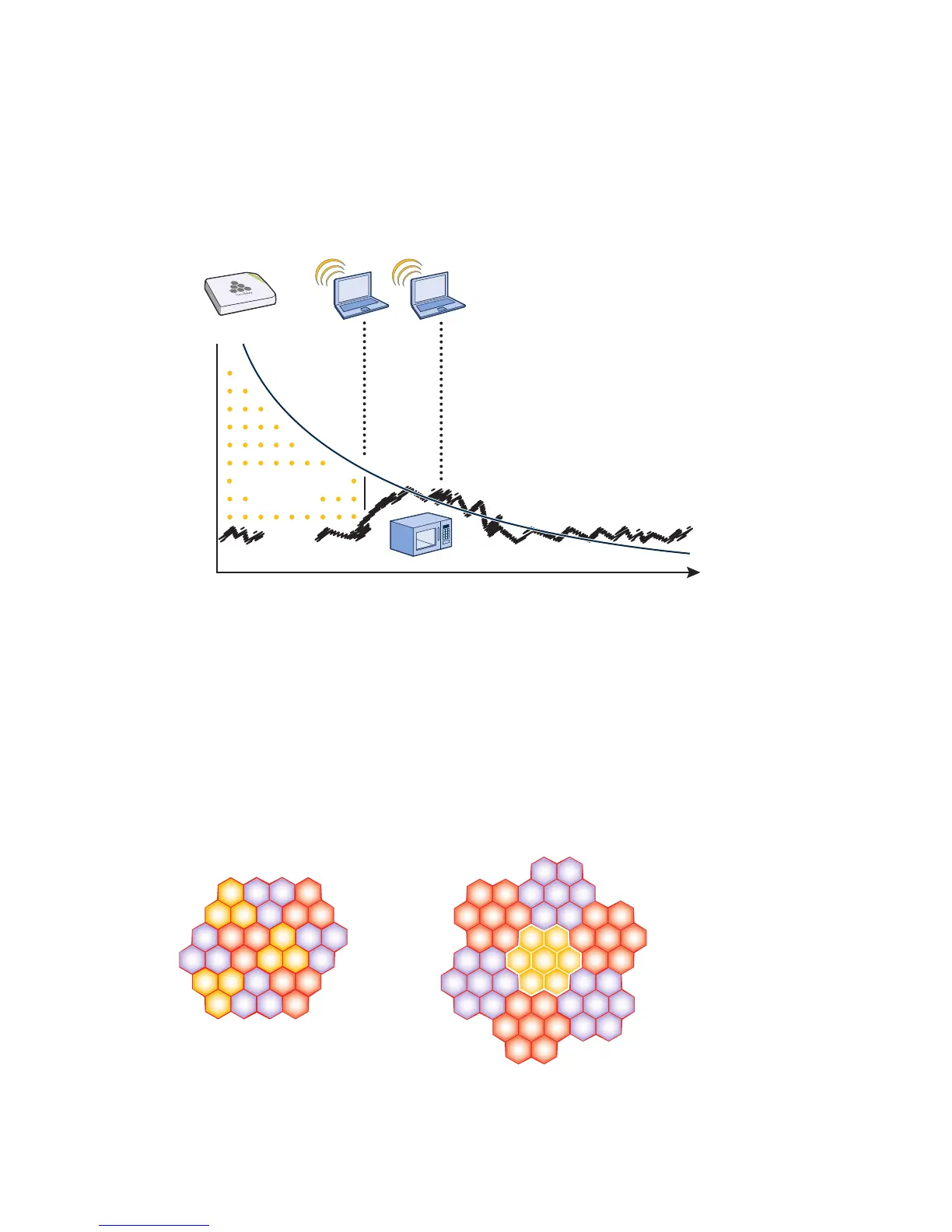
Microwave ovens, wireless video cameras, Bluetooth headsets, and cordless phones can all interfere with Wi-Fi
signals (see Figure 5). Excess noise in an environment is often difficult to diagnose and can have a major negative
impact on network performance. To discover noise sources, a spectrum analysis system is needed. AirMagnet
provides an affordable spectrum analysis tool that operates in the 2.4 GHz and 5 GHz spectra.
Figure 5 Path loss with noise (from a microwave)
Now that you have a sense of how Wi-Fi performance changes over distance and with noise, look at some ways to
perform channel assignment. If two access points are on the same channel right next to each other, they are forced
to share the same spectrum. This means that they share the 54-Mbps speeds available in 802.11a/g or the 300-Mbps
speeds in 80211n rather than each being capable of 54- or 300-Mbps speeds independently. This essentially halves
the bandwidth for each access point. To manage this situation, make sure that neighboring APs are on different
channels and that their power is adjusted so that it does not overlap that of other APs with the same channel.
In the 2.4 GHz spectrum, there are 11 channels in the United States. However, a Wi-Fi signal consumes more than
one channel. Consequently, there are only 3 non-overlapping channels: 1, 6, and 11. To achieve optimal
performance, you need to design a channel layout pattern such as the one on the left in Figure 6.
Figure 6 Channel layout patterns
Signal-to-Noise
Ratio
Distance
Noise
Received Signal
6460
52
56
36
44
40
6460
52
56
36
44
40
6460
52
56
36
44
40
6460
52
56
36
44
40
6460
52
56
36
44
40
6460
52
56
36
44
40
6460
52
56
36
44
40
7-to-1 Layout Pattern
116
1
116
1
61
11
61
11
111
6 111
6
6
1
11
6
1
11
11
61
3-to-1 Layout Pattern
11
6
1



 To Next Page