MND172201 P a g e | 31 Software Revision 1.4.1
6. Operation
Each box on the screen represents a seed sensor. You group the
sensors by section to enable the Section Aware capability of the
system. There are 3 modes of operation.
Seed Rate Mode
Used when monitoring seed rate & blockage.
Blockage Mode
Used only when monitoring blockage.
Section Aware Mode
Used when sections are enabled/disabled.
Seed Rate Mode
Use the following procedure to set up Seed Rate in your preferred
units:
Begin seeding at a known application rate based on your air
seeder settings.
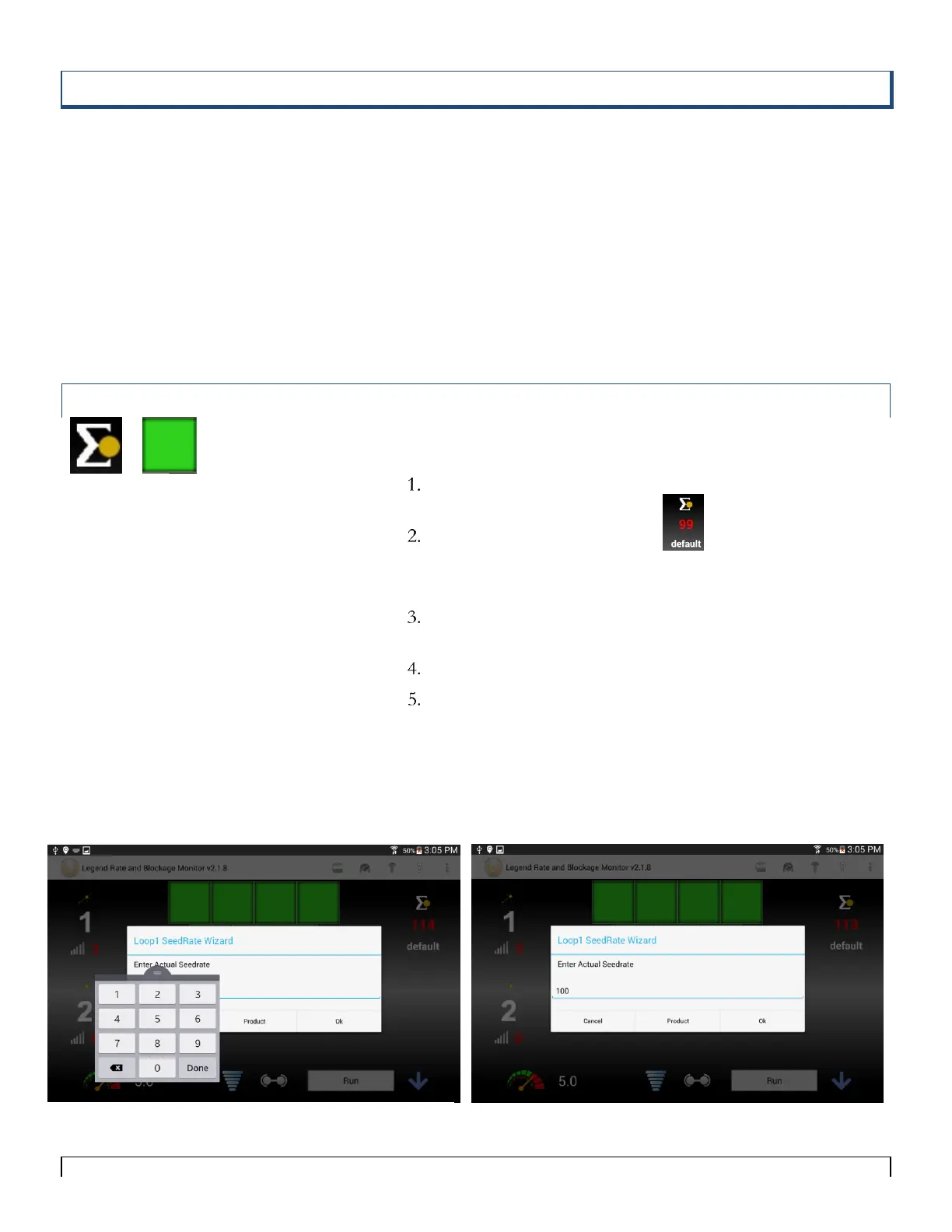
Tap the Seed Rate Wizard icon.
The Seed Rate Wizard pop-up opens and the on-screen
keyboard appears.
Enter the current Seed Rate in your preferred units (seeds/acre,
pounds/acre, etc).
Tap the Done button on the keyboard.
Tap the OK button on the Seed Rate Wizard.
The seed rate will scale to display the value that you entered.
Using the Seed Rate Wizard also sets the blockage sensitivity
for the loop as well.
When loop is operating normally in rate mode, all of the
sensors should be green.
Tips:
In order for the Seed Rate Wizard to work
no sensors can be blocked!
You must have a speed source and
be seeding in order to set Seed Rate.
Note
Seed Rate relates to the volume of
product applied to an area of the field
(e.g. 20 seeds/m2 or 100 lbs/acre). Seed
Rate alarms detect when that application
rate exceeds or drops below preset High
or Low alarm values.



 To Next Page