MND172201 P a g e | 44 Software Revision 1.4.1
8. Troubleshooting
System Alarms
Sensors not communicating
More than one Communication
Error (Only appears if entire loop
is disconnected)
Blocked Alarm with a
communication error
High or Low Rate alarm with a
communication error
Sensor clean error with
a communication error
Section OFF with a
communication error
Sensor detecting seed with a
communication error
Section OFF with sensor
detecting seed
Section OFF with sensor detecting
seed and a communication error
Alarm Screen
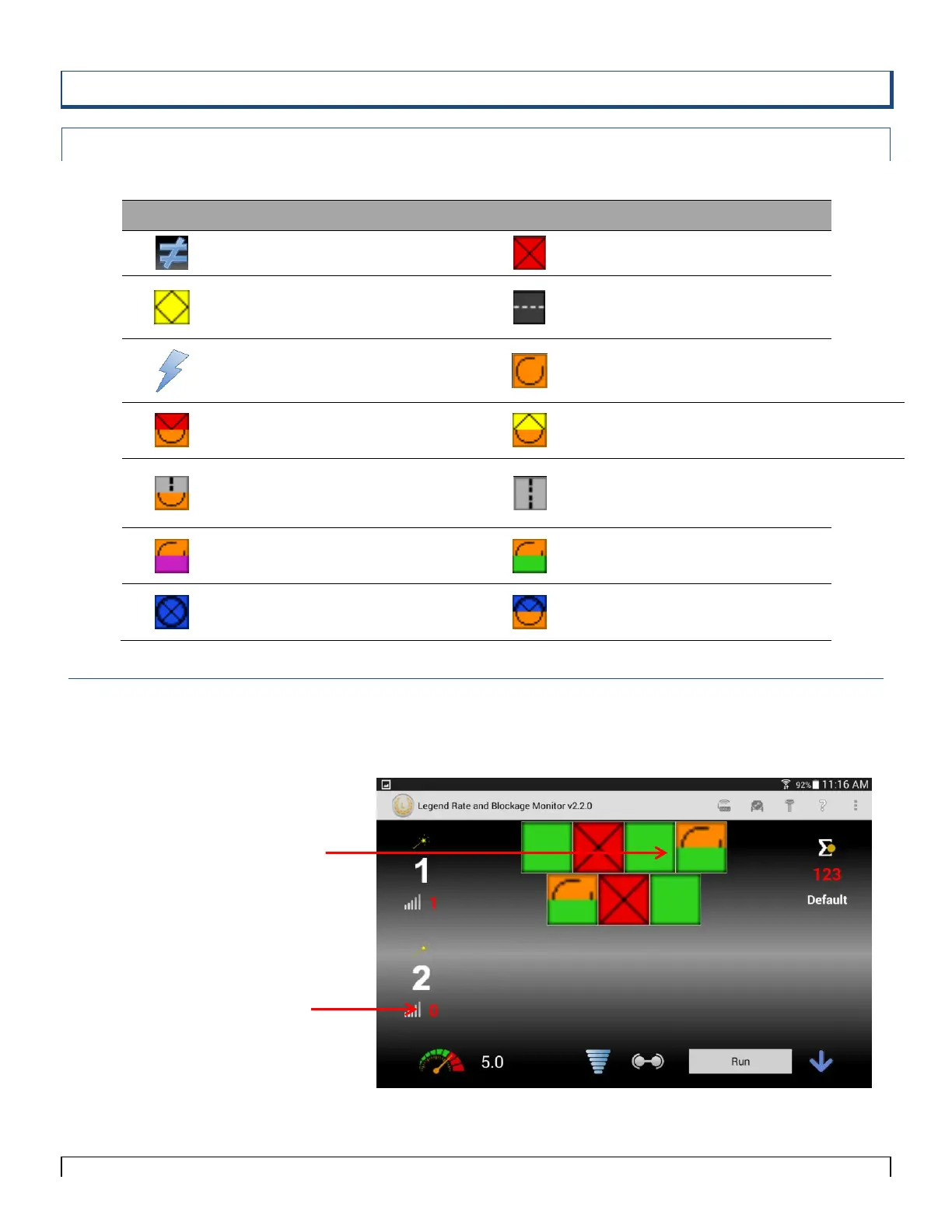
Figure 8-1 shows a system with 2 loops. Loop 1 is showing there is
two blocked sensors and one disconnect in the Loop with seed still
flowing. Loop 2 is turned off.



 To Next Page