MND172201 P a g e | 33 Software Revision 1.4.1
Product Setup
The Legend has the ability to save your calibrations for a specific
product, to recall at a later date.
To save a product:
Tap the Seed Rate Wizard.
A box opens and the on-screen keyboard appears.
Instead of entering a seed rate again, select the Product soft
key.
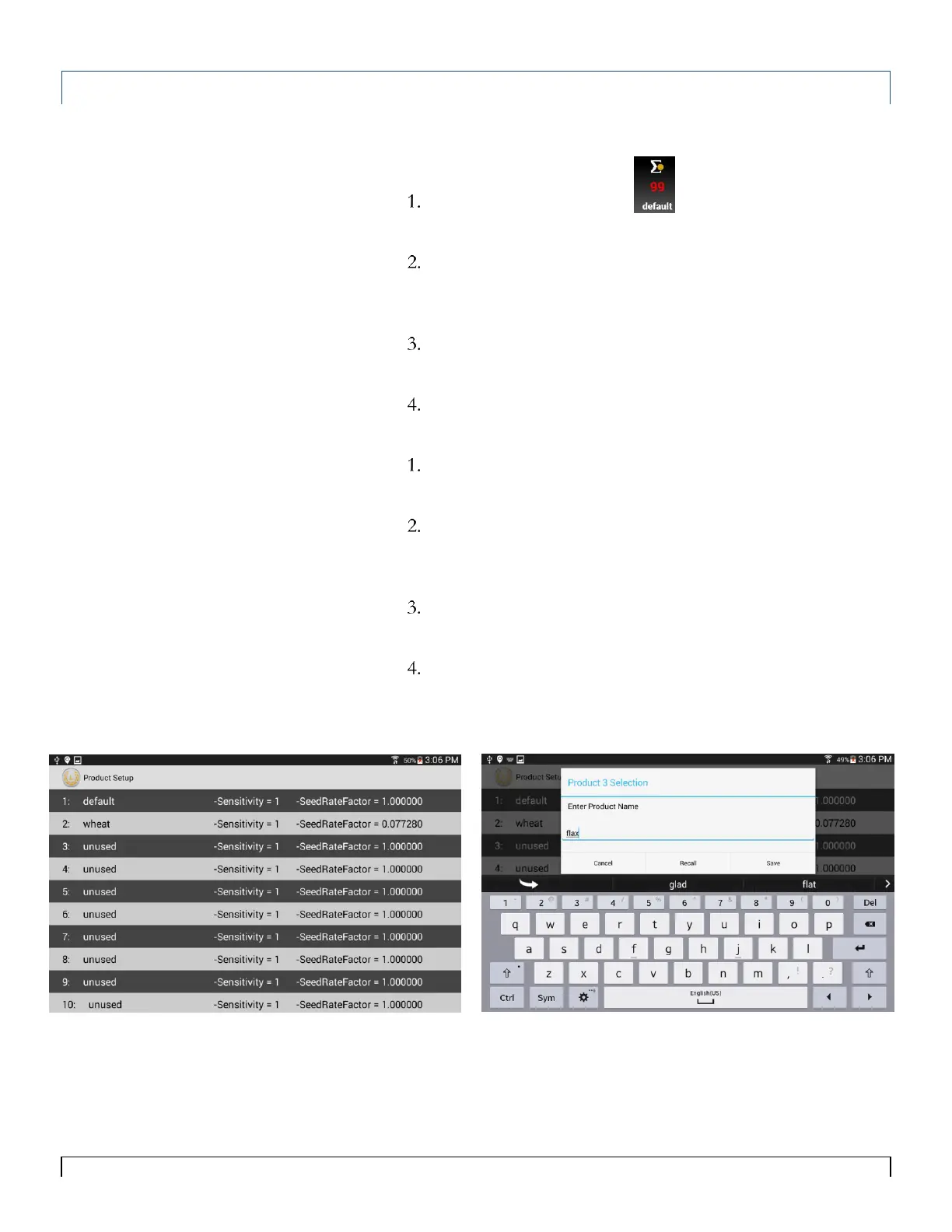
The Product Setup screen appears.
Select an unused slot.
A box opens and the on-screen keyboard appears.
Enter in the product name and select Save.
To recall a product:
Tap the Seed Rate Wizard.
A box opens and the on-screen keyboard appears.
Instead of entering a seed rate again, select the Product soft
key.
The Product Setup screen appears.
Select the product you wish to recall.
A box opens and the on-screen keyboard appears.
Select Recall.
The app will return to the main screen and the product name
should appear under the Seed Rate Wizard.



 To Next Page