MND172201 P a g e | 4 Software Revision 1.4.1
Set Seed Rate Wizard
To start, tap the Run/Hold button to switch from Hold to Run. This
enables alarms. You must be seeding, with no blockages or sensor
errors, in order to use the Seed Rate Wizard.
On the Main screen:
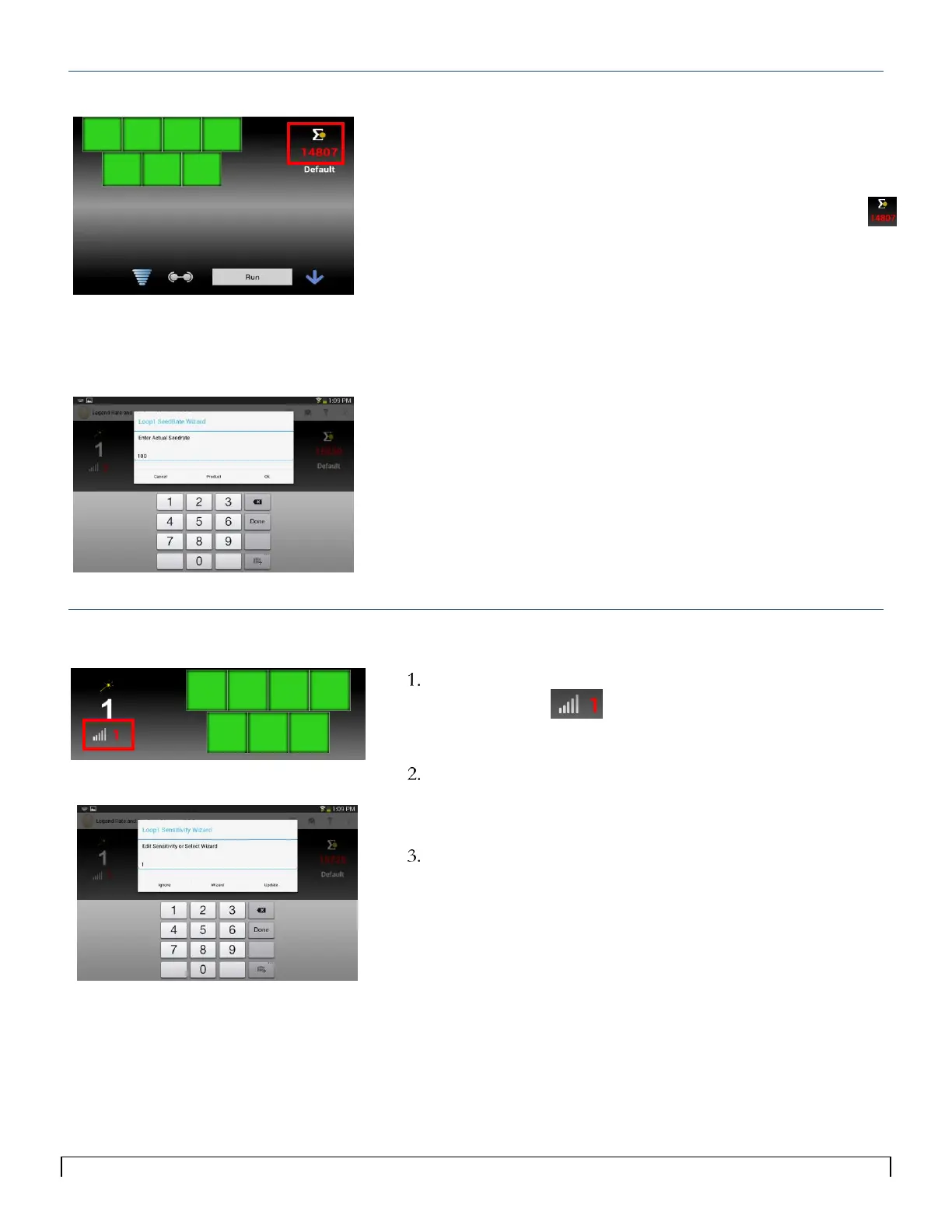
1. Tap the red number below the Loop1 or Loop 2 Seed Rate
icon.
2. The Loop 1 Seed Rate Wizard pop up window appears.
3. Enter your desired seed rate and tap Ok.
Calibrating the Seed Rate Wizard also sets your Blockage
Sensitivity.
4. Repeat for Loop 2 as needed.
Set Sensitivity Wizard for Blockage Alarms
While seeding, tap the red number to the right of the
sensitivity icon.
The Loop1 Sensitivity Wizard pop up window appears.
Tap the Wizard button.
The system automatically selects the optimum sensitivity
value based on what you are seeding.
Repeat for Loop 2 as needed.



 To Next Page