UG-MD16E-EN (V1.3-190708)
MD-16E
Mixer Reference manual
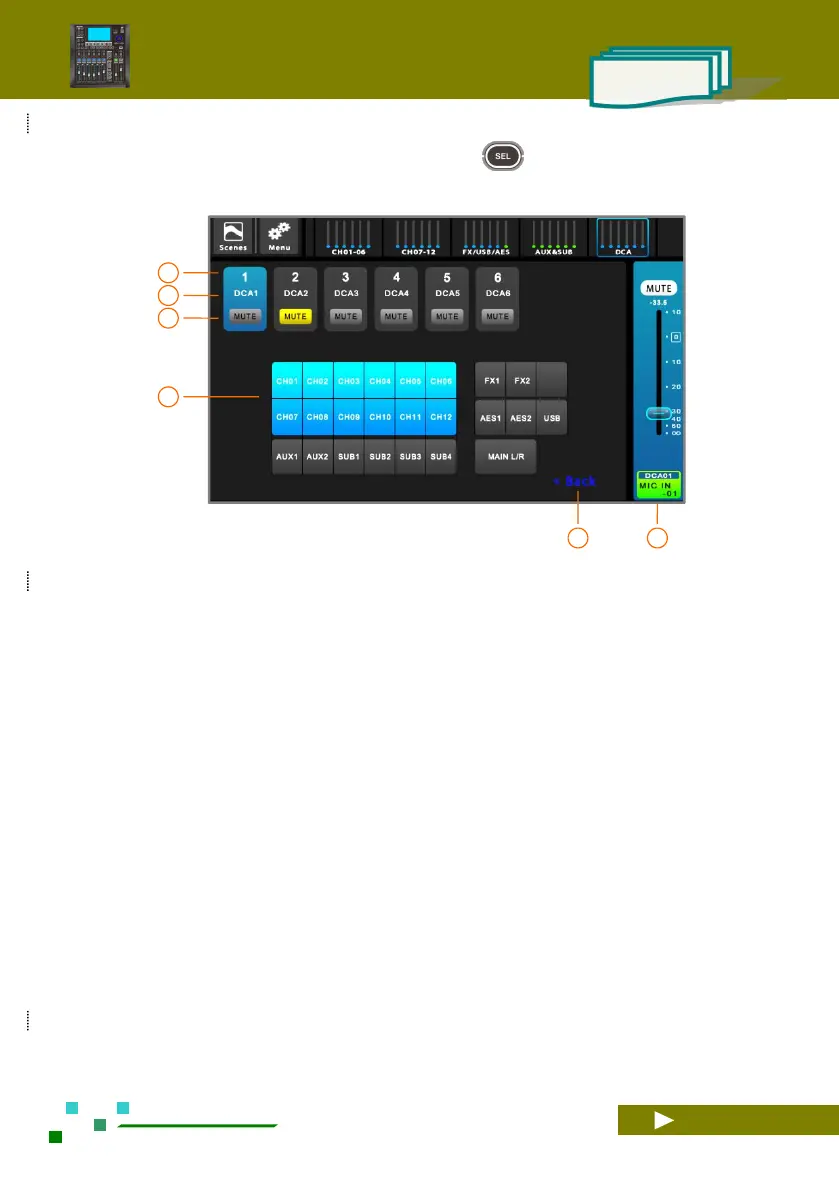
The DCA needs to be pre-configured with channel association before use. On the DCA overview page.
Click the DCA channel name bar or click the button on the panel to enter the DCA settings interface,
as shown below:
DCA mute switch, red light indicates mute, all
channels associated in advance will be muted by
one button.
Associated input and output channels, color
indicates that they are already associated, click to
switch.
Return to the DCA overview screen.
DCA volume grouping. Pushing the fader
controls all pre-associated channel volumes.



 To Next Page