UG-MD16E-EN (V1.3-190708)
MD-16E
Mixer Reference manual
2.6.2 Mute Groups
The mute grouping function enables single-key mute control of several pre-associated input and output
channels, making it easy to control the mute of a group of devices.
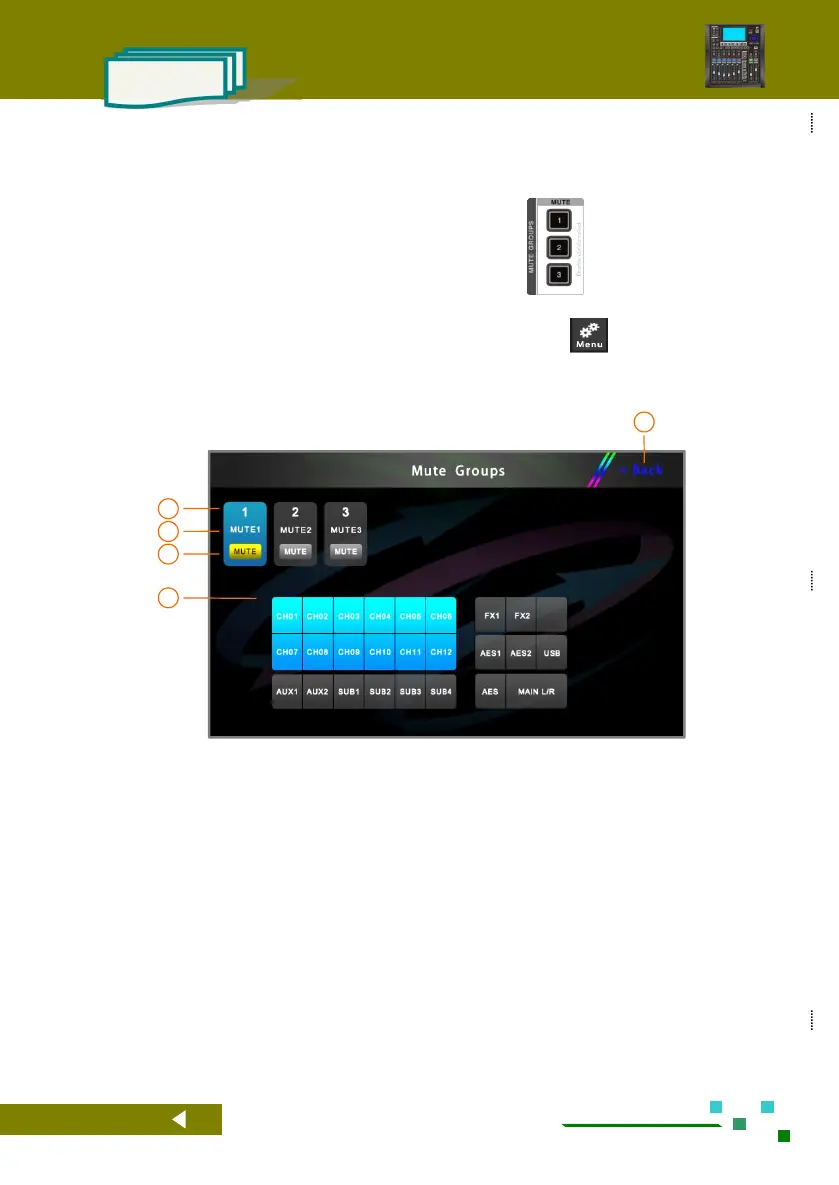
The MD-16E mixer has three mute groups. Double-click the button on the panel to switch the
mute state of the corresponding mute group. When the yellow light is on, the mute group is active and the
associated input/output channel will be muted. In the system parameter interface , you can set the mute
group as follows.
Back to the overview channels page.
Mute Groups channel number.
Mute Groups channel name, long press this button
to rename.
Mute Groups mute switch, yellow light indicates
mute, all channels pre-associated will be muted
by one button.
Associated input and output channels, color
indicates that they are already associated, click to
switch.



 To Next Page